Grandstream GVC3212 HD Video Conferencing Device

Frequently Asked Questions

First, ensure the device has a valid internet connection—check the network status in the unit’s settings menu. If using Wi-Fi, confirm the SSID and password are correct and that the signal is strong. Then verify that your IPVideoTalk account is active and that the provisioning credentials entered on the GVC3212 match exactly what the service provides.
Check that the HDMI cable is securely connected to both the GVC3212 and your TV, and that the TV is set to the correct HDMI input. If the issue persists, try a different HDMI port or cable. Also confirm that the TV supports the video output resolution (720p at 30fps) and that the GVC3212 is receiving adequate power—whether via included power adapter or PoE if supported.
Make sure the GVC3212’s dual microphones are not blocked by the TV bezel or any object. The device uses acoustic echo cancellation, but background noise from fans or open windows can reduce clarity. As a first step, position the unit away from reflective surfaces and close nearby doors or windows. If the problem continues, check the audio settings for echo cancellation and noise shield to ensure they are enabled.
Confirm that your laptop or mobile device supports Miracast or AirPlay respectively and that both the sending device and the GVC3212 are on the same Wi-Fi network. Some corporate networks isolate guest Wi-Fi traffic; try connecting both to the same subnet. Restart the GVC3212 and the source device, then attempt the connection again following the on-screen instructions.
This is often a bandwidth issue. Check your internet connection speed—videoconferencing typically requires at least 1 Mbps upload and download for 720p. Close any other bandwidth-heavy applications on your network (streaming, large downloads). If using Wi-Fi, move the GVC3212 closer to the router or consider a wired Ethernet connection for more stability.
First, power cycle the device by unplugging it for 30 seconds and reconnecting. Ensure the power adapter is firmly connected and not damaged. If the unit still cycles, check for any physical damage to the device or cables. Do not factory reset unless advised by support; instead, contact your VoIP service provider or Grandstream support to rule out a hardware fault.
The GVC3212 is designed to run on Grandstream’s IPVideoTalk Meetings platform. While it may support SIP-based calls for basic audio or video, full conferencing features and multi-party hosting require IPVideoTalk. Check the device’s interface for any third-party service options; if not listed, you will need to use IPVideoTalk or explore Grandstream’s other products for broader compatibility.
The included adjustable stand works best on TVs with a flat top or a slight bevel. If your TV has a curved top or a protruding frame, you can place the GVC3212 on a shelf or table near the TV. Alternatively, you can use a third-party VESA mount adapter if the device has mounting holes—check the underside for compatibility.
Double-check that the GVC3212 is not trying to connect to a 5 GHz network that uses a channel not supported by your router (e.g., DFS channels). Try connecting to the 2.4 GHz band temporarily. Also verify that your network does not have a captive portal (login page) that blocks the device—connect it to a network without such restrictions for initial setup.
Ensure the GVC3212 has a stable internet connection and sufficient battery or power—do not interrupt power during an update. Try performing the update during a low-usage period on your network. If it repeatedly fails, contact Grandstream support; do not attempt to flash firmware from unofficial sources as that can brick the device.
Video Systems

Grandstream GVC3212 HD Video Conferencing Device
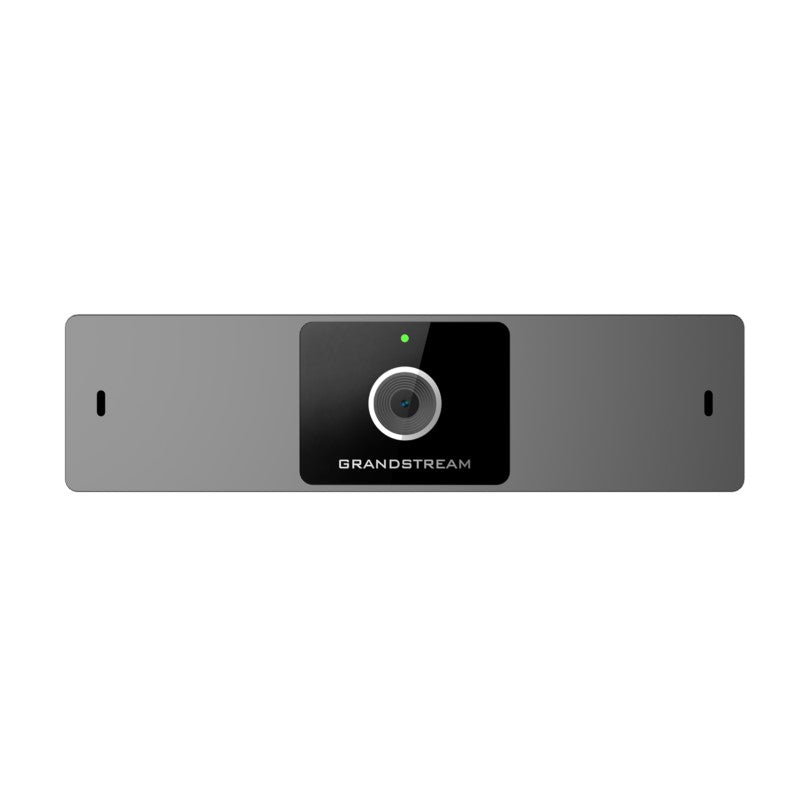
The GVC3212 is a compact and affordable HD video conferencing endpoint ideal for remote workers and small conference rooms. It easily mounts on any TV and runs on Grandstream’s IPVideoTalk Meeting plans, an online conferencing platform that allows you to host meetings that can be joined on nearly any device. Key features: • Advanced camera with megapixel CMOS sensor and 60 FOV wide-angle lens • Runs on Grandstream’s IPVideoTalk Meetings Platform • Integrated dual-band Wi-Fi 802.11 a/b/g/n/ac for wireless connectivity • Dual-microphones with advanced acoustic echo cancellation noise shield technology • Built-on adjustable stand for TV-top mounting • Support for Miracast and Airplay wireless content sharing Additional information: • Weight: 1.28 lb • Dimensions: 7.64 × 4.53 × 3.07 in • Lens: 60 ° field-of-view wide angle • Audio Codecs: Full-band Opus, wide-band G.722, G.711, AEC, ANS, AGC, Noise Shield, PLC, CNG/VAD • Video Codecs and Capabilities: H.264 BP/MP/HP, video resolution up to 720P 30fps; Content resolution up to 720P and up to 5fps; BFCP; anti-flickering, auto focus and auto exposure Technical Specifications: • Auxiliary Ports: TRS 3.5mm line in, 2x USB 2.0 • Conference Function: Mute, call record, call waiting, auto answer, flexible dial plan, personalized ringtones and music on hold, server redundancy & fail-over • HD Audio: Integrated omni-directional and cardioid dual-microphones that supports 48KHz full-band voice sampling rate and 3-meter voice pickup distance with advanced acoustic echo cancellation For a full list of specifications, please refer to the Product Data Sheet.

About This Product

The Grandstream GVC3212 is a compact video conferencing endpoint designed for remote workers and small huddle rooms. It mounts directly on any TV via its adjustable stand, turning a standard display into a dedicated meeting space without requiring a separate monitor or cart. This device pairs well with Grandstream’s IPVideoTalk platform, making it an all-in-one solution for teams that already use or are evaluating that service. It replaces the need for a laptop-and-webcam setup in a shared office or home workspace, offering integrated dual microphones and wide-angle video for a more polished experience.

For Canadian businesses, particularly those in the GTA with small satellite offices or hot-desking areas, the GVC3212 offers a straightforward deployment. Its dual-band Wi-Fi eliminates the need for a wired network drop in rooms where Ethernet isn't convenient. However, there are practical tradeoffs: the video resolution is capped at 720p at 30fps, and content sharing runs at only 5fps, so detailed presentations or fast-moving visuals may appear less smooth than on higher-end systems. The 60-degree field of view works well for one to three people close to the camera, but larger rooms or groups will feel cramped.

This device is best suited for ad-hoc meetings and daily stand-ups rather than full-day collaboration sessions. It may be underpowered for a large conference room with more than four participants, where a dedicated 1080p or 4K system with a wider lens would be more appropriate. Conversely, it is overkill for someone who only joins calls alone from a fixed desk—a simple USB webcam would suffice. Buyers should verify that their existing TV’s VESA mount or stand can accommodate the clip-on design, and that their internet connection supports sustained video conferencing bandwidth.
Services We Provide
  • Professional Installation & Configuration
  • Ongoing Maintenance & Support
  • Troubleshooting & Repairs
  • System Upgrades & Updates