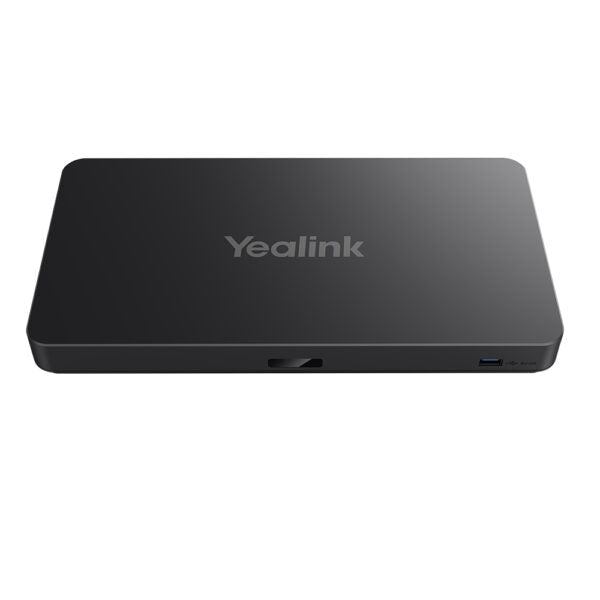
Yealink M500-0010 Android Computing Box for Large Rooms
Frequently Asked Questions
Yealink M500-0010 Android Computing Box for Large Rooms
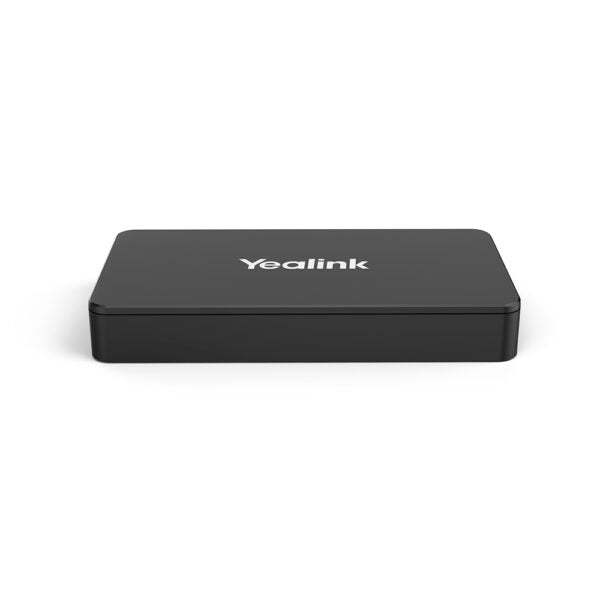
• Yealink MeetingEye 500 is a new generation video conferencing system suitable for various types of meeting rooms, supporting 4Kp30 UHD video and content sharing. It allows presenting different 4K video and content on three screens and selecting the display layout as desired. • The device can work with the Yealink 36x hybrid zoom 4K UHD PTZ camera or third-party cameras, making it an ideal solution for small and medium meeting rooms. When combined with a microphone array, each microphone can reach 10ft (3m) and 360° voice pickup range. • It features a VCH interface that conveys data and control signals, enabling minimalist deployment and reducing costs. The device supports multiple content sharing methods and adapts to any computer, deeply integrating with Yealink Meeting Server and Yealink Meeting Management Platform. • Key features include: • Zoom Room Native Experience • Three Screens, Efficient Meeting • Separate Design, Minimalist Deployment • Compatible with Third-party Pro audio • USB Mode, Act as PC Audio & Video Peripherals • Additional information: • Weight: 4.38 lb • Dimensions: 17.91 × 15.75 × 10.04 in • Video Conferencing: Android • Video Room Size: Large • Model: M500-0010 • Part number: 1203658 • Box Contents: • 1x MeetingEye 500 Android Based Computing Box • 1x VCR11 remote controller • Wall-mount bracket • 1x Power adapter • 2x 1.8m HDMI cable • 1x 3m CAT5e network cable • Chips and Systems: • CPU: 4-core 2.6G + 4-core 2G • AI Computing Power: 4T • Operating System: Android 11 • Video Codecs: • H.264 High profile, H.264 SVC, H.264 • Audio Features: • Yealink Noise Proof Technology • Multi-channel acoustic echo cancellation • Multi-channel dereverberation • Automatic gain control
About This Product
This device is best understood as the Android-based brain of your video system. It pairs naturally with Yealink's own PTZ cameras but is also compatible with third-party cameras, giving integrators flexibility. It works well with the Zoom Room platform, providing a native and familiar interface. The key trade-off to understand is that this is a component, not a complete system; you must budget for and select compatible cameras, displays, and audio peripherals separately. It is overkill for a huddle room or a manager's office where a simpler USB bar would suffice, and it is the right fit for a boardroom where multiple high-resolution screens and professional audio are non-negotiable.
For Canadian businesses, the support for three independent 4K displays allows for efficient meeting layouts, showing content, far-end video, and a presentation simultaneously without compromising quality. The VCH interface is a practical feature for integrators, as it simplifies cabling by carrying power, data, and control over a single wire to a compatible camera, making for a much cleaner installation. This is a powerful advantage in heritage buildings in cities like Montreal or Quebec City where running new cables can be a challenge.
A practical limitation to note is that its power is dedicated to video conferencing; it is not a general-purpose Android media player. Its computing power is optimized for the VC platform's codecs and AI features like noise cancellation, not for running arbitrary apps. If your need is for a device that can fluidly switch between a dedicated VC platform and a BYOD (Bring Your Own Device) mode for other platforms, you should verify its USB Mode feature fully supports your specific workflow.
Services We Provide
- Professional Installation & Configuration
- Ongoing Maintenance & Support
- Troubleshooting & Repairs
- System Upgrades & Updates