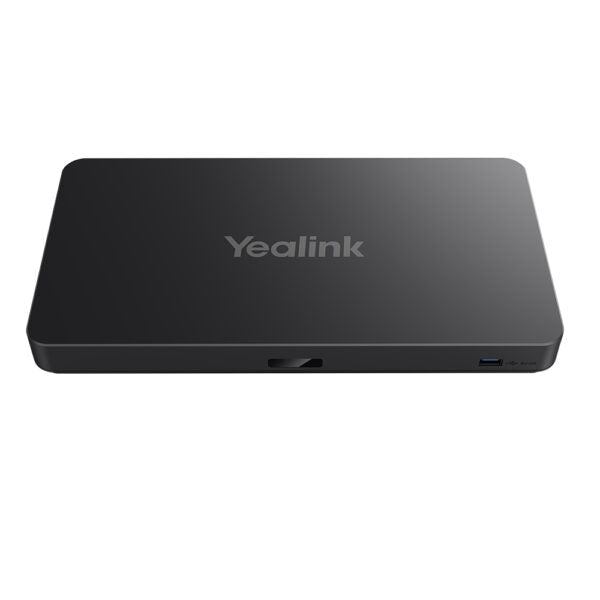
Yealink Mshare E2 MVC Screen Sharing Box

Frequently Asked Questions

Start by reseating the USB cable at both the laptop and the Mshare E2, and try a different USB port on your computer if one is available. Also confirm the display is powered on and set to the correct HDMI input. If the LED remains off, the box may not be receiving power from the laptop, which can happen with USB ports that limit power delivery.
Verify that the HDMI cable is fully inserted at both the Mshare E2 and the room display, and that the display is on the right input. On your laptop, check the display settings to confirm it is extending or mirroring to the second screen. A simple power cycle of the box—unplug it from the laptop, wait ten seconds, and reconnect—often clears a handshake glitch between the devices.
When the Mshare E2 is connected, your laptop should see it as an available audio output device. Open your sound settings and select the Mshare or the connected HDMI audio path as the playback device. If the option does not appear, disconnect and reconnect the USB cable to trigger device detection again.
The E2 is designed to be powered over USB from the connected laptop, so no separate power adapter is required in normal use. If you are using a laptop with low-power USB ports, connecting through a powered USB hub can provide more stable operation. The box does not include or require a dedicated AC adapter.
It is primarily positioned for BYOD environments, but it can work alongside an MTR system as a dedicated wired sharing input when the room PC does not cover all connection types. You would connect it directly to the room display on a separate HDMI input, independent of the MTR compute unit. This gives presenters a quick wired path without touching the room’s main conferencing system.
Intermittent flicker is most often a cable issue. Try swapping the HDMI cable for a known-good, shorter cable—preferably one rated for the resolution you are sending. Also check that the USB connection is firm and not being jostled; a momentary power interruption on the USB side can cause the HDMI signal to reset.
The Mshare E2 can work through a quality USB-C hub or dock that passes data and power reliably, but results vary between dock models. If you encounter detection or stability problems, connecting the box directly to a native USB port on the laptop is the most dependable configuration.
Video Systems

Yealink Mshare E2 MVC Screen Sharing Box
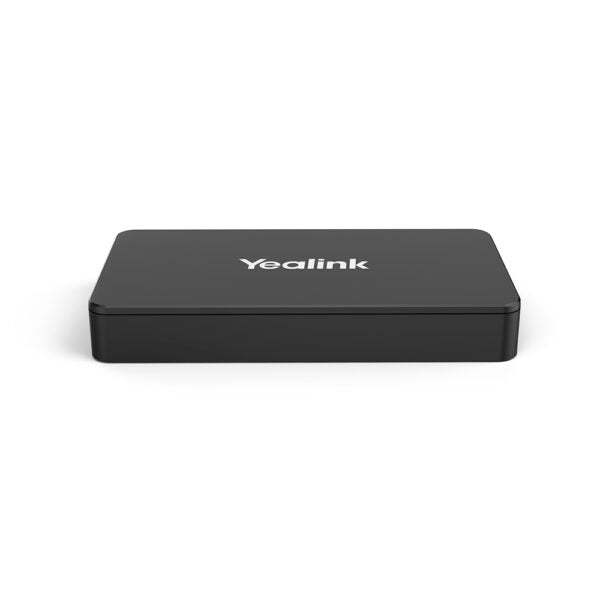
Flexible MVC Screen Sharing Box for Maximum Flexibility • Flexible deployment options for seamless integration into diverse scenarios • Multiple ports (USB-A, USB-C, HDMI) for versatile connectivity • LED bi-color light for effortless status indication • Compact size allows for easy concealment within conference desks, elevating both functionality and aesthetics Weight: 1.25 lb Dimensions: 6.85 × 7.09 × 2.48 in Video Conferencing: BYOD Connection Type: USB-A, USB-C, HDMI Ports: HDMI, USB Package Contents: • 1 x MShare E2 • 1x USB-C Cable • 1x HDMI Cable • 1x USB Type-A Cable • 1x Quick Start Guide Additional Technical Specifications: General Info: Model: Mshare E2 Part number: 1306032 Operating humidity: 10~95% Operating temperature: 0~40℃

About This Product

The Mshare E2 is a compact screen-sharing companion built for meeting spaces that already rely on a bring-your-own-device (BYOD) model. It sits between the room display and the presenter’s laptop, making wired content sharing immediate without needing to install a room-dedicated PC or navigate a complex wireless casting interface. It fits naturally into huddle rooms, open collaboration areas, and mid-sized boardrooms where different users rotate through throughout the day.

Because it bridges USB-C, USB-A, and HDMI, the E2 works with a wide range of laptops—from modern ultrabooks to older corporate machines—without forcing the team onto a single connector standard. That versatility makes it a practical choice in mixed-OS environments, including offices where staff switch between Windows, macOS, and ChromeOS devices. The bi-color status LED is a small but genuinely helpful detail, giving at-a-glance confirmation that the connection is live before a presenter shares their screen.

This is a wired-only sharing box, which matters in two ways. On the plus side, it avoids the latency, compression artifacts, and Wi-Fi dependency that can frustrate wireless screen-sharing in congested office towers. The trade-off is that presenters must physically tether to the box, so cable management and desk placement need a little thought. It is not a standalone video bar or an all-in-one room system—it expects to be paired with an existing display and a separate camera and speaker setup, typically through a room PC or MTR (Microsoft Teams Rooms) compute unit.

For a small Toronto agency or a professional services firm running a few meeting rooms on a modest AV budget, the E2 is a sensible, low-fuss upgrade from a loose HDMI cable dangling from a TV. It is less suited to large divisible training rooms where wireless presenting from multiple devices simultaneously is the norm, or to spaces that demand 4K content sharing at high frame rates for design review. In those scenarios, a more fully-featured presentation system would be the better fit.
Services We Provide
  • Professional Installation & Configuration
  • Ongoing Maintenance & Support
  • Troubleshooting & Repairs
  • System Upgrades & Updates