Grandstream GWN7001 Multi-WAN Gigabit VPN Router

Frequently Asked Questions

Start by confirming that the WAN port on each end has a public IP and is online, then verify that the pre-shared key and remote gateway IP match exactly on both sides. Next, ensure no firewall rule is blocking UDP ports 500 and 4500 (for IPsec) or whichever protocol you're using. If the tunnel still won't connect, a Toronto-based VoIP support provider can often diagnose and fix remote VPN issues without an on-site visit.
First, confirm the backup WAN port's physical link light is on and that the DSL modem is in bridge mode if needed. Then check the failover policy: look at the link health detection settings (like ping targets) and make sure the router can actually reach those targets on the secondary connection. If the detection mechanism uses DNS lookups and the primary DNS fails when the cable modem sync is lost but the line isn't physically dead, the router may not yet know the link is bad—adjusting to a ping-based health check often helps.
Make sure the APs are factory default and getting an IP from the router's DHCP server on the same VLAN or subnet. Then go to the router's controller settings and verify the built-in controller is enabled. If the APs still don't appear, try rebooting them while connected directly to a LAN port on the GWN7001—sometimes the discovery protocol needs a clean broadcast domain.
Confirm the WAN interface's IP is truly public and not behind carrier-grade NAT (common on some Canadian LTE backups). Then double-check the forward rule: the external port, internal IP and internal port must all match what's configured on the server. Also, ensure the server's default gateway points back to the GWN7001's LAN IP.
Start by temporarily lowering the MTU on the VPN interface to 1400 or 1350—packet fragmentation often hurts throughput. Next, disable any QoS bandwidth rules that might inadvertently throttle the WAN link where VPN traffic is classified. If the speed problem only happens when deep packet inspection is on, try excluding the VPN tunnel from DPI analysis to see if that lightens the load.
Check the power adapter first—try a different outlet or a UPS to rule out electrical noise. Ensure there is plenty of airflow around the unit and that it's not stacked on top of other warm equipment. If the reboots correlate with heavy traffic periods, monitor the CPU load from the status page; a sustained 100% might indicate a firmware bug, in which case check Grandstream's release notes for a known fix before considering an update.
Enable both WAN interfaces and assign them to the same load-balancing group under the multi-WAN settings. You can choose a weight ratio (e.g., 70/30) or set them as active/standby. Don't forget to define link health monitors for each connection so the router can detect a failure and remove a WAN from the pool.
Yes. The GWN.Cloud platform offers free management for the router and unlimited APs. If you activate cloud management, the embedded controller steps aside for AP management, and you control everything from the web portal. The router's local interface remains accessible, but the cloud becomes the primary orchestrator.
Yes. You can create multiple LAN networks and tag them with VLAN IDs. Pair that with SSID-to-VLAN mapping on your GWN access points, and guest traffic will be isolated from your internal resources, with firewall rules controlling any inter-VLAN routing you permit.
First, confirm that the DPI feature is enabled globally under System Settings, and then ensure it's applied to at least one WAN interface in the interface settings. DPI needs to see traffic flowing through that interface to build statistics, so if there's no internet activity or if you've just turned it on, give it a few minutes to start collecting data.
Routers

Grandstream GWN7001 Multi-WAN Gigabit VPN Router
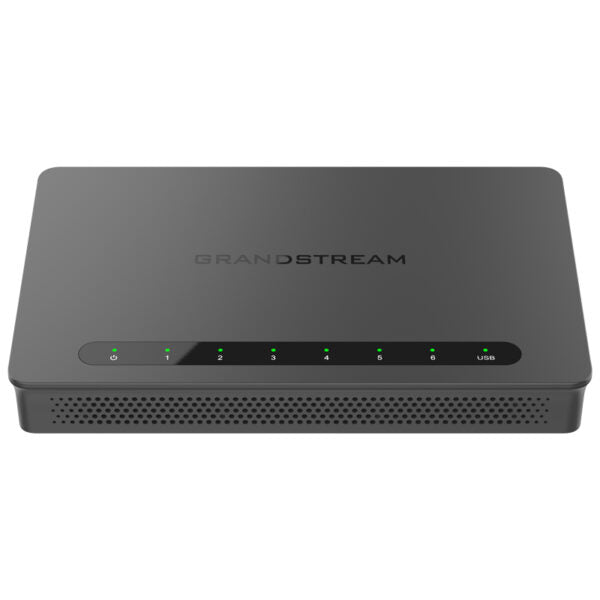
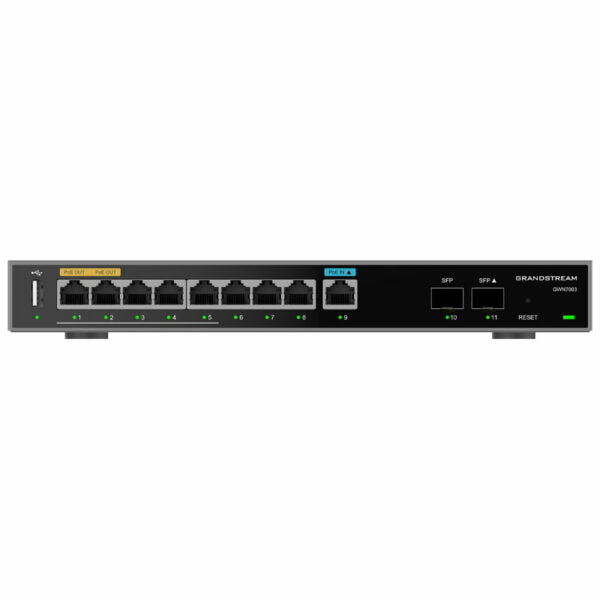
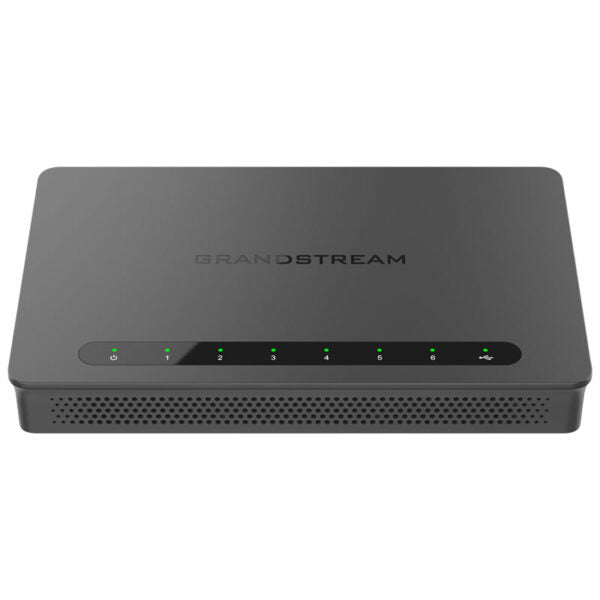
* The Grandstream GWN7001 is a multi-WAN gigabit VPN router with built-in firewalls, providing comprehensive wired, wireless, and VPN network solutions for businesses of all sizes. * Key features: • 6 Gigabit Ethernet ports • Supports multiple Gigabit RJ45 ports and Gigabit SFP ports • Built-in VPN support for secure in-office and inter-office connectivity • Multiple WAN ports with load balancing and failover to maximize connection reliability • Rich firewall features including DDNS, port forwarding, DMZ, UPnP, Anti-Dos, traffic rules, NAT, and ALG • Advanced QoS to ensure real-time performance of low-latency applications • Supports application/protocol monitoring and traffic statistics with Deep Packet Inspection (DPI) • Embedded controller can manage itself and up to 150 GWN APs; GWN.Cloud offers a free cloud management platform for unlimited routers and GWN APs * Additional information: • Weight: 1.54 lbs • Dimensions: 9.69 × 9.25 × 2.13 in • Brand: Grandstream • Product Family: GWN-Cloud • Business Router: VPN Routers • Network Type: Wired • Form Factor: Desktop • WAN Port Count: 5-10 • WAN Failover: Yes • Max Concurrent VPN Tunnels: Up to 50 tunnels • Operating Temperature: 0°C to 40°C • Storage Temperature: -30°C to 60°C • Humidity Range: 10% to 90% Non-condensing

About This Product

The Grandstream GWN7001 targets growing businesses that need dependable internet access with a safety net. It's a good fit for offices in the GTA or similar Canadian markets where subscribing to two or more ISP links is common practice, and losing connectivity for even a few minutes hurts operations. With multi-WAN load balancing and automatic failover, it keeps cloud applications, VoIP phones and remote access running even when one provider drops. The built-in VPN engine supports up to 50 tunnels, making it capable enough for a main office connecting to a handful of branch locations or for a handful of permanent site-to-site links, plus some teleworker gateways.

This router pairs naturally with Grandstream's GWN access points; the embedded controller manages up to 150 APs directly from the device, so you can avoid a separate wireless controller. For larger, multi-site rollouts, the free GWN.Cloud platform lifts those limits and lets you manage an unlimited number of routers and APs from one pane of glass. The trade-off is that the GWN7001 is a routing and VPN appliance, not a full next-generation firewall. Its deep packet inspection and rich firewall features are respectable, but businesses expecting UTM-style threat protection, content filtering or extensive reporting will need a dedicated security gateway alongside or instead.

Consider where the GWN7001 becomes overkill or underpowered. A small office with a single broadband connection and no VPN requirements would be better served by a simpler router, since many of this model's strengths (failover, advanced QoS, AP controller) would go unused. Conversely, an enterprise with heavy inter-office traffic, hundreds of concurrent VPN tunnels or 10Gbps WAN circuits will quickly outgrow this desktop unit. For the day-to-day reality of a Canadian professional services firm, clinic, or multi-location retailer, however, it hits a sweet spot: enough resilience to keep business going, enough manageability to keep IT effort low, and a price that doesn't demand board-level approval.
Services We Provide
  • Professional Installation & Configuration
  • Ongoing Maintenance & Support
  • Troubleshooting & Repairs
  • System Upgrades & Updates