Peplink MAX-BR1-PRO-5GN-T-PRM - MAX BR1 Pro 5G Cellular Router
Frequently Asked Questions
First, ensure the SIM is oriented correctly and fully seated in the tray. Then, in the dashboard, confirm the modem is not locked to a specific carrier and that the APN profile is set correctly for your provider; a blank APN can work on some carriers but not all. A power cycle after checking these settings often completes a fresh network attach.
Verify the phone’s SIP registration interval under Advanced Settings. An interval set too long can expire on the carrier side before the phone refreshes it. Also check that SIP ALG is disabled in the router, as it can interfere with registration renewal and cause intermittent drops.
Check that the Ethernet cable is plugged into a LAN port, not the WAN port. If the WAN port is being used for LAN, you must first change its assignment in the dashboard from WAN to LAN. Log in, confirm the DHCP server is enabled on the correct subnet, and verify the devices are set to obtain an IP automatically.
The router supports application-level QoS and bandwidth reservation. Create a prioritization rule for VoIP traffic based on the SIP server’s IP address or the correct application signature, and assign it high priority. Test with a call during a large file download to confirm the rule is actually marking and queueing the voice packets first.
Radio conditions dictate which technology the modem uses, so intermittent 5G can point to a signal issue. Check the modem’s signal metrics and try relocating the router a few feet or near a window; architectural materials and glass coatings can attenuate 5G bands. In areas with marginal signal, a wired PoE modem placed closer to an external antenna may help.
Yes. Set the cellular modem as the active WAN with a higher priority and the Ethernet WAN port as a lower-priority link. Configure health check pings on both and set failover thresholds, so if 5G drops below the acceptable loss or latency, traffic shifts to the wired connection automatically.
First, simply reboot the router from the dashboard; occasionally the radio module doesn’t reinitialize fully until a clean restart. After the reboot, check the Wi‑Fi settings to ensure the SSID is still enabled and broadcasting on both 2.4GHz and 5GHz bands. If the issue persists, a Toronto-based VoIP support provider can usually resolve this remotely before you consider rolling back the firmware.
Yes, this unit ships with a full antenna set, and the cellular connectors are standard for external antennas. When choosing an antenna, ensure it covers the 5G bands your Canadian carrier uses. Take care to route the coaxial cable away from power lines and metal studs, which can degrade the signal.
One-way audio typically means a NAT or firewall issue. Disable the router’s SIP ALG if it is enabled, then ensure the VoIP phone’s RTP port range is open or that consistent NAT settings allow the audio stream to map correctly. Test with a short call to verify bidirectional audio is restored.
Log into the administrative dashboard and navigate to the port settings. Change the Ethernet WAN port’s assignment from WAN to LAN, then adjust its VLAN membership if needed to match your existing LAN. Connect the switch afterward, confirming it’s receiving IP addresses from the LAN DHCP pool.
Routers
Peplink MAX-BR1-PRO-5GN-T-PRM - MAX BR1 Pro 5G Cellular Router
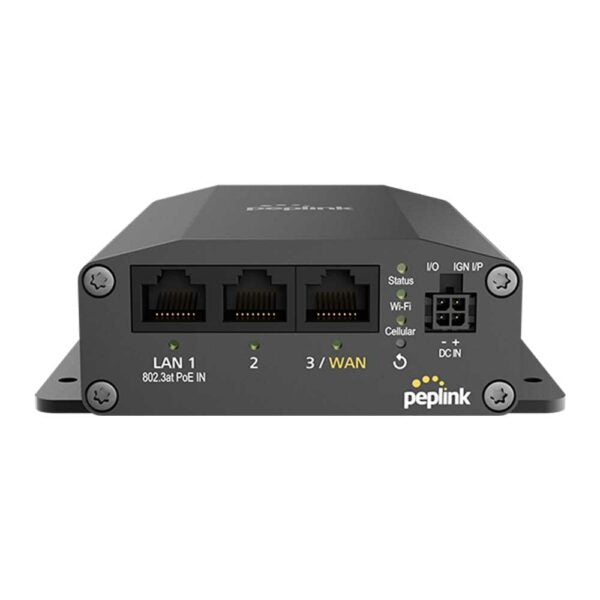
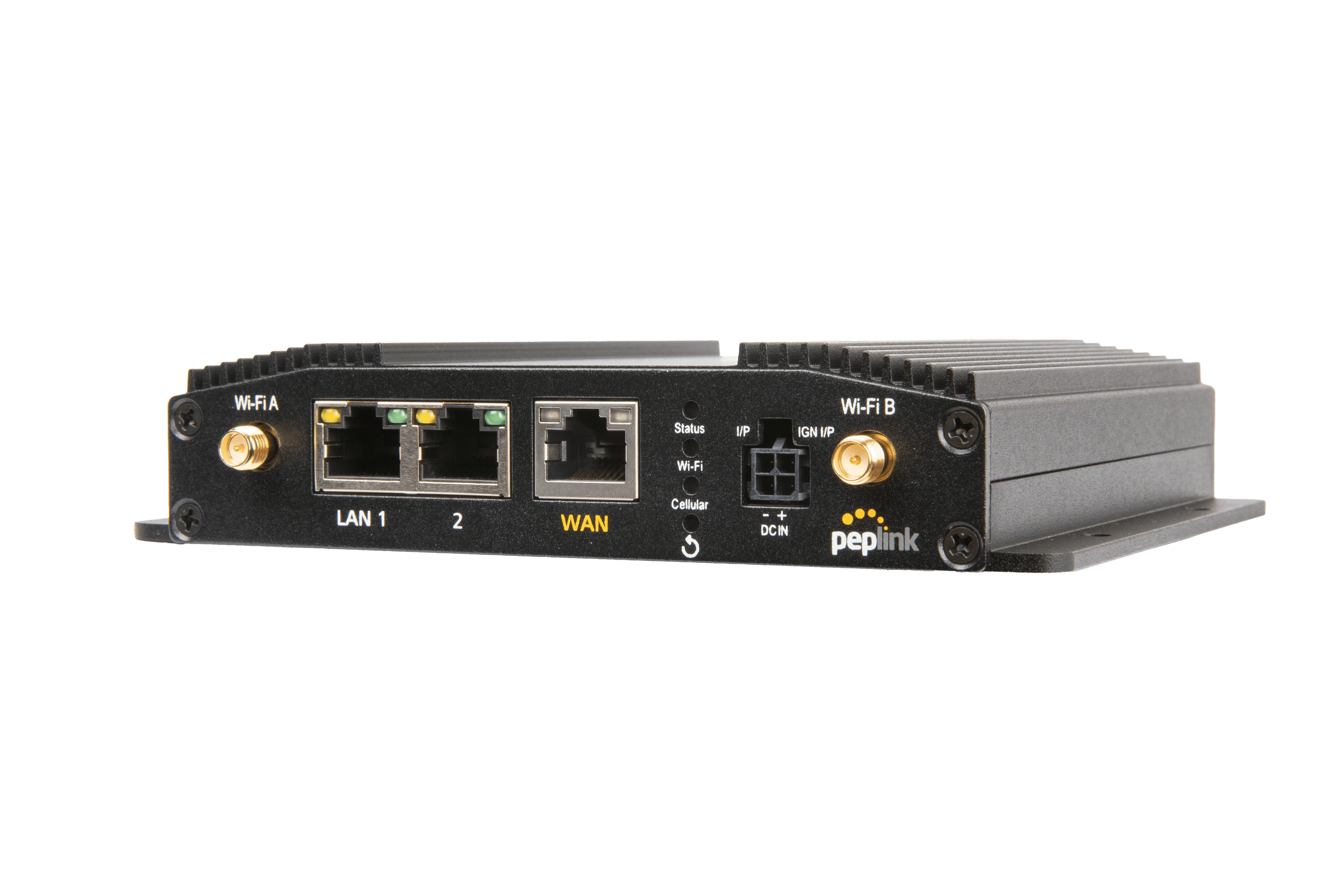
* 1x 5G Modem (Global) * 1x Ethernet WAN (can act as a LAN port if needed) * Wi-Fi 6 with 2x2 MIMO Simultaneous Dual-Band * 1Gbps Router Throughput * Full antenna set * US Carrier Certifications: AT&T, T-Mobile, US Cellular, Verizon For detailed specifications, please refer to the Peplink MAX-BR1-PRO-5GN-T-PRM Datasheet (available for download on our website).
About This Product
The Peplink MAX BR1 Pro 5G is built for businesses that treat connectivity as a utility, not a luxury. It fits naturally into a mobile command vehicle, a pop-up retail location, or a construction site trailer, but it’s equally at home in a small-to-midsize Toronto office that wants a primary 5G WAN link with a fallback option. It’s a sensible choice when you need carrier-grade cellular performance in a compact, self-contained package rather than a sprawling enterprise SD-WAN appliance.
Pair it with a VoIP system that demands low latency, and it will shine; the combination of 5G and the router’s prioritization engine means voice traffic stays intelligible even while large files move across the same link. In a hybrid workplace, it bridges the gap between a full corporate MPLS network and a consumer-grade hotspot. The tradeoff is that this is not a multi-radio, multi-gigabit throughput beast. Its WAN port count is limited, so if you’re aggregating a half-dozen wired ISP connections, you’re looking at the wrong device.
If you’re in the GTA and your team roams between downtown, Mississauga, and Markham, the router’s global 5G modem and simultaneous dual-band Wi‑Fi 6 will maintain a reliable bubble of connectivity in the vehicle. For a stationary office, using the Ethernet WAN as a wired backup to the 5G link is a pragmatic setup for Canadian carriers. Just don’t expect it to replace a full firewall with deep packet inspection; its strength is smart, resilient connectivity, not point-security features.
This unit is overkill for a single user who just needs a basic LTE hotspot, and it’s underpowered as the sole router for a large campus with hundreds of VoIP endpoints. It lives in the middle space where reliability and mobility matter more than raw port density.
Pair it with a VoIP system that demands low latency, and it will shine; the combination of 5G and the router’s prioritization engine means voice traffic stays intelligible even while large files move across the same link. In a hybrid workplace, it bridges the gap between a full corporate MPLS network and a consumer-grade hotspot. The tradeoff is that this is not a multi-radio, multi-gigabit throughput beast. Its WAN port count is limited, so if you’re aggregating a half-dozen wired ISP connections, you’re looking at the wrong device.
If you’re in the GTA and your team roams between downtown, Mississauga, and Markham, the router’s global 5G modem and simultaneous dual-band Wi‑Fi 6 will maintain a reliable bubble of connectivity in the vehicle. For a stationary office, using the Ethernet WAN as a wired backup to the 5G link is a pragmatic setup for Canadian carriers. Just don’t expect it to replace a full firewall with deep packet inspection; its strength is smart, resilient connectivity, not point-security features.
This unit is overkill for a single user who just needs a basic LTE hotspot, and it’s underpowered as the sole router for a large campus with hundreds of VoIP endpoints. It lives in the middle space where reliability and mobility matter more than raw port density.
Services We Provide
- Professional Installation & Configuration
- Ongoing Maintenance & Support
- Troubleshooting & Repairs
- System Upgrades & Updates