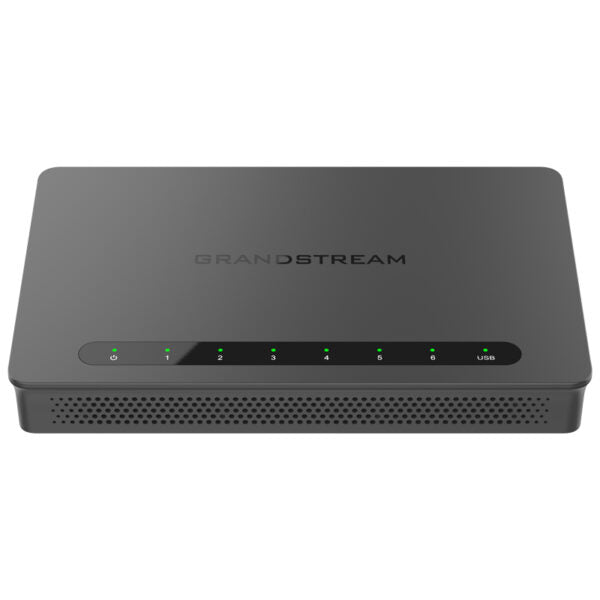
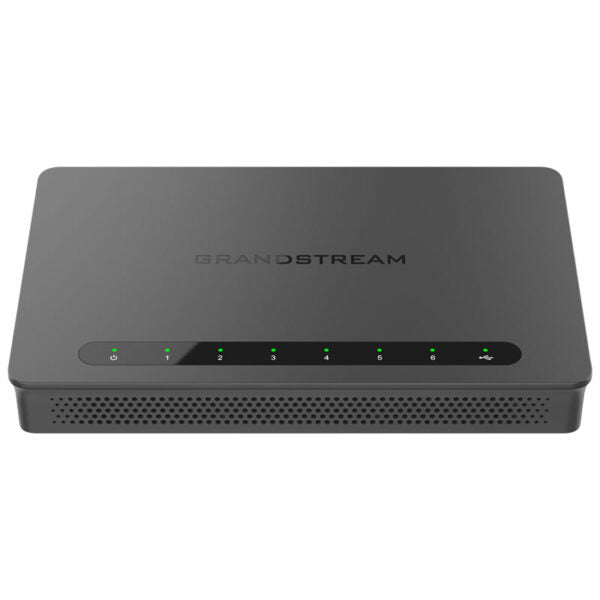
Grandstream GWN7003 Multi-WAN Gigabit VPN Wired Router, 9xGigE, 2xSFP
Frequently Asked Questions
Grandstream GWN7003 Multi-WAN Gigabit VPN Wired Router, 9xGigE, 2xSFP
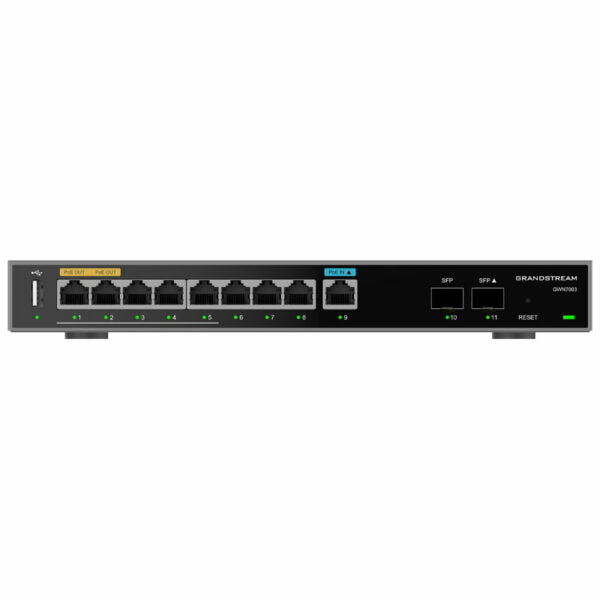
• Grandstream GWN7003 Multi-WAN Gigabit VPN routers offer high-performance routing and switching power along with built-in VPN support for secure in-office and inter office connectivity. • Built-in firewall features include advanced content security, filtering, threat detection, attack prevention, and more to provide enterprise-grade security protection. • The routers support traffic load balancing, failover, and bandwidth management capabilities to maximize network reliability. • They include 9x Gigabit Ethernet ports (2 x PoE Out) and 2x 2.5 Gigabit SFP ports for high-speed connectivity options. • Built-in VPN support allows easy access to corporate networks for remote employees. • Multiple WAN ports with load balancing and failover ensure maximum connection reliability. • Rich firewall features include DDNS, port forwarding, DMZ, UPnP, Anti-DoS, traffic rules, NAT, and ALG. • Advanced QoS ensures real-time performance of low-latency applications. • Application/protocol monitoring and traffic statistics with Deep Packet Inspection (DPI) support enhance network security and management. • The embedded controller can manage itself and up to 150 Grandstream GWN Series Wi-Fi APs thanks to the web user interface. • Cloud offers a free cloud management platform for unlimited routers and GWN APs. • Supports TURN service with IP PBX to quickly achieve NAT traversal. • Weight: 3.18 lbs Dimensions: 11.69 × 10.06 × 2.13 in Brand: Grandstream Business Router: VPN Routers Network Type: Wired Form Factor: Desktop WAN Failover: Yes • CPU: Dual ARM Cortex A53 1GHz • Memory and NAT Sessions: 512MB RAM, 256MB Flash, 60K NAT sessions • Network Interfaces: 2x 2.5 Gigabit SFP ports and 9x Gigabit Ethernet ports (All support WAN/LAN configurable) • NAT Throughput: 2.2Gbps • IPsec VPN Throughput: 530Mbps • Auxiliary Ports: 1x USB 2.0 port, 1x Reset Pinhole • Mounting: Desktop and wall mounting • LEDs: 13x single-color LEDs for device tracking and status indication • Connection Type: DHCP, Static IP, PPPoE, PPTP, L2TP • Network Protocols: IPv4, IPv6, IEEE802.1Q, IEEE 802.1p, IEEE802.1x, IEEE802.3, IEEE 802.3u, IEEE 802.3x, IEEE802.3ab • QoS: VLAN, TOS; Supports multiple traffic classes, filter by port, IP address, DSCP, and policing; App Qos; VoIP Prioritization • Firewall: DDNS, Port Forwarding, DMZ, UPnP, Anti-DoS, traffic rules, NAT, ALG, TURN Service • Security: Application/protocol monitoring and traffic statistics; Content filtering: Supports Application/URL/DNS/Web Content Filtering; Safe search • VPN: IPsec VPN Client-to-Site / Site-to-Site; PPTP VPN Server / Client; L2TP Client-to-Site; OpenVPN Server / Client; WireGuard • PoE Input and Output: Standard IEEE 802.3af/at, Passive 48V or IEEE 802.3af • Power & Green Energy Efficiency: Universal power adaptor included (Input: 100-240VAC 50-60Hz, Output: 24V DC 1A (24W)) • Environmental: Operation: 0°C to 40°C; Storage: -30°C to 60°C; Humidity: 10% to 90% Non-condensing • Compliance: FCC, CE, RCM, IC, UKCA
About This Product
This router pairs naturally with other Grandstream gear, particularly GWN-series access points, because the built-in controller can manage up to 150 APs and the device itself from a single web interface. It also complements an on-premises IP PBX by providing TURN service for NAT traversal, which helps remote extensions connect more reliably. The balance of nine Gigabit Ethernet ports and two 2.5 Gigabit SFP slots offers enough wired headroom to segment voice, guest, and office traffic without immediately needing a separate managed switch.
A buyer should recognize the GWN7003 is a wired router without Wi-Fi radios or an integrated modem. It needs external access points for wireless connectivity and a separate broadband modem or ONT for internet access. While it supports multiple VPN types including IPsec and WireGuard, the IPsec throughput ceiling of 530 Mbps means that in high-bandwidth site-to-site tunnels, the VPN can become the bottleneck before the internet connection does. For offices with a single 50 Mbps DSL line and a handful of VPN users, this is more than enough; for a multi-gigabit fibre link serving constant VPN traffic, a router with higher encrypted throughput would be a better fit.
In a Canadian professional setting, such as a dental office in the GTA or a law firm with two locations, the dual-WAN failover and security features address the practical need to keep phones and cloud applications running during an ISP outage. The desktop form factor and included power adapter make for straightforward installation on a shelf or wall, provided the ambient temperature stays within a normal office range. It is overkill for a home office with a single laptop, and it will be underpowered in a large enterprise where hundreds of concurrent VPN tunnels and deep packet inspection at line rate are required.
Services We Provide
- Professional Installation & Configuration
- Ongoing Maintenance & Support
- Troubleshooting & Repairs
- System Upgrades & Updates