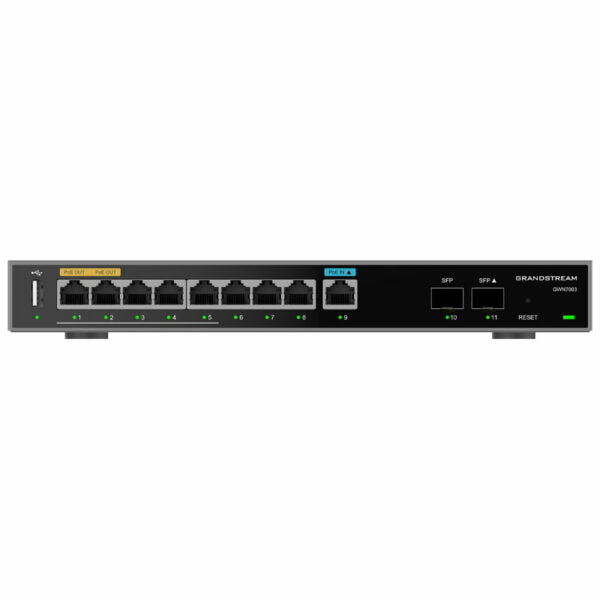
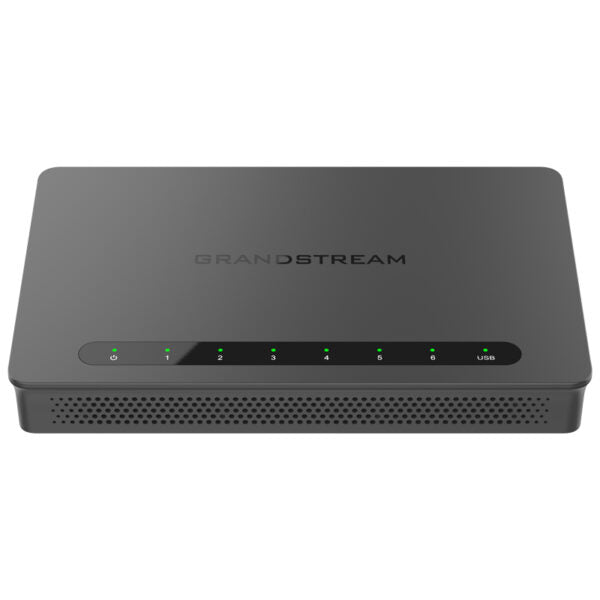
Grandstream GWN7002 Multi-WAN Gigabit VPN Wired Router, 4xGigE, 2xSFP

Frequently Asked Questions

First, check whether SIP ALG is enabled under the router’s firewall settings; many registration failures are caused by ALG breaking SIP traffic, so try disabling it. Next, verify that any port forwarding or DMZ rules point to the correct PBX address and that no NAT policy is blocking the signalling ports. If you’ve made changes, reboot the phones and the PBX to force a fresh registration attempt.
Start by confirming that both WAN connections are stable—watch for brief ISP dropouts that might not be obvious. On the GWN7002, check the VPN keep‑alive or dead‑peer‑detection settings; increasing the probe frequency can help the router recover faster after a blip. Also ensure the pre‑shared key and peer addresses match exactly on both ends. If the issue persists, a Toronto‑based VoIP support provider can usually resolve this remotely.
Confirm that the QoS policy is applied to the correct WAN port and that the matching rules (by DSCP, IP or port) actually identify your voice traffic. Remember that the router can only mark and prioritise traffic it sees; if a downstream switch resets or ignores those markings, voice may still get delayed. Test by placing a call while viewing the router’s QoS statistics to see if voice packets are being matched and queued correctly.
Check that the failover probe target—like pinging 8.8.8.8 or the next‑hop gateway—is reachable when the primary is up, because if that target fails, the router may think the link is already dead. Also verify that the backup WAN cable is firmly connected and that the link light is on. In the multi‑WAN settings, make sure the backup WAN is enabled and not accidentally set to a lower weight that would prevent automatic failover.
First, try a different browser or clear your cache, as a stale session can block the login page. If you’re using a static IP on your computer, confirm it’s still in the router’s LAN subnet; the router may have lost its configuration and reverted to DHCP client mode. Power-cycle the router and any managed switch in between, then try again. If you still can’t reach it, leave the factory reset for now—contact your support team before wiping any configuration.
The router’s firewall may be closing the idle UDP session for the SIP signalling or RTP stream. Under Firewall ‑> Session Control, try increasing the UDP timeout to a longer value (for example, 300 seconds or more). Also verify that SIP ALG is off, as ALG can interfere with session refresh messages. If calls still drop, a Toronto‑based VoIP support specialist can usually spot the timeout or NAT issue quickly.
Create a new VLAN interface under Network Settings, assign it a VLAN ID (say, 10 for voice), and give it a subnet that doesn’t overlap with your data LAN. Then, on the LAN port where your PoE switch or phone is connected, set the PVID to that VLAN ID and allow tagged traffic for both your voice and data VLANs. Finally, add a DHCP server on the voice VLAN with the right TFTP or boot server option so the phones can get their provisioning file.
Yes—the GWN7002 has a built‑in TURN service designed to help Grandstream IP PBXs traverse NAT for remote SIP endpoints. In the router’s Security settings, enable the TURN service and note the public IP and credentials it generates. Then on the PBX, enter those details so that remote phones or soft‑phones can register and make calls even when they’re behind restrictive firewalls.
Absolutely. The GWN7002 is a standard multi‑WAN router and does not require Grandstream endpoints. As long as you configure the necessary firewall rules, VLANs and QoS for the third‑party phones, they will work just as well. The main advantage of staying within the Grandstream ecosystem is the unified management through the router’s embedded controller or GWN.Cloud.
On both routers, navigate to VPN ‑> IPsec and choose Site‑to‑Site. Pick the same pre‑shared key, define the remote gateway (the other router’s public IP), and specify the local and remote LAN subnets that should be reachable. Use IKEv2 for better reliability over unstable connections, and afterwards check the tunnel status on the dashboard. Once it’s up, test connectivity by pinging a device on the far‑end LAN.
Routers

Grandstream GWN7002 Multi-WAN Gigabit VPN Wired Router, 4xGigE, 2xSFP
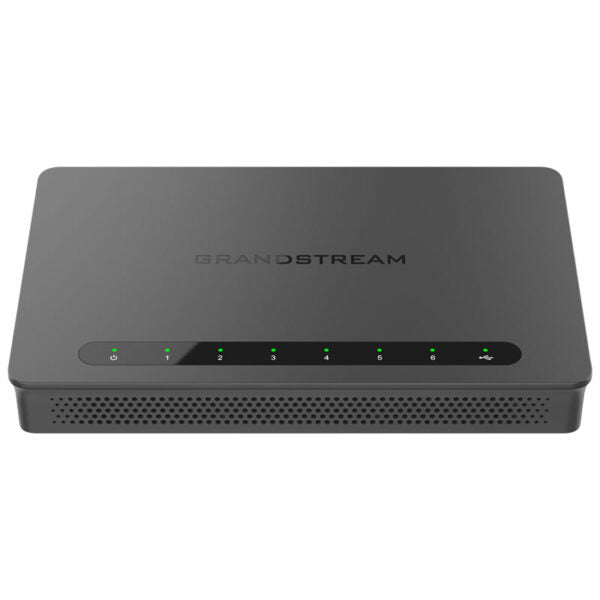
• The Grandstream GWN7002 is a multi-WAN gigabit VPN router that provides comprehensive wired, wireless, and VPN networks for businesses with multiple locations. • It offers high-performance routing and switching power along with built-in VPN support for secure in-office and inter-office connectivity. Key Features: • Built-in firewall with advanced content security, filtering, threat detection, attack prevention, and more • Traffic load balancing, failover, and bandwidth management capabilities • Support for multiple Gigabit RJ45 ports and Gigabit SFP ports • Built-in VPN support allows easy access to corporate networks for remote employees • Multiple WAN ports with load balancing and failover to maximize connection reliability • Rich firewall features including DDNS, port forwarding, DMZ, UPnP, Anti-Dos, traffic rules, NAT, ALG • Advanced QoS to ensure real-time performance of low-latency applications • Support for application/protocol monitoring and traffic statistics with Deep Packet Inspection (DPI) • Embedded controller can manage itself and up to 150 Grandstream GWN APs; GWN.Cloud offers a free cloud management platform for unlimited routers and GWN APs • Supports TURN service with IP PBX to quickly achieve NAT traversal Additional Information: • Weight: 1.61 lbs • Dimensions: 9.69 × 9.25 × 2.13 in • Business Router: VPN Routers • Network Type: Wired • Form Factor: Desktop • WAN Port Count: 4 • WAN Failover: Yes Technical Specifications: • CPU: Dual ARM Cortex A53 1GHz • Memory and NAT Sessions: 256MB RAM, 256MB Flash, 30K NAT sessions • Network Interfaces: 2x 2.5 Gigabit SFP ports and 4x Gigabit Ethernet ports • Network Protocols: IPv4, IPv6, IEEE802.1Q,IEEE 802.1p, IEEE802.1x, IEEE802.3, IEEE 802.3u, IEEE 802.3x,IEEE802.3ab • QoS: VLAN, TOS; Support multiple traffic classes, filter by port, IP address, DSCP, and policing • Firewall: DDNS, Port Forwarding, DMZ, UPnP, Anti-DoS, traffic rules, NAT, ALG, TURN Service • Security: Application/protocol monitoring and traffic statistics; Content filtering: Supports Application/URL/DNS/Web Content Filtering • VPN: IPsec VPN Client-to-Site / Site-to-Site; PPTP VPN Server / Client; L2TP Client-to-Site; OpenVPN Server / Client; WireGuard • Max Concurrent VPN Tunnels: Up to 50 Tunnels • Network Management: GWN7002 embedded controller can manage itself and up to 100 GWN APs; GWN.Cloud offers a free cloud management platform for unlimited GWN Routers and GWN APs

About This Product

The Grandstream GWN7002 is a wired multi-WAN VPN router built for small to mid-sized businesses that need always-on connectivity and secure links between locations. It’s especially well-suited to offices running Grandstream IP PBXs and SIP endpoints, where its dual‑WAN failover and load balancing can keep voice calls flowing even if a primary ISP link goes down. Because it doesn’t bundle Wi‑Fi, it’s a clean fit for environments that already have structured cabling and separate access points—particularly Grandstream GWN series APs, which the router can manage directly without an extra controller.

One trade‑off worth knowing up front is the lack of PoE on the router’s ports. You’ll need a PoE switch or injectors to power desk phones and APs. The four Gigabit Ethernet ports are enough for a small office with a handful of wired devices, but if you’re wiring a full floor of workstations and printers you’ll want to pair it with a managed switch. The two SFP ports are a welcome bonus for fibre uplinks or connecting to a core switch, though they won’t replace a dedicated fibre switch in a large deployment.

The router’s VPN tally—up to 50 concurrent tunnels supporting IPsec, OpenVPN, WireGuard and more—is generous for the price. This makes it a practical way to connect remote workers or branch offices back to the head‑office PBX without buying a separate VPN appliance. Its QoS engine can apply deep packet inspection and prioritise voice traffic, but that only works end‑to‑end if your switches downstream also honour the DSCP markings; this is a common spot where call‑quality complaints first appear.

For a single‑location office with a dozen VoIP phones and a straightforward internet setup, the GWN7002 is probably overkill—its real strength shows in multi‑WAN and multi‑site scenarios. Conversely, a high‑density environment with hundreds of wired endpoints and advanced SD‑WAN demands will outgrow it quickly. It lands best as an affordable, Grandstream‑centric hub for offices that want one management pane (embedded controller or GWN.Cloud) for both routing and Wi‑Fi, and that need reliable VPN aggregation without enterprise complexity.
Services We Provide
  • Professional Installation & Configuration
  • Ongoing Maintenance & Support
  • Troubleshooting & Repairs
  • System Upgrades & Updates