Grandstream GWN7605LR WiFi Long Range Access Point

Frequently Asked Questions

First, check that the access point is powered on and receiving PoE. Verify that the SSID is not hidden in the device's web interface. If the issue persists, a Toronto-based VoIP support provider can usually resolve this remotely.
Start by checking the Ethernet cable and PoE source—loose or damaged cables are a common cause. Also, ensure the access point is not placed near large metal objects or other sources of interference. If the problem continues, review the channel settings in the web interface to avoid congestion from neighboring networks.
Connect the access point to your network using a PoE+ switch or injector, then access its web interface via the assigned IP address (check your router's DHCP client list). From there, you can configure the SSID, security settings, and management options. For cloud management, create an account on GWN.Cloud and follow the on-screen prompts to add the device.
Ensure the PoE source is providing sufficient power—this model requires PoE+ (802.3at) for full functionality. Try a different Ethernet cable and port on your switch. If the LED remains off, the unit may not be receiving power at all.
Yes, the GWN7605LR can be used indoors, but its design and long-range antennas are optimized for outdoor use. Indoors, you may find its coverage overlaps excessively, and the weatherproofing is unnecessary. For most indoor deployments, a standard indoor access point would be more appropriate.
Check that the client devices are connecting to the 5 GHz band, which offers higher speeds, and that the access point is not overloaded with too many clients. Also, verify that QoS settings are not limiting bandwidth. A simple power cycle of the access point can sometimes clear temporary issues.
Use Grandstream's GWN.Cloud platform for cloud-based management, or GWN Manager for on-premise control. These tools let you configure, monitor, and update all units from a single dashboard, which is especially useful for multi-location businesses in the GTA.
Confirm that your computer is on the same subnet as the access point. Try pinging its IP address from a command prompt. If it doesn't respond, the device may have lost its IP—perform a safe power cycle and check your router's DHCP client list for a new IP.
The GWN7605LR supports both PoE and PoE+; however, for full performance and to power the external antennas, PoE+ is recommended. If your switch only provides standard PoE (802.3af), the unit may power up but could have reduced range or stability. Check your switch's specifications to confirm.
Grandstream rates it for up to 250 meters, but real-world coverage depends on obstacles, interference, and client device capabilities. In open areas with clear line of sight, you can expect strong coverage for several hundred feet. For dense environments or longer distances, plan for multiple units.
Access Points

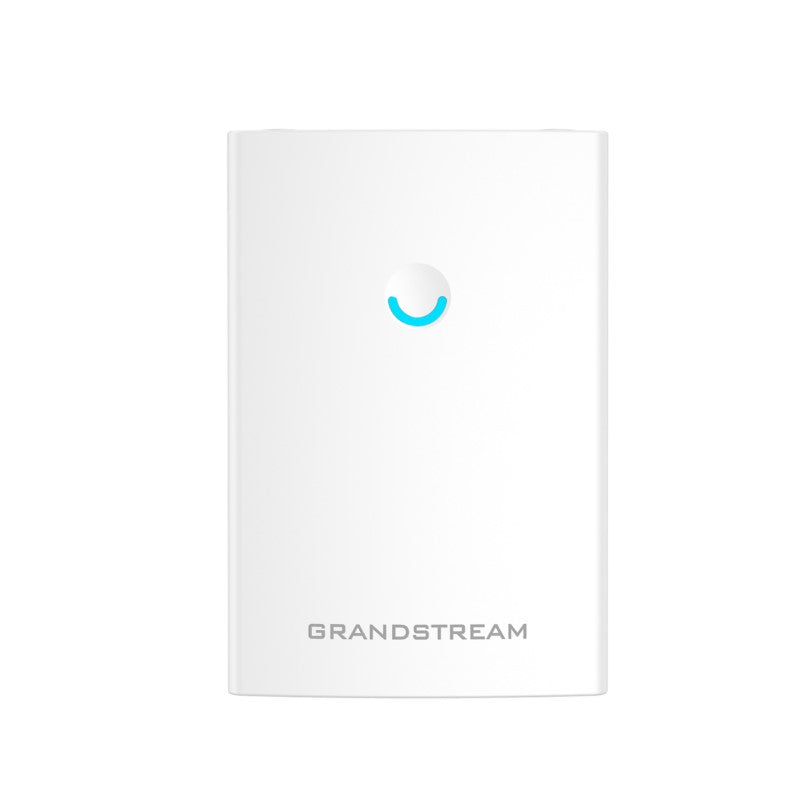
Grandstream GWN7605LR WiFi Long Range Access Point
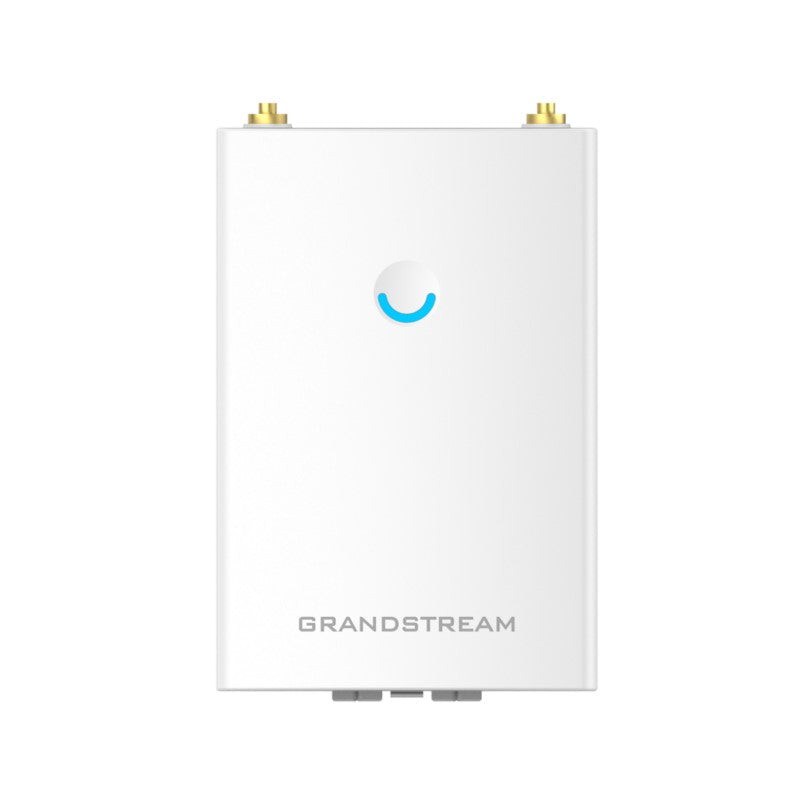
• GWN7605LR is an outdoor Wi-Fi access point that offers extended coverage range support for both indoor and outdoor deployments thanks to its innovative antenna and weatherproof design. • Dual-band 2×2:2 MU-MIMO technology provides advanced wireless performance. • Web user interface embeds the controller, allowing for easy administration of locally deployed Wi-Fi APs. • Supported by GWN. Cloud and GWN Manager, Grandstream’s cloud and on-premise Wi-Fi management platform. Key Features: • 1.27Gbps aggregate wireless throughput • Dual-band 2×2:2 MU-MIMO with beam-forming technology • Self power adaptation upon auto detection of PoE or PoE+ • Supports 100+ concurrent Wi-Fi client devices • Up to 250-meter coverage range • Advanced QoS for real-time performance of low-latency applications • Anti-hacking secure boot and critical data/control lockdown • Flexibility of 2 detachable/ changeable antennas for different application scenarios Additional Information: • Weight: 2 lbs • Dimensions: 11 × 8 × 4 in • Brand: Grandstream • Wi-Fi Standard: Wi-Fi 5 (802.11ac) • Network Band: Dual Band • Frequency Band: 2.4 Ghz, 5 Ghz • Mounting Type: Outdoor (Pole), Wall Plate • Product Family: GWN-Cloud Technical Specifications: • Wi-Fi Standards: IEEE 802.11a/b/g/n/ac (Wave-2) • Antennas: 2 dual band external antennas with gain 3.5dBi each for 2.4GHz and 5 GHz respectively • Wi-Fi Data Rates: • IEEE 802.11ac: 6.5 Mbps to 867 Mbps • IEEE 802.11a: 6, 9, 12, 18, 24, 36, 48, 54 Mbps • IEEE 802.11n: 6.5Mbps to 300Mbps • IEEE 802.11b: 1, 2, 5.5, 11Mbps • IEEE 802.11g: 6, 9, 12, 18, 24, 36, 48, 54 Mbps

About This Product

The Grandstream GWN7605LR is designed for businesses that need to extend reliable Wi-Fi coverage across large outdoor areas, such as parking lots, loading docks, or campus-style office parks in and around the GTA. Its weatherproof construction and long-range capability make it a practical choice for connecting outdoor security cameras, gate access systems, or providing guest Wi-Fi in a patio or courtyard setting. It pairs naturally with Grandstream’s GWN.Cloud or GWN Manager platform, which simplifies managing multiple access points from a single dashboard—useful for multi-site deployments. Keep in mind that while it supports over 100 concurrent clients, its Wi-Fi 5 (802.11ac) standard means it won’t deliver the absolute peak speeds of newer Wi-Fi 6 devices, so it’s best suited for coverage and reliability rather than high-density, high-throughput environments like a busy conference hall. For a small office that only needs indoor coverage, this unit is overkill; a standard indoor access point would be more cost-effective. Conversely, if you’re covering a large outdoor area with many clients, you may need multiple units to maintain consistent performance at range.
Services We Provide
  • Professional Installation & Configuration
  • Ongoing Maintenance & Support
  • Troubleshooting & Repairs
  • System Upgrades & Updates