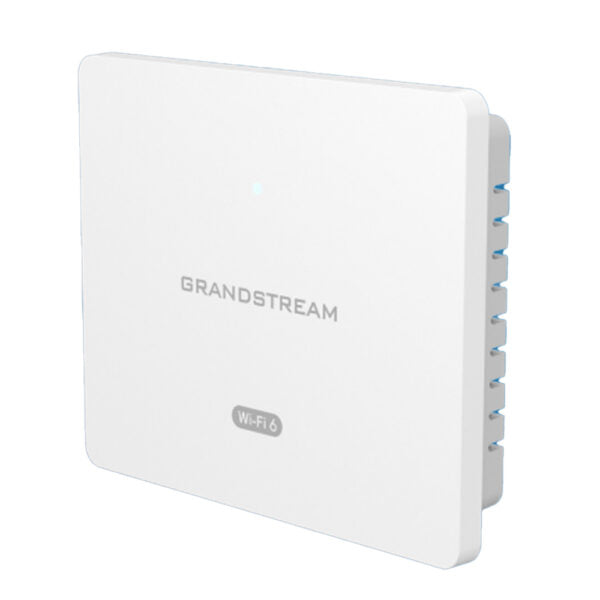
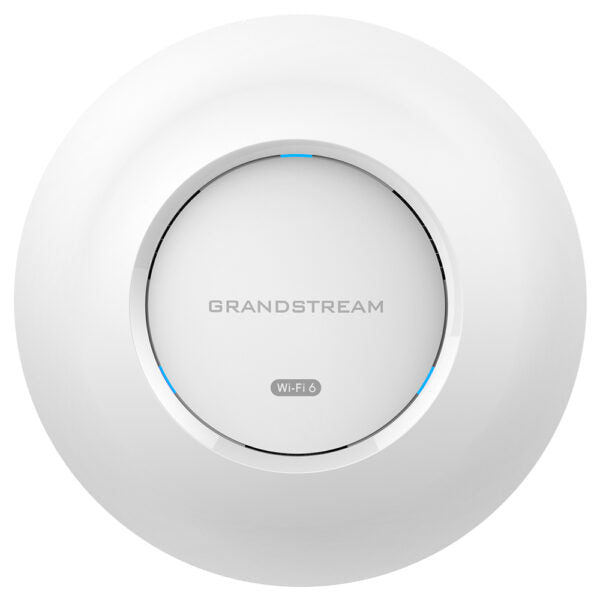
Grandstream GWN7660 WiFi 6 Indoor Access Point

Frequently Asked Questions

First, confirm whether the AP is in standalone mode or managed by a GWN Manager/Cloud. If managed, verify that the SSID is correctly provisioned and pushed to the device. When standalone, log in to the AP’s web interface and make sure the wireless radio is enabled and at least one SSID is configured. A quick power cycle of the AP can also recover a stuck radio.
Double‑check that the switch port is actually providing standard 802.3af or 802.3at PoE—some switches ship with PoE disabled per port. Try a known‑working PoE injector as a quick cross‑check. Also verify the Ethernet cable; a damaged or excessively long cable can drop voltage enough to prevent the unit from booting.
First, move a Wi‑Fi 6‑capable client within 3–5 metres of the AP and test on the 5 GHz band, since 2.4 GHz rarely hits headline rates. Ensure the channel width is set to at least 80 MHz on 5 GHz and that you are not using channels crowded by neighbouring networks. In a congested Canadian office tower, try channels 36–48 or 149–165 to avoid DFS-related delays and interference.
Start by checking for overlapping Wi‑Fi channels or interference from adjacent APs, especially if you have more than one unit in the space. Lower the AP’s transmit power to encourage clients to roam cleanly rather than latch onto a distant signal. If the AP is managed, review the minimum RSSI threshold and band‑steering settings; aggressive values can prematurely kick clients off.
Confirm that the AP and the GWN Manager are in the same Layer 2 broadcast domain, or that IP routing is in place if they are on different VLANs. Check that UDP port 10008 is not blocked by a firewall or switch ACL between the two devices. Also verify the AP’s factory‑default IP address or DHCP‑assigned IP matches the subnet expected by the Manager.
A blinking red LED typically signals a fault such as no network connectivity, an IP address conflict, or a failed boot process. Start by reseating the Ethernet cable and ensuring the upstream switch port is active with a valid DHCP server. If the AP had been adopted into a manager, try a simple power cycle—this often clears transient post‑update states without affecting the configuration.
Power‑cycle the AP one more time via the PoE switch or injector—brief blips can leave internal software in an inconsistent state. If the SSID still doesn’t appear, log in to the AP’s web interface and check whether its configuration reverted to defaults. If you have a recent backup from GWN Manager or a local export, restore that. Avoid using the hardware reset button until you have confirmed that no backup is available; a VoIP specialist can often recover the configuration remotely without a full reset.
Yes, the GWN7660 is a standard Wi‑Fi 6 access point and works with any brand of router, firewall, or switch. It can operate in standalone mode or be managed by a third‑party controller that supports common protocols. Simply connect it to a PoE‑enabled port and configure an SSID through its built‑in web UI to get basic connectivity.
The GWN7660 supports multiple SSIDs per radio—up to 16—so you can create distinct networks with their own VLANs and security policies. For a typical Canadian office, you might set up an employee SSID with WPA3‑Enterprise, a guest network with a simple passphrase, and a hidden IoT network, all from the same unit.
The AP includes a mounting bracket designed for ceiling T‑rails and wall installation. Attach the bracket to the rail using the provided clips, route the Ethernet cable through the bracket’s opening, and then align the AP onto the bracket until it clicks into place. The unit’s orientation can be adjusted slightly for best coverage, but keeping it flat and centred in its intended zone yields the most predictable performance.
Access Points

Grandstream GWN7660 WiFi 6 Indoor Access Point
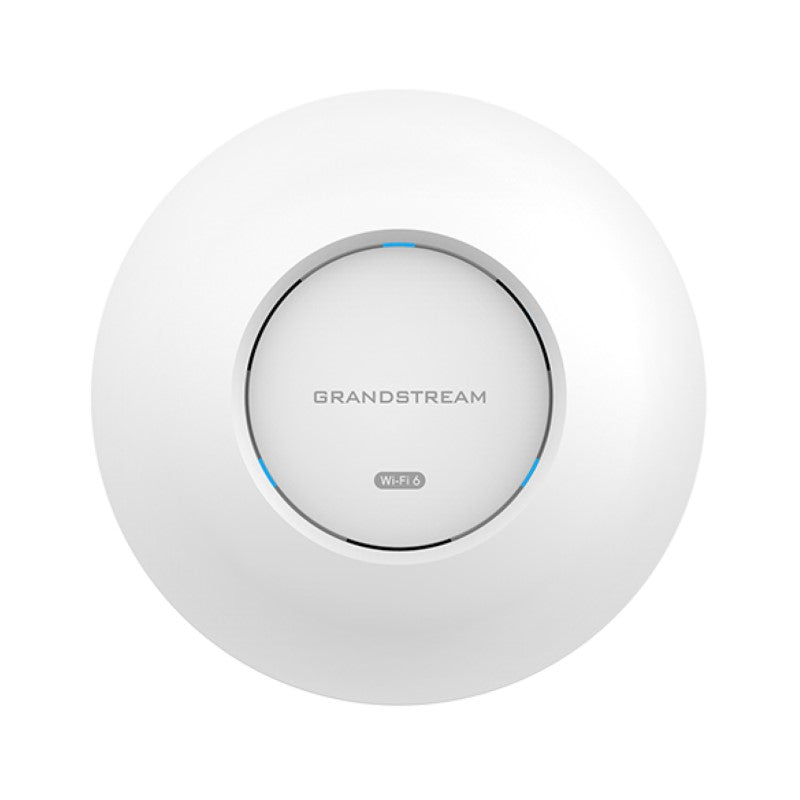
The GWN7660 is an enterprise-grade 802.11ax Wi-Fi 6 access point designed for high-density environments. Key features include: • Dual-band 2×2:2 MUMIMO with DL/UL OFDMA technology • Up to 175-meter coverage range • Supports 256 concurrent Wi-Fi client devices • Advanced QoS to ensure real-time performance of low-latency applications • Anti-hacking secure boot and critical data/control lockdown via digital signatures, unique security certificate/random default password per device • Self-power adaptation upon auto detection of PoE or PoE+ Product Specifications: • Wi-Fi Standards: IEEE 802.11 a/b/g/n/ac/ax • Antennas: 2 dual band internal antennas (2.4GHz, gain 3dBi / 5 GHz, gain 4dBi) • Wi-Fi Data Rates: - 5G: IEEE 802.11ax (7.3 Mbps to 1201 Mbps), IEEE 802.11ac (6.5 Mbps to 867 Mbps), IEEE 802.11n (6.5Mbps to 300Mbps), IEEE 802.11a (6, 9, 12, 18, 24, 36, 48, 54 Mbps) - 2.4G: IEEE 802.11ax (7.3 Mbps to 573.5 Mbps), IEEE 802.11n (6.5Mbps to 300Mbps), IEEE 802.11b (1, 2, 5.5, 11 Mbps), IEEE 802.11g (6, 9, 12, 18, 24, 36, 48, 54 Mbps) • Frequency Bands: 2.4GHz radio (2400-2483.5MHz), 5GHz radio (5150-5850MHz) • Channel Bandwidth: 20 and 40 MHz (2.4G) / 20,40 and 80 MHz (5G)

About This Product

The Grandstream GWN7660 is an enterprise-grade Wi‑Fi 6 access point built for spaces where dozens or even hundreds of devices need reliable, low‑latency connectivity. It fits naturally into medium-to‑large open offices, retail floors, hotel lobbies, and healthcare reception areas. Canadian businesses that rely heavily on cloud‑based VoIP, video conferencing, and real‑time collaboration will appreciate its OFDMA and MU‑MIMO support, which helps keep voice packets moving smoothly even under load. For a typical Toronto financial‑district office or a Calgary corporate head‑office floor, it delivers the kind of consistent Wi‑Fi that users notice only when it’s absent.

This AP makes particular sense inside a Grandstream ecosystem, pairing neatly with GWN cloud management or an on‑premise manager, and it complements Grandstream IP phones and UCM appliances without needing third‑party glue. In mixed‑vendor networks it still plays well as a standalone AP or when managed through a controller from another brand, but teams using Grandstream’s single‑pane‑of‑glass for APs, switches, and phones gain the most operational simplicity.

Buyers should note that the GWN7660 relies on PoE or PoE+ for power; it has no AC adapter in the box, so a compatible switch or injector is essential. The 1 Gb uplink port is appropriate for most deployment densities, but sites with multi‑gigabit WAN connections or those pushing heavy, sustained throughput to a few clients may find the wired backhaul a bottleneck sooner than the Wi‑Fi radios themselves. The listed 175‑meter coverage range assumes ideal open‑air conditions; inside a building with drywall, concrete, and furniture, the usable radius shortens significantly, which is normal and expected.

In a small branch office with perhaps a dozen users, the GWN7660 is more than enough—potentially overkill—while a large convention centre or a stadium concourse would need many units working together. For the vast middle ground of Canadian SMB and enterprise spaces, it represents a mature, secure‑boot‑enabled Wi‑Fi 6 platform that integrates naturally with modern VoIP-first network designs.
Services We Provide
  • Professional Installation & Configuration
  • Ongoing Maintenance & Support
  • Troubleshooting & Repairs
  • System Upgrades & Updates