Grandstream GWN7630LR Outdoor Long-Range WiFi Access Point

Frequently Asked Questions

Log into the AP’s web interface or GWN.Cloud and verify that the SSID broadcast is still enabled for the intended band. Sometimes a provisioning change can inadvertently hide the network. Also confirm that client isolation or MAC filtering hasn’t been turned on accidentally.
Verify the switch port delivers 802.3at (PoE+) power, because the GWN7630LR typically needs more than basic 802.3af to run all radios at full power. Try a different, known‑good Ethernet cable and check that the total PoE budget on the switch isn’t exhausted. If the AP still stays dark, test it with the original power adapter if one was included.
Start by making sure the AP is mounted vertically, with the antennas pointing straight up. Look for any water in the cable entry gland or antenna connectors; unplug and dry them if necessary. If you’re using a long Ethernet run, the cable might be losing power integrity when it gets cold or wet—temporarily move the AP closer to the switch with a short cable to rule out cable issues.
Enable WMM (Wi‑Fi Multimedia) in the AP’s QoS settings so voice traffic gets priority over bulk data. Also check the Ethernet uplink for excessive errors or retransmissions—a damaged outdoor cable can introduce jitter that degrades call quality. If the issue persists, a Toronto‑based VoIP support provider can usually troubleshoot the end‑to‑end path remotely.
Confirm the AP can reach the internet by checking its DNS and default gateway settings under the Network menu. A firewall or network policy might be blocking the cloud provisioning URL; a quick test is to set the AP’s DNS to 8.8.8.8 temporarily. If your network requires a proxy, add that configuration manually before attempting discovery again.
First, fully power cycle the AP by disconnecting the Ethernet cable for 30 seconds and then plugging it back in. If the AP still does not respond, do not attempt a factory reset or further manual firmware pushes on your own—you risk wiping configuration that could be recovered. Instead, reach out to a Toronto‑based VoIP support professional who can often recover the device without data loss.
Absolutely. Both the built‑in embedded controller and GWN.Cloud support fast roaming protocols (802.11r/k/v) across all GWN‑series APs. Just make sure all APs are adopted into the same controller and share the same SSID and security profile. Devices will then hand off smoothly as users walk from indoors to your outdoor coverage area.
With the stock omnidirectional antennas, mount the AP as high as possible and keep the antennas pointing straight up—this creates a horizontal doughnut‑shaped coverage pattern. For a directional beam aimed at a specific far‑off area, you can replace one or two antennas with a dual‑band panel antenna; just be aware that signal behind the AP will be weaker.
The embedded controller inside a single GWN7630LR can manage up to 50 GWN access points, so the device count works. However, to manage APs at five different locations from one embedded controller, you would need to tunnel each remote AP back to the main LAN via VPN, which adds complexity. For a multi‑site setup, managing everything through GWN.Cloud is much simpler and scales without per‑site hardware.
The access point uses secure boot and encrypted lockdown of critical data and control to stop unauthorized firmware from loading. Additionally, the physical reset button can be disabled through the controller software, so even if someone gains physical access, they cannot easily factory‑reset the AP and hijack it.
Access Points

Grandstream GWN7630LR Outdoor Long-Range WiFi Access Point
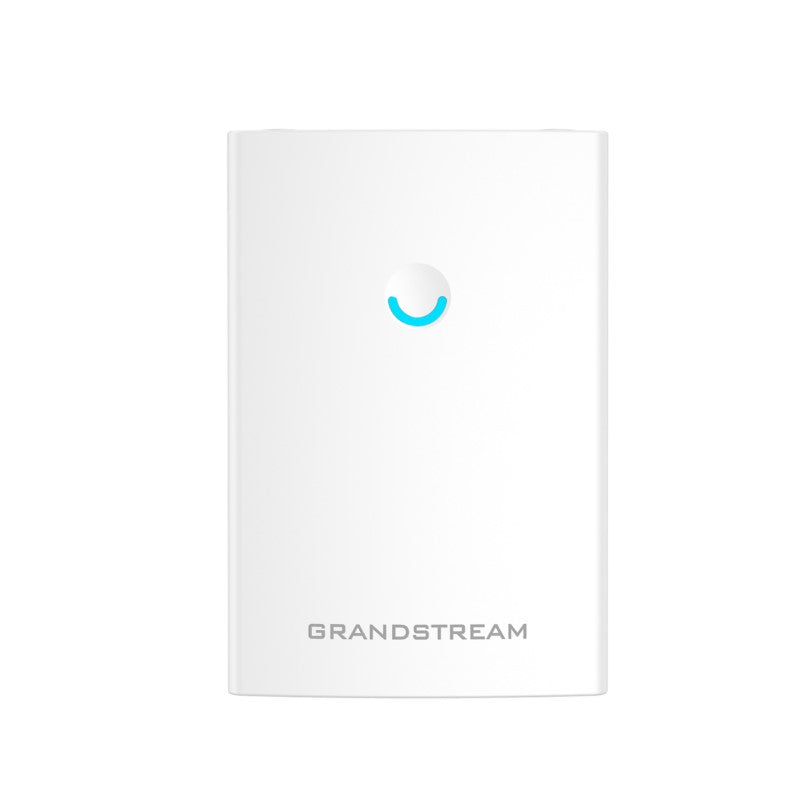
• The GWN7630LR is an outdoor long-range 802.11ac Wave-2 Wi-Fi access point designed for medium to large businesses and enterprises requiring extensive coverage in both indoor and outdoor spaces. Key Features: • Dual-band 4×4:4 MU-MIMO technology • Weatherproof casing and heat-resistant technology • Up to 300-meter coverage range • Advanced QoS for real-time performance of low-latency applications • Anti-hacking secure boot and critical data/control lockdown • Flexibility of detachable/ changeable antenna for different application scenarios • Embedded controller can manage up to 50 local GWN series APs; GWN.Cloud offers unlimited AP management Additional Information: • Weight: 2.35 lbs • Dimensions: 11 × 8 × 4 in • Brand: Grandstream • Wi-Fi Standard: Wi-Fi 5 (802.11ac) • Network Band: Dual Band • Frequency Band: 2.4 Ghz, 5 Ghz Technical Specifications: • Wi-Fi Standards: IEEE 802.11a/b/g/n/ac (Wave-2) • Antennas: 4 detachable/changeable dual-band omnidirectional antennas • Wi-Fi Data Rates: 6.5 Mbps to 1733Mbps • Frequency Bands: 2.4 GHz Radio: 2412 – 2484 MHz, 5GHz Radio: 5150-5250MHz, 5250-5350MHz, 5470-5725MHz, 5725-5850MHz

About This Product

The Grandstream GWN7630LR is built for businesses that need serious outdoor Wi-Fi reach—think sprawling resort pools, campus quads, marina docks, or a large patio at a Toronto restaurant where guests expect seamless connectivity while they dine. It's a professional‑grade access point that trades the latest Wi‑Fi 6 efficiency for the proven, stable performance of Wave‑2 802.11ac, which is still more than enough for high‑definition video, VoIP calls, and everyday business apps when you’re covering a wide open area.

This AP stands out because of its modular antenna design. The four detachable omnidirectional antennas cover a broad footprint out of the box, but you can swap them for directional panels if you need a focused beam across a parking lot or between buildings—flexibility that’s rare at this price. Pair it with other Grandstream GWN‑series indoor units and you get a single management experience through the built‑in controller (up to 50 APs) or GWN.Cloud for unlimited scale, which keeps management simple even in multi‑site deployments.

The trade‑offs are typical for an outdoor model. The rated 300‑metre range assumes clear line‑of‑sight; walls, trees, and weather will shrink it significantly. The weatherproof casing handles rain and heat, but Canadian winters demand careful installation—cable glands must be tightened, and the unit should be mounted with drainage in mind to avoid ice damage. It’s not the right tool for a tiny office that just wants to push Wi‑Fi into a back garden, and if your environment is packed with hundreds of mobile devices all hungry for airtime, you might find a Wi‑Fi 6 outdoor AP scales better. But for the majority of mid‑sized commercial spaces that need long‑range outdoor coverage without over‑complexity, the GWN7630LR is a practical, value‑focused workhorse.
Services We Provide
  • Professional Installation & Configuration
  • Ongoing Maintenance & Support
  • Troubleshooting & Repairs
  • System Upgrades & Updates