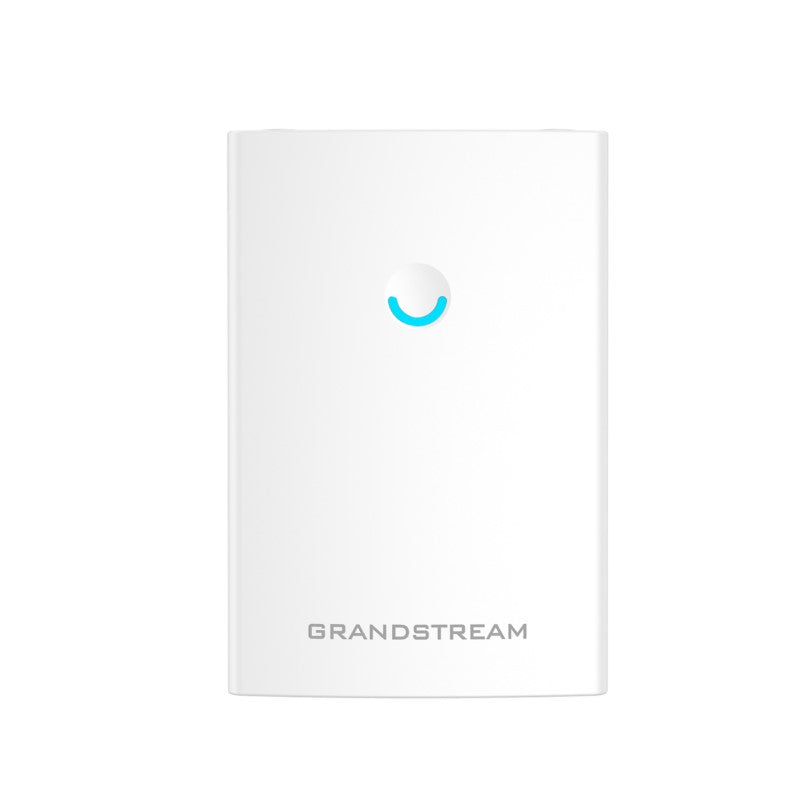
Grandstream GWN7660LR Outdoor Long-Range Wi-Fi 6 Access Point

Frequently Asked Questions

Ensure the Ethernet cable is providing both data and power, as the GWN7660LR requires a PoE connection. Verify the cable is securely seated at both ends and that the port on your PoE switch or injector is active and correctly configured. If the AP is powered but not broadcasting, it may not have obtained an IP address from your network, so confirming DHCP server availability is a good next step.
Start by checking for physical obstructions or sources of interference that might be common outdoors, such as large metal surfaces, dense foliage, or other wireless equipment. The issue could also be related to the distance from the AP; try moving closer to see if the connection stabilizes. If your device supports it, ensure it is connecting on the 5 GHz band, as the 2.4 GHz band is often more congested.
First, confirm the AP has a working internet connection and can reach the GWN Cloud server or your local GWN Manager instance. Check your firewall settings to ensure the necessary ports are open and that the AP’s MAC address is allowed. A common cause is a network misconfiguration, like an incorrect VLAN tag on the AP’s management interface, preventing it from communicating with the controller.
The GWN7660LR's detachable antennas allow you to connect higher‑gain directional antennas to focus the signal into a narrow beam for longer reach. Before changing hardware, try repositioning the AP to a higher, more central location with a clearer line of sight to the target area. Remember that obstacles like walls and trees will reduce the effective range, so optimizing placement is the first and simplest step.
The GWN7660LR is IP66 rated and designed for outdoor use, but the Ethernet connection must also be properly weatherproofed. Check that the cable gland or weatherproofing boot on the Ethernet port is securely tightened to prevent moisture ingress, which can cause a short or failure. Also, verify the outdoor cable run is undamaged and the PoE source is still within the maximum supported Ethernet cable length of 100 meters.
The AP is designed for wall or pole mounting, and you will need the included mounting bracket. For a pole mount, use stainless steel hose clamps (not included) to secure the bracket tightly to the pole. Ensure the mounted AP has a clear downward angle for the cable to create a drip loop, preventing water from running down the cable and into the port.
Yes, this is a common use case. You will need to run an outdoor‑rated Ethernet cable from your main building to the garage to provide a wired backhaul to the AP. The AP will then create a new Wi‑Fi zone in the garage, and its long‑range capability can also provide coverage for the area in between.
If the AP is behaving erratically or rebooting, it may be under‑powered. Check that your PoE switch or injector is providing the correct 802.3af/at standard and that the total power budget of your switch is not exceeded. You can typically check the AP’s status in the GWN Manager interface for power-related log messages, or use a PoE tester on the cable run to confirm the voltage at the AP location.
Access Points

Grandstream GWN7660LR Outdoor Long-Range Wi-Fi 6 Access Point
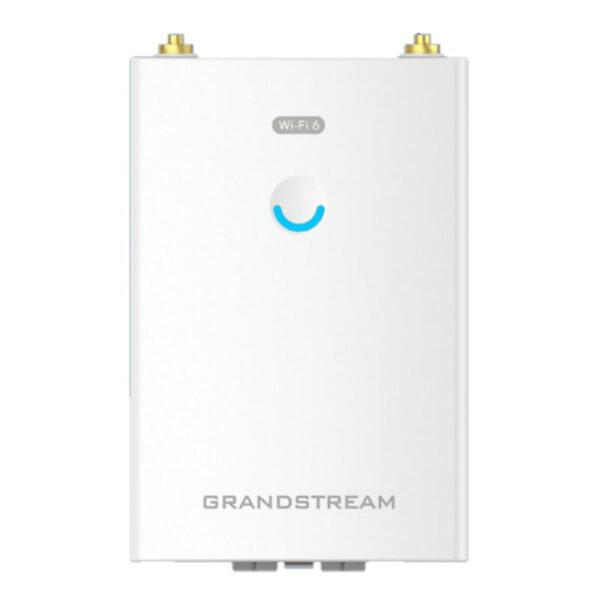
• The GWN7660LR is a long-range 802.11ax Wi-Fi 6 access point designed for next-generation network coverage in indoor and outdoor environments. • Features: • IP66 weatherproof certified casing • Dual-band 2×2:2 MU-MIMO technology • Up to 250-meter coverage range • Advanced QoS for real-time performance of low-latency applications • Anti-hacking secure boot and critical data/control lockdown • Flexibility of detachable antennas for different application scenarios • The GWN7660LR is supported by GWN.Cloud and GWN Manager, Grandstream's cloud and on-premise Wi-Fi management platform. • It offers seamless connection with Grandstream's Wi-Fi capable voice and video IP phones. • Additional Information: • Weight: 2.2 lbs • Dimensions: 10.83 × 7.30 × 3.5 in • Brand: Grandstream • Product Family: GWN-Cloud • Wi-Fi Standard: Wi-Fi 6 (802.11ax) • Technical Specifications: • Wi-Fi Standards: IEEE 802.11 a/b/g/n/ac/ax • Antennas: 2 dual band external antennas with gain 3.5dBi each

About This Product

The GWN7660LR is built for organizations that need to push reliable Wi‑Fi into parking lots, patios, warehouses, or any outdoor space where standard indoor access points fall short. It is a practical fit for Canadian businesses such as hotels with seasonal patio service, municipal outdoor venues, or GTA‑area industrial yards that require weather‑ready connectivity. The IP66‑rated housing means it can handle rain, dust, and temperature swings without needing a separate enclosure, which simplifies outdoor deployment. It is not a high‑density indoor AP for a packed auditorium, but it is the right tool when range and weather resilience matter more than maximizing client count in a single room.

Because it is a Wi‑Fi 6 access point with dual‑band 2×2 MIMO, it pairs well with a modern network that already has a Grandstream controller or cloud management in place. It works seamlessly with Grandstream Wi‑Fi‑capable IP phones, so a business running GWN handsets can extend voice coverage to an outdoor seating area without adding complexity. The detachable antennas give you flexibility if you need to connect directional antennas for a focused beam, but the included 3.5 dBi omnidirectional antennas are a sensible starting point for general outdoor use.

There are practical limits to keep in mind. The claimed 250‑meter range is under ideal, open‑air conditions, and real‑world performance will be reduced by walls, foliage, and interference. For a Canadian deployment, metal‑sided buildings or dense concrete walls will cut range significantly. You should also confirm that your PoE switch can supply the necessary power, as outdoor cable runs can introduce voltage drop that indoor runs do not. The device is not a mesh‑only node; it expects a wired Ethernet backhaul, so factor in the cost and labor of running outdoor‑rated cabling.

If you are outfitting a small café patio, this unit is likely overkill, and a less expensive indoor AP placed near a window might suffice. Conversely, for a large outdoor event space with thousands of concurrent users, this single 2×2 radio design will not provide the dense client capacity of a high‑end 4×4 indoor AP, and you would need multiple units. It sits in a sweet spot for medium‑range outdoor coverage with moderate client loads, such as a hotel pool deck, a loading dock, or a school courtyard.
Services We Provide
  • Professional Installation & Configuration
  • Ongoing Maintenance & Support
  • Troubleshooting & Repairs
  • System Upgrades & Updates