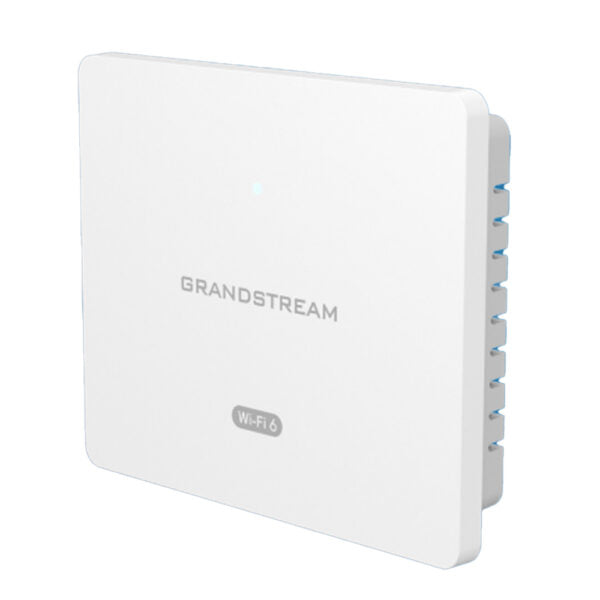
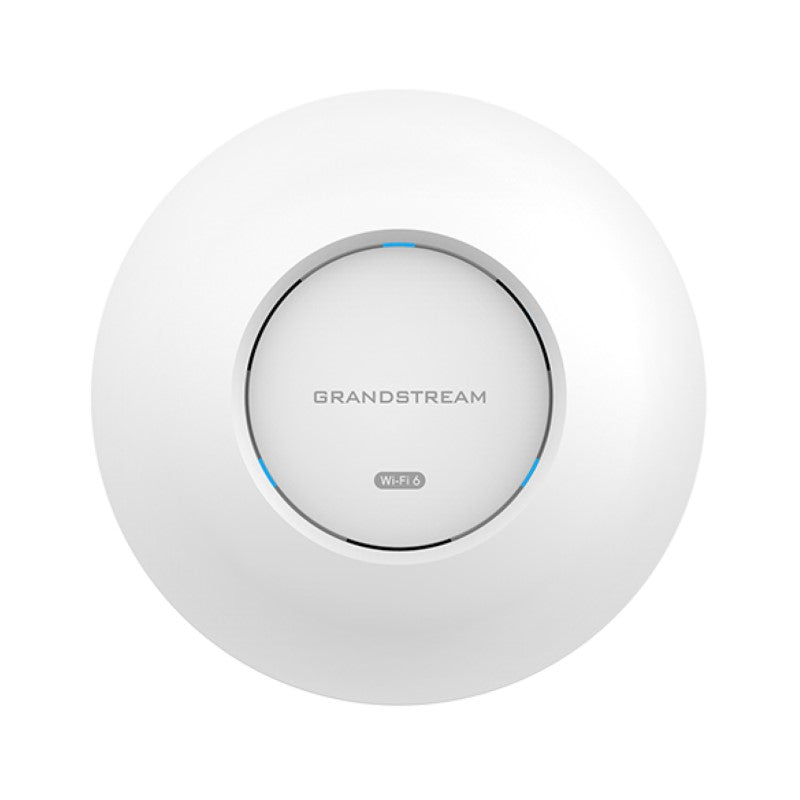
Grandstream GWN7662 Hybrid 802.11ax Wi-Fi 6 Access Point (2×2 2.4GHz, 4×4 5.0 GHz)

Frequently Asked Questions

Start by checking for Wi-Fi interference from nearby networks or appliances. Use the AP’s built-in channel scan in the management interface to find the least congested channel. Also verify that the AP’s firmware is up to date, as outdated firmware can cause stability issues. If the problem persists, try power cycling the AP and your modem/router.
First, confirm that your PoE switch provides at least 802.3at (PoE+) power. The GWN7662 requires PoE+ for full operation; standard 802.3af PoE may not be enough. Verify the Ethernet cable is firmly connected and not damaged. If possible, test with a known working PoE+ injector to isolate the issue.
In the AP’s web interface, navigate to the SSID settings and enable VLAN tagging for each network. Assign a unique VLAN ID (e.g., 10 for corporate, 20 for guest) that matches your switch configuration. Make sure your switch ports are set to trunk mode and pass those VLANs. Test connectivity from each SSID to confirm segregation.
Check that QoS is enabled on the AP and prioritize voice traffic. Ensure your phones connect to the 5GHz band, which is less congested. Also verify that your network’s upstream bandwidth is sufficient—if you’re maxing out your internet link, voice packets will suffer. A wired connection for critical phones is always more reliable.
Yes, the GWN7662 has an embedded controller that can manage up to 50 other GWN series access points locally. Simply assign one unit as the master and add the others from its web interface. For larger or remote deployments, you can use the free GWN.Cloud service or a GWN Manager server.
Verify that 5GHz is enabled in the AP’s radio settings. Some regions have DFS channels that require a radar check before activating—this can cause a delay of up to 10 minutes. If you’ve recently moved the AP from a different locale, check that the country code is set correctly in the management interface.
First, confirm that the AP’s uplink port is connected to a network that has internet access. Check if the AP itself has obtained an IP address (look at the DHCP status). If you’re using VLANs, ensure the management VLAN is correctly configured and that the switch port is set to the same native VLAN. Restart the AP and your router if needed.
For maximum security with modern clients, use WPA3-SAE for the main SSID if all devices support it. For mixed environments, WPA2-PSK with a strong passphrase is fine. Enable the AP’s built-in rogue AP detection and secure boot features. Also, avoid broadcasting SSID if not necessary, though it may cause minor connectivity issues for new devices.
Random reboots often point to power issues or overheating. Ensure the AP is in a well-ventilated area and not in direct sunlight. Verify that the PoE source is stable and provides sufficient power. If the problem continues, try updating the firmware and check the logs for error messages. If under warranty, consider contacting support.
Access the QoS settings in the AP’s web interface and enable DSCP marking or 802.1p for voice packets. Set VoIP devices to the highest priority queue. You can also create a dedicated SSID for phones and apply QoS rules specifically to that network. For best results, configure end-to-end QoS on your switch and router as well.
Access Points

Grandstream GWN7662 Hybrid 802.11ax Wi-Fi 6 Access Point (2×2 2.4GHz, 4×4 5.0 GHz)
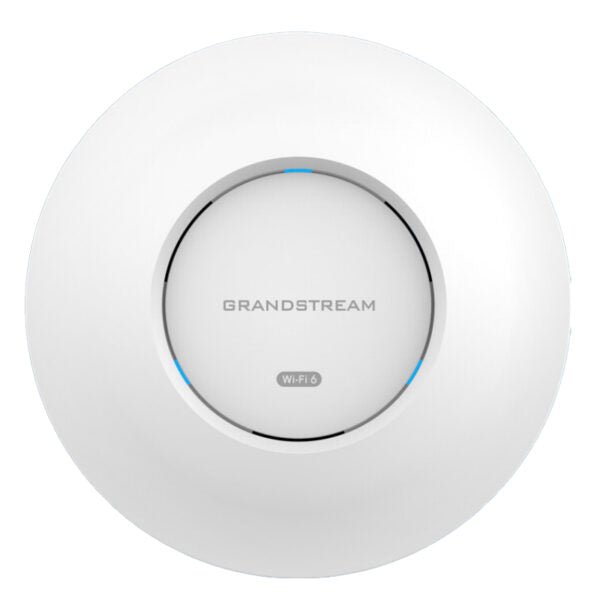
The GWN7662 is an 802.11ax Wi-Fi 6 access point designed for small-to-medium sized businesses, home offices, retail shops, restaurants, hospitality, education and more. It features: • 5.38 Gbps wireless throughput and 3.5 Gigabit wireline ports • 5GHz 4×4:4 MU-MIMO with DL/UL OFDMA technology • Up to 175-meter coverage range • Supports 256 concurrent Wi-Fi client devices • Advanced QoS to ensure real-time performance of low-latency applications • Anti-hacking secure boot and critical data/control lockdown via digital signatures, unique security certificate/random default password per device • Self power adaptation upon auto detection of PoE or PoE+ • Embedded controller can manage up to 50 local GWN series APs; GWN.Cloud offers unlimited AP management; GWN Manager offers premise-based software controller Additional information: • Weight: 2 lb • Dimensions: 10.16 × 9.72 × 3.39 in • Wi-Fi Standard: Wi-Fi 6 (802.11ax) • Network Band: Dual Band • Frequency Band: 2.4 Ghz, 5 Ghz • Mounting Options: Ceiling, Wall Plate Technical Specifications: • Model: GWN7662 • Box Contents: GWN7662 indoor Wi-Fi 6 Wireless AP, Mounting Kits, Quick Installation Guide • Wi-Fi Standards: IEEE 802.11 a/b/g/n/ac(Wave-2)/ax • Antennas: 6 single frequency internal antennas (2.4GHz, gain 3.5dBi; 5GHz, gain 4.5dBi) • Wi-Fi Data Rates: + 5G: IEEE802.11ax:8.6Mbps to 4804Mbps + 2.4G: IEEE 802.11ax:8.6Mbps to 573.5Mbps * Actual throughput may vary depending on many factors including environmental conditions, distance between devices, radio interference in the operating environment and mix of devices in the network. • Frequency Bands: + 2.4GHz Radio: 2412 – 2484 MHz(WIFI) + 5GHz Radio: 5180 – 5825 MHz * Channel Bandwidth: + 2.4G: 20 and 40 MHz + 5G: 20, 40 , 80 and 160MHz • Wi-Fi and System Security: + WEP, WPA/WPA2-PSK, WPA/WPA2 Enterprise (TKIP/AES); WPA3, anti-hacking secure boot and critical data/control lockdown via digital signatures, unique security certificate and random default password per device

About This Product

The Grandstream GWN7662 is a Wi-Fi 6 access point aimed at small-to-medium businesses, home offices, and retail environments that need reliable dual-band coverage for up to 256 devices. Its 2×2 2.4GHz and 4×4 5GHz radios deliver strong throughput for mixed-use traffic, making it a natural fit for offices running VoIP calls, video conferencing, and cloud applications simultaneously. The AP’s compact indoor design works well in open-plan spaces or smaller venues such as cafes and boutique hotels.

For Canadian offices deploying Grandstream PBXs or SIP phones, this AP integrates seamlessly into a unified network, with support for VLANs and QoS to prioritize voice traffic. It replaces older Wi-Fi 5 or single-band access points, offering a noticeable improvement in capacity and latency handling. However, the GWN7662 requires a PoE+ switch or injector to reach its maximum throughput—standard PoE will power it but at limited performance. If your environment has only a few dozen clients on mostly 2.4GHz devices, this unit may be overkill; a lower-spec model would suffice.

Where the GWN7662 really shines is in multi-site deployments across the GTA, where its embedded controller can manage up to 50 local access points without extra licensing. The cloud option (GWN.Cloud) is ideal for distributed retail chains or property managers overseeing several locations. On the flip side, for a single large open warehouse with hundreds of concurrent users, you’d likely need multiple units or a higher-density model. Overall, the GWN7662 offers a balanced mix of performance and management flexibility for the small-to-medium business segment.
Services We Provide
  • Professional Installation & Configuration
  • Ongoing Maintenance & Support
  • Troubleshooting & Repairs
  • System Upgrades & Updates