
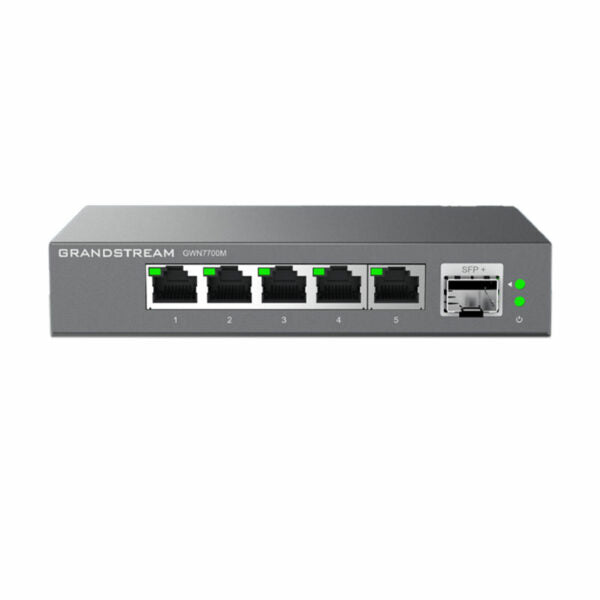
Grandstream GWN7700M Unmanaged 2.5 Multi-Gigabit Switch, 5 x 2.5 GigE, 1 x SFP+
Frequently Asked Questions
First, confirm you are using Cat5e or higher Ethernet cables, as older Cat5 cables may not support 2.5Gbps speeds. Also check that both the device and the switch port are set to auto-negotiate; the GWN7700M does not allow manual speed settings, so if a device is forced to a lower speed, it will not connect at 2.5Gbps. If the issue persists, try a different cable or port to isolate a faulty connection.
Ensure the SFP+ module is compatible with the GWN7700M—some third-party modules may not be recognized. Try reseating the module firmly and check that both ends of the fiber or DAC cable are properly connected. If the module works in another switch, the port may need a power cycle of the switch itself.
Intermittent drops are often caused by cabling issues or power fluctuations rather than the switch itself. Start by reseating all Ethernet cables and checking for loose connections. If your phones use PoE from a separate injector or a PoE switch upstream, verify that power source is stable. The GWN7700M does not provide PoE, so ensure each phone has adequate power.
The GWN7700M is an unmanaged switch, so it does not support VLAN configuration. All ports operate in the same broadcast domain. If you need VLAN segmentation, you would need a managed switch that supports 802.1Q VLANs.
Yes, it is normal for the GWN7700M to feel warm during operation, especially when multiple ports are active. The fanless design relies on passive cooling, so heat dissipation through the metal casing is expected. Ensure the switch is placed in a well-ventilated area and not stacked with other equipment.
Absolutely. The GWN7700M works fine with 1Gbps connections; it will simply negotiate at 1Gbps on the copper ports. The 2.5G and 10G capabilities are only used when connected devices support those speeds, so it is backward compatible with slower equipment.
The SFP+ port on the GWN7700M supports both 1G and 10G SFP+ modules, but only if the module is SFP+ form factor. Standard 1G SFP modules may not be recognized. Try a 1G SFP+ module or a 10G module if available. If the module is compatible and still not working, check the fiber or DAC cable for damage.
The GWN7700M uses an external power adapter. Ensure the adapter is plugged into a working outlet and that the LED on the switch is lit. If the LED is off or blinking, try a different outlet or replace the power adapter. The switch does not support PoE input, so it must be powered via its own adapter.
Yes, you can daisy-chain multiple GWN7700M switches by connecting one switch's SFP+ port to another switch's SFP+ port, or by using a copper port to uplink. Keep in mind that daisy-chaining multiple unmanaged switches can lead to broadcast storms if loops are created, so use only one uplink path between switches.
Start by swapping the cable from the problematic port to a known working port on the same switch. If the issue follows the cable, replace the cable. If the issue stays on the same port, try power cycling the switch by unplugging it for 30 seconds. If the problem persists, the port may be faulty and the switch should be evaluated by a technician.
Switches
Grandstream GWN7700M Unmanaged 2.5 Multi-Gigabit Switch, 5 x 2.5 GigE, 1 x SFP+
* 5 Multi-Gigabit Copper Ports with 100/1000/2500Mbps connectivity * 1 SFP+ Fiber Port with 1 Gigabit or 10-Gigabit connectivity * Auto MDI/MDIX crossover for all ports, eliminating the need for crossover cables * Whisper Quiet: fanless design for reduced noise levels * Broadcast/Multicast/Unicast Storm Control (fixed to 100Mbps) to monitor traffic levels * Green technology reduces power consumption * QoS – Supports Default Strict Priority when present * Layer Support: L2 * Weight: 1.15 lb * Dimensions: 10 × 4.33 × 2.1 in * Number of Ports: 5-10 (configurable) * Main Port Speed: 2.5G * Uplink Ports: 10G SFP+ * Compliance: FCC, CE, RCM, IC, UKCA
About This Product
The Grandstream GWN7700M is a compact, unmanaged switch designed for small to medium-sized offices that need to move beyond standard gigabit speeds without jumping to a fully managed network. Its five 2.5 Gigabit copper ports make it a natural fit for environments where newer workstations, Wi-Fi 6 access points, or high-performance IP phones are common—devices that can actually use the extra bandwidth. The single 10 Gigabit SFP+ uplink gives you a future-proof connection to a core switch or server, which is handy for a growing Toronto office where video conferencing and large file transfers are daily realities. Because it is unmanaged, there is no web interface or VLAN configuration; it is strictly plug-and-play, which is ideal for a deployment where simplicity matters more than traffic control. The fanless design means it can sit quietly on a desktop or in a small wiring closet without adding noise. The tradeoff is that you get no per-port management, no PoE, and no ability to prioritize traffic beyond the built-in default QoS. For a small business that just needs more 2.5G ports and a fast uplink, this switch is a clean fit, but in a larger or more complex network where you need VLAN segmentation or PoE for cameras and phones, you would want a managed or PoE-capable model.
Services We Provide
- Professional Installation & Configuration
- Ongoing Maintenance & Support
- Troubleshooting & Repairs
- System Upgrades & Updates



