
Grandstream GWN7701PA Unmanaged Network Switch, 8 x GigE (8 x PoE)

Frequently Asked Questions

First, verify that the switch itself is powered on and that the PoE budget hasn't been exceeded. Each port can deliver up to 30W, but the total budget is 145W—if you have many high-power devices, you may need to disconnect some. Also check that your Ethernet cables are fully seated and that the phone is PoE-compatible (most standard VoIP phones are). If the issue persists, a Toronto-based VoIP support provider can usually resolve this remotely.
Start by checking the physical connection: ensure the Ethernet cable is not damaged and is firmly plugged into both the switch and the device. The switch supports auto-negotiation, so it should automatically detect 10/100/1000 Mbps speeds. If the link LED on the switch port does not light up, try a different cable or port. If that doesn't help, power-cycle the switch by unplugging it for 10 seconds and plugging it back in.
Intermittent drops often come from loose cables or power issues. First, reseat all Ethernet cables at both ends and ensure the switch's power cord is secure. Check that the switch isn't overheating—its metal case can get warm, but it should have airflow around it. If you're using PoE, confirm you haven't exceeded the 145W total budget, which can cause ports to shut down. If the problem continues, try connecting a single device to isolate the issue.
This is an unmanaged switch, so it does not support VLAN configuration or user-adjustable QoS. It does support Default Strict Priority for QoS when present on incoming packets, but you cannot create or modify traffic policies. For VLAN or advanced QoS control, you would need a managed switch.
First, try a different device on that port to see if the issue is with the device or the switch. If the new device also doesn't get power, try a different cable. If the port still fails, power-cycle the switch. Since there is no per-port PoE control, if the port remains unresponsive after these steps, the port may be faulty and you should contact Grandstream support or your vendor.
Yes, the GWN7701PA is a standard Gigabit switch and will work with any router that has an Ethernet port. Simply connect one of its ports to your router using an Ethernet cable. It is compatible with all major Canadian ISPs and will automatically negotiate the connection speed. No configuration is needed.
Each port has LEDs for link/activity and speed. A solid green light typically indicates a 1000 Mbps connection, while amber might indicate 10/100 Mbps. A blinking light shows network activity. There is also a power LED on the device. If a port's LED is off, check the cable and the connected device's power status.
First, verify that the connected devices and cables support Gigabit speeds—using Cat5e or Cat6 cables is recommended. Check the port LEDs to confirm a green (1000 Mbps) link. If you have many devices, ensure none are saturating the uplink to your router. Since this switch is unmanaged, you cannot prioritize traffic, so a single device hogging bandwidth could slow others.
The switch comes with rack-mounting hardware. Attach the included brackets to the sides of the switch using the provided screws, then secure the brackets to your 19-inch rack rails. Ensure the switch is level and has adequate ventilation. If you don't have a rack, it can sit on a flat surface using the rubber feet.
Yes, as long as the camera's power requirement does not exceed 30W per port and the total PoE budget of 145W is not exceeded. Most standard IP cameras draw well under 30W, so this switch is suitable. Check your camera's specifications for exact power draw and ensure your cable run is within the 100-meter Ethernet limit.
Switches

Grandstream GWN7701PA Unmanaged Network Switch, 8 x GigE (8 x PoE)
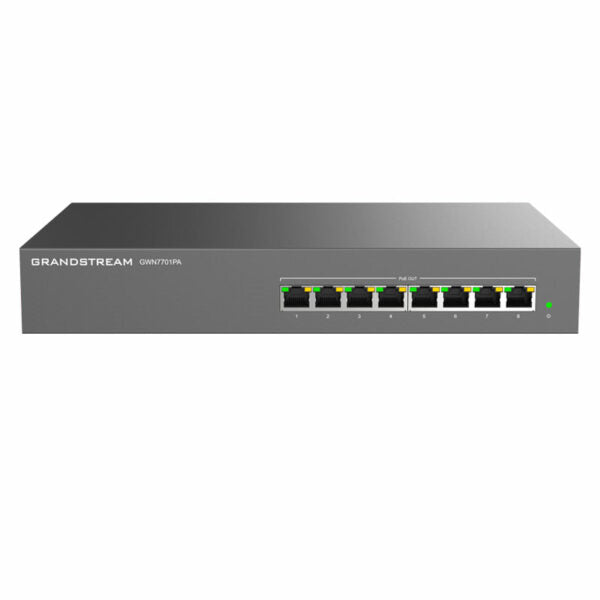
• The GWN7700 series are unmanaged network switches that provide a quick and cost-effective way to add high-speed Gigabit connectivity to home offices and small/medium businesses. They offer auto MDI/MDIX for eliminating crossover cables and support auto-negotiation, allowing them to recognize the link speed of any 10/100/1000Mbps network device. • Key features include: + 8 x GigE (8 x PoE) + Metal case + Auto MDI/MDIX crossover for all ports + QoS – Supports Default Strict Priority when present + Broadcast/Multicast/ Unicast Storm Control (fixed to 100Mbps) to monitor traffic levels • Additional features: + IEEE 802.3i, 802.3u, 802.3ab, and 802.3x standards and protocols supported + Gigabit RJ45 ports with auto negotiation and auto MDI/MDIX + PoE configuration for up to 30W on each port (total 145W power budget) + LED indicators for link/activity/speed per port and power output per device • Technical specifications: + Weight: 4.63 lb + Dimensions: 14.41 × 7.09 × 1.73 in + Number of ports: 5-10 + Main port speed: Gigabit + Uplink ports: Gigabit RJ45 + Layer support: L2+ + PoE support: Yes + PoE budget: Medium (100-199 W) + Redundant power supply: No + Box contents include 1x GWN7701PA Switch, 1x AC cable, rack-mounting hardware, and more

About This Product

The Grandstream GWN7701PA is an unmanaged 8-port Gigabit switch with Power over Ethernet (PoE) on all ports, designed for small offices or home offices that need to power and connect multiple devices like VoIP phones, access points, or IP cameras without running separate power cables. Its metal case and rack-mountable form factor make it suitable for a tidy, permanent installation in a wiring closet or on a desk in a GTA office environment. The switch is plug-and-play with no configuration required, which is ideal for setups where simplicity is key, but it also means you have no control over advanced features like VLANs or port management—something to consider if you later need to segment network traffic. With a total PoE budget of 145W, it can comfortably power several standard VoIP phones at once, but it may be underpowered for high-wattage devices like pan-tilt-zoom cameras or multiple high-performance wireless access points, and it lacks redundant power, so a power outage takes down all connected devices. This switch pairs well with Grandstream's own IP phones and gateways for a cohesive small-business deployment, but it would be overkill in a home with only a few devices and underpowered in a large enterprise with dense PoE requirements.
Services We Provide
  • Professional Installation & Configuration
  • Ongoing Maintenance & Support
  • Troubleshooting & Repairs
  • System Upgrades & Updates



