
Grandstream GWN7802P Enterprise Layer 2+ Managed PoE Network Switch
Frequently Asked Questions
Grandstream GWN7802P Enterprise Layer 2+ Managed PoE Network Switch
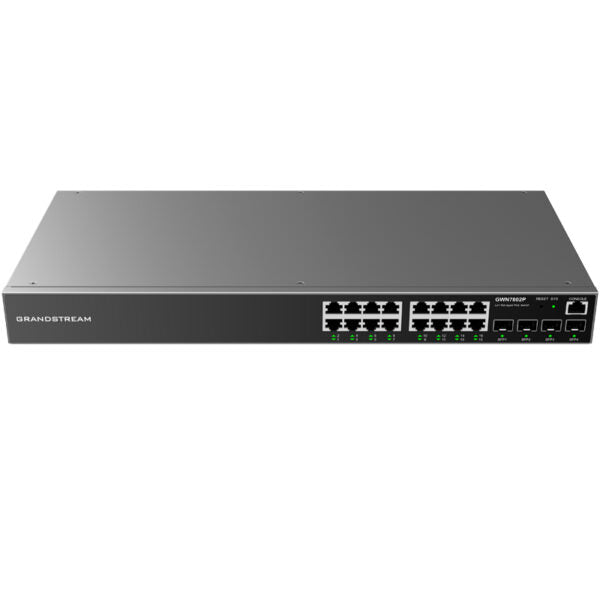
*The GWN7800 series are Layer 2+ managed network switches designed to help small-to-medium enterprises build scalable, secure, high-performance, and smart business networks. They support advanced VLAN for flexible traffic segmentation, advanced QoS for automated detection and prioritization of latency sensitive voice/video traffic, IGMP Snooping for network performance optimization, and comprehensive security capabilities against potential attacks.* Key Features: * 16 Gigabit Ethernet ports * 4 Gigabit SFP ports * 16 PoE ports with smart power control to support dynamic PoE/PoE+ power allocation per port * Supports deployment in IPv6 and IPv4 networks * Provides quaternary binding of IP, MAC, VLAN, and port; ARP Inspection, IP Source Guard, DoS protection, port security, DHCP snooping * Device management via SNMP, RMON, CLI, HTTPS, TR069, GWN Manager, GWN.Cloud * Advanced QoS auto detects and prioritizes latency sensitive audio/video/RTP/VoIP/SIP packets Technical Specifications: * Model: GWN7802P * Network Protocol: IPv4, IPv6, IEEE 802.3, IEEE 802.3i, IEEE 802.3u, IEEE 802.3ab, IEEE 802.3z, IEEE 802.3x, IEEE 802.3af/at, IEEE 802.1p, IEEE 802.1Q, IEEE 802.1w, IEEE 802.1d, IEEE 802.1s * Gigabit Ethernet Ports: 16 * Gigabit SFP Ports: 4 * Console: 1 * Number of PoE Ports: 16 * Integrated Power Supply: 270W * Max Output Power per PoE Port: 30W * Max Total PoE Output Power: 240W * PoE Standards: IEEE 802.3af/at * Auxiliary Ports: 1x Reset Pinhole, 20x green LEDs for data ports, 16x yellow-color LEDs for PoE ports * Mounting: Desktop, Wall-Mount, or rack-mount (rack-mount brackets included) * LEDs: 1x tri-color LED for device tracking and status indication, 20x green LEDs for data ports, 16x yellow-color LEDs for PoE ports * Package Content: GWN7802P Switch, 1x 1.2m(10A) AC Cable, 1x Ground Cable, Rack-mounting Standard Brackets, 4x Rubber Feet, 2x Lug Ear
About This Product
For a business running Grandstream’s own phones and access points, this switch integrates naturally with GWN Manager and GWN.Cloud, giving a single pane of glass for both the network and the endpoints. The 240 W total power budget means you can run a full complement of PoE+ devices without hitting the ceiling under normal conditions, but a fully populated switch drawing near 30 W per port would exceed the budget, so planning the PoE load is necessary. The Layer 2+ feature set—dynamic ARP inspection, DHCP snooping, IP Source Guard—is strong enough for a small finance or legal office in the GTA that needs to pass a security audit without buying a full enterprise chassis.
This switch is overkill for a simple flat network of five phones and a couple of computers, where an unmanaged PoE switch would cost less and require zero configuration. It is underpowered for a large school board or a multi-floor commercial property that needs stacking, redundant power supplies, or 10‑gigabit uplinks to handle backbone traffic. In a Canadian context, it pairs well with Bell or Rogers business internet gateways in bridge mode, and its IPv6 support keeps it relevant as carriers continue dual-stack rollouts. The desktop, wall, or rack-mount flexibility is practical for businesses that may start with it on a shelf and later move it into a proper cabinet.
Services We Provide
- Professional Installation & Configuration
- Ongoing Maintenance & Support
- Troubleshooting & Repairs
- System Upgrades & Updates



