Grandstream GXW4248-V2 48 FXS Port Gigabit Analog Gateway

Frequently Asked Questions

First, look at the LED for that port—if it’s unlit, the phone isn’t being detected. Confirm the phone and cord work by testing them directly. Then log into the web interface and make sure the port is enabled and registered to your SIP server.
Check the web interface to see whether the silent ports are shown as enabled and registered. A loose 50‑pin Telco connector or a damaged breakout cable can affect groups of ports; reseat the connector and inspect the cabling. If the problem follows specific breakout leads, swap them with known‑good pairs to rule out a cable fault.
Verify your internet connection is stable and that your firewall isn’t blocking SIP traffic. Check the registration expiry timer in the port settings—a very short expiry can cause flapping. Run a ping test from a PC on the same subnet to the provider’s SIP server to confirm reachability. If the issue persists, a Toronto‑based VoIP support provider can usually resolve this remotely.
Make sure a jitter buffer is enabled and sized appropriately for your network. Configure QoS on your switches to prioritize voice traffic to and from the gateway. A duplex mismatch on the gigabit port can also cause audio problems; confirm it’s set to auto‑negotiate or matches the switch port.
Check that the power cable is securely connected and the outlet has power. Try a different, known‑working outlet. If the unit still shows no signs of life, the external power supply may be faulty. If the gateway still doesn’t power on with a known‑good outlet and cable, contact your vendor or a support provider; a Toronto‑based VoIP support provider can often diagnose power supply issues remotely and arrange a replacement.
Set the port to T.38 fax mode if your provider supports it; otherwise use G.711 passthrough and disable echo cancellation on that port. Low packet loss and stable jitter are critical for fax—test the line with a fax‑capable ATA or softphone to isolate the issue.
Log into the web interface, navigate to the FXS port settings, and enter the provider’s SIP server, username, and password. You can register ports individually or set a common profile for multiple ports. After saving, the port LED should turn green once registration succeeds.
It works with any SIP‑compatible system, hosted or on‑site. Simply point the registration to your cloud PBX’s domain and ensure your firewall allows SIP traffic. This is common in Canadian businesses that use providers like Telus Business Connect or other hosted VoIP services.
In the web interface, go to the port settings and set the Display Name and Number fields. The gateway will send this information on outbound calls. The caller ID number that external parties see is often controlled by your provider, but the gateway’s settings let you customize what appears on internal calls.
The gateway uses two 50‑pin Telco (Amphenol) connectors. You’ll need a breakout cable or patch panel that converts to RJ11 jacks. Standard 2‑wire analog wiring is used, so ordinary phone cords are fine; just ensure the breakout is punched down correctly.
VoIP Gateways

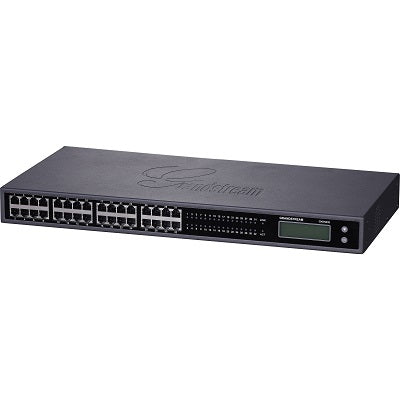
Grandstream GXW4248-V2 48 FXS Port Gigabit Analog Gateway
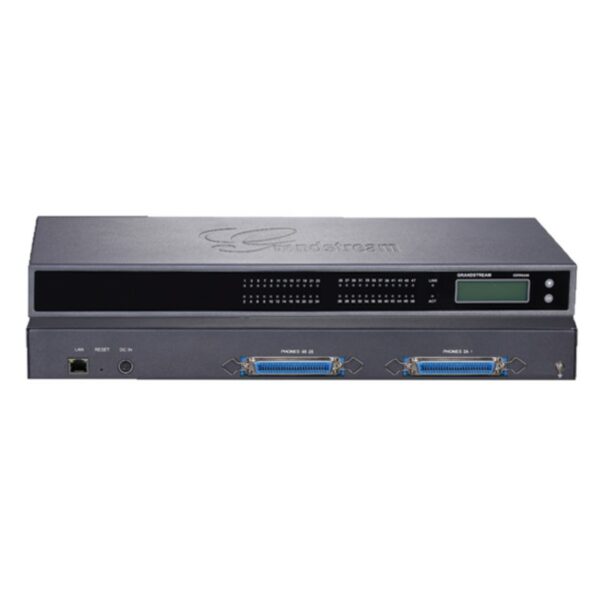
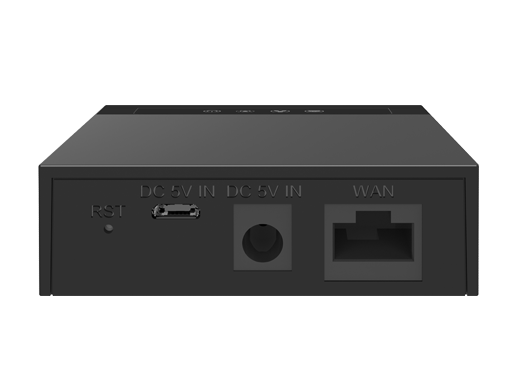
• The GXW4200 high-density FXS gateway series offers a cost-effective hybrid IP and analog telephone system, providing the benefits of VoIP communications while preserving investment on existing analog phones, fax machines, and legacy PBX systems. Key Features: • 16/24/32/48 FXS ports • Gigabit network port • Broad interoperability with most service providers, soft-switches, and SIP-based environments The GXW4200 series includes: • 2 x 50-pin Telco connectors • 132×48 backlit graphic display with support for multiple languages • Advanced security protection with SRTP/TLS/HTTPS • Power supply included Additional Information: • Weight: 10.39 lbs • Dimensions: 19 × 4 × 13 in • Device Ports: FXS, Gigabit • Number of Ports: 48 FXS Technical Specifications: • Network Interfaces: 1 x 10M/100M/1000Mbps auto-sensing RJ45 port • LED indicators: LAN Link, LAN Activity, Connection Per Telephone Port • LCD display: Backlit 128×32 graphic LCD display with support for multiple languages • Voice-over-Packet Capabilities: Window based carrier grade line echo cancellation, dynamic jitter buffer, modern detection & auto-switch to G.711 • Voice Compression: G.711, G.723.1, G.76 (40/32/24/16), G.729 A/B, iLBC • Fax over IP: T.38 compliant Group 3 Fax Relay up to 14.4kpbs and auto-switch to G.711 for Fax Passthrough • Telephony Feature: Caller ID display or block, call waiting, blind or attended call transfer, call forward, do not disturb, 3-way conference, last call return, paging, message waiting indicator LED (NEON LED) support and stutter tone For a full list of specifications, please refer to the product datasheet.

About This Product

The Grandstream GXW4248-V2 is a rack-mountable analog gateway built for organizations that need to bridge a large number of existing analog phones, fax machines, or door entry systems into a modern VoIP network. With 48 FXS ports concentrated in a 1U chassis, it fits naturally into a centralized wiring closet for hotels, multi-tenant buildings, call centers, and mid‑sized to large offices across the GTA that want to preserve their investment in legacy endpoints while moving to SIP trunking or an IP‑PBX.

Because all 48 ports rely on a single device, you’ll want to plan for redundancy if uptime is critical—this isn’t a set‑and‑forget appliance for life safety lines without a failover strategy. The gateway outputs analog lines via two 50‑pin Telco connectors, so you’ll need compatible breakout cabling or a patch panel to terminate individual phones. The built‑in gigabit network port handles voice traffic well, but voice quality still depends on proper QoS configuration in your switches and a stable internet connection.

For a Canadian business using a mainstream provider like VoIP.ms, Telus SIP trunking, or a local hosted PBX, the GXW4248‑V2 registers as a standard SIP client and supports the fax and caller ID features most offices require. It’s a solid choice in a 30‑ to 50‑person deployment where pulling new Ethernet for IP phones isn’t feasible, but a smaller branch office with fewer than eight analog devices would find a compact ATA or a smaller gateway more cost‑effective.

As with any high‑density gateway, cooling and power are important. The unit uses an external power supply (included) and is not PoE‑powered. In a Canadian business environment, you’ll want to connect it to a UPS to keep phones working during a power failure, especially if your network switches rely on PoE for handsets that aren’t on the gateway.
Services We Provide
  • Professional Installation & Configuration
  • Ongoing Maintenance & Support
  • Troubleshooting & Repairs
  • System Upgrades & Updates