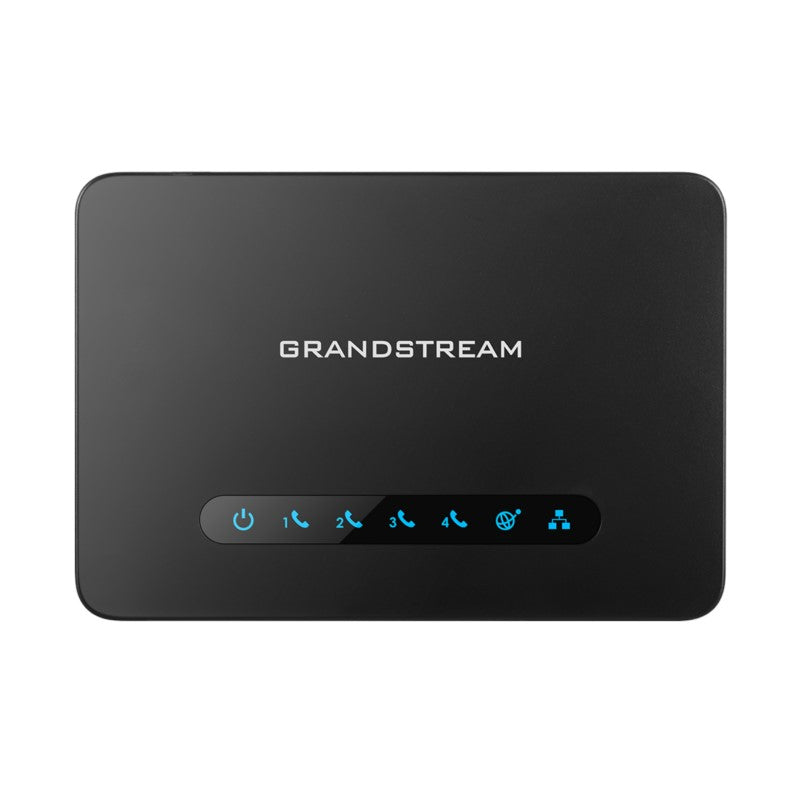
Grandstream HT801 1-Port FXS ATA

Frequently Asked Questions

First confirm the phone and cable work on another line. Then check the HT801’s POWER and INTERNET LEDs — solid green indicates power and network link. If the PHONE LED is off, the port isn’t registered to your SIP server; log into the web interface and verify the SIP server address, username, and password are correct under FXS Port settings. If the PHONE LED is solid green but still no dial tone, try a different analog phone and ensure the phone is not set to pulse dialing.
Check that T.38 fax is enabled in the FXS port settings and that your VoIP provider supports T.38 on your trunk. If the provider only supports G.711 pass-through, disable T.38 and set the fax machine to an error correction mode (ECM) off and a slower baud rate, such as 9600 bps. If errors persist, swapping the RJ11 cable and reseating connections can sometimes clear intermittent ECM failures.
Echo is often caused by acoustic coupling or impedance mismatches. Lower the analog phone’s handset volume slightly and make sure the phone’s coiled cord isn’t tightly bundled. In the HT801 settings, adjust the FXS port’s Jitter Buffer and Echo Cancellation parameters — start with enabling echo cancellation and setting the tail length to 16 ms. If the issue continues, try a different analog phone to rule out hardware-induced echo.
Check that your firewall isn’t blocking SIP traffic and that SIP ALG is disabled on the router. Set the SIP registration expiry to a shorter interval, like 120 seconds, to force more frequent keep-alives. Also verify that the local subnet’s DHCP lease isn’t changing the HT801’s IP address — assign a static IP or a DHCP reservation to ensure the registration bindings don’t break.
Yes, the HT801 sees the base station as a single analog device. Plug the base station’s telephone cord into the HT801’s FXS port. The base station will handle its own multiple handsets over its wireless system. Keep in mind that the REN limit is 5, so a very large system might overload the port; most modern cordless bases consume well under 1 REN and work without issue.
In the FXS port settings, locate the Failover SIP Server field and enter the secondary provider’s SIP domain or IP address along with the corresponding port, username, and password. The HT801 will automatically attempt to register with this server when the primary registration fails. You must ensure the failover server credentials are valid and that the secondary provider’s account is pre-provisioned. If the problem persists, a Toronto-based VoIP support provider can usually resolve this remotely.
Solid green means the port is registered, so the issue is likely dial plan or call routing. Check that your dialed digits match the HT801’s Dial Plan rule under FXS settings — if you’re used to dialing 9 before an outside line, that prefix must be included in the plan. Also verify that your SIP trunk allows outbound caller ID from this account; some Canadian carriers require specific number formatting, such as 10-digit E.164.
No, the HT801 requires the included AC adapter. If the location lacks a nearby power source, you can use a passive PoE splitter that extracts power from an Ethernet cable and feeds the correct voltage, but this is not officially supported and requires careful matching of voltage and polarity. Otherwise, plan for a power bar or an outlet near the desk.
The HT801’s 3-way conference is initiated via flash (hook flash) signals from the phone. While on a call, press the flash button or briefly depress the hook switch to get a second dial tone, then call the third party. After they answer, press flash again to merge the calls. Ensure the FXS port’s flash time is set correctly (default 300 ms) for your phone — if your phone cannot produce a proper flash, the feature won’t activate.
VoIP Adapters

Grandstream HT801 1-Port FXS ATA
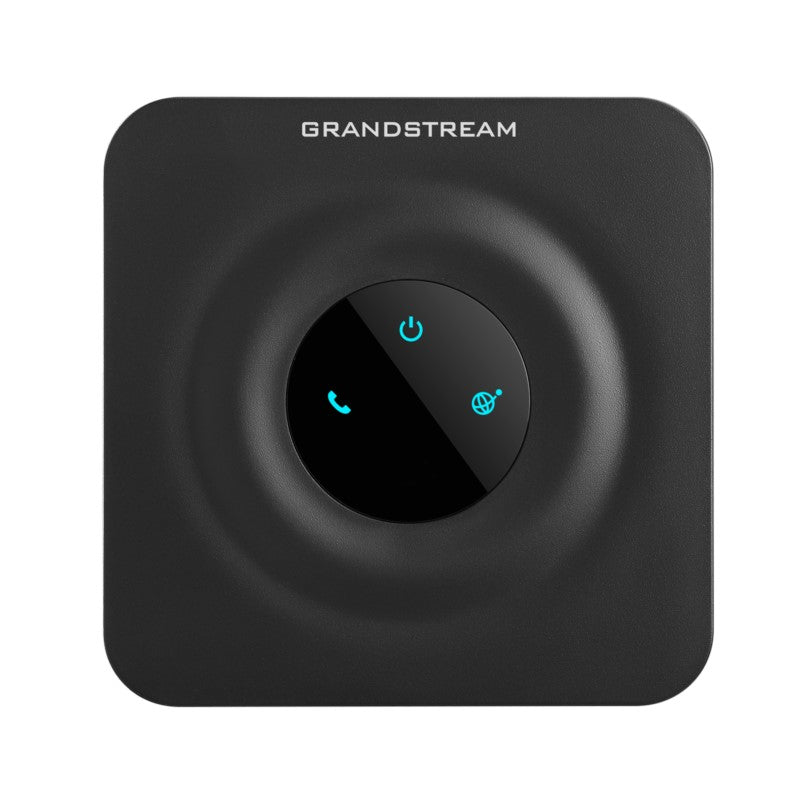
• Ultra-compact size for easy integration into any environment • High-quality voice and advanced VoIP functionality • Security protection with TLS and SRTP encryption technology • Automated provisioning options, including TR-069 and XML config files • Supports 3-way voice conferencing and failover SIP server • Includes T.38 Fax for creating Fax-over-IP and supports a wide range of caller ID formats • Compatible with Grandstream's UCM series of IP PBXs for Zero Configuration provisioning • Advanced telephony features, including call transfer, call forward, and more • Power supply included Weight: 1 lb Dimensions: 8 × 6 × 3 in Number of Ports: 1 FXS Technical Specifications: Model: HT801 Box Contents: HT801 Power Supply Cable Quick Start Guide Interfaces: Telephone Interfaces: One (1) FXS port Network Interfaces: One (1) 10/100Mbps auto-sensing ethernet port (RJ45) LED Indicators: POWER, INTERNET, PHONE Factory Reset: Button Yes Voice, Fax, Modem: Telephony Features: Caller ID display or block, call waiting, flash, blind or attended transfer, forward, hold, do not disturb, 3-way conference Voice Codecs: G.711 with Annex I (PLC) and Annex II (VAD/CNG), G.722, G.723.1, G.729A/B, G.726, iLBC, OPUS Fax Over IP: T.38 compliant Group 3 Fax Relay up to 14.4kpbs and auto-switch to G.711 for Fax Pass-through Short/Long Haul Ring Load: 5 REN: Up to 1km on 24 AWG Caller ID Bellcore: Type 1 & 2, ETSI, BT, NTT, and DTMF-based CID Disconnect Methods: Busy Tone, Polarity Reversal/Wink, Loop Current

About This Product

The Grandstream HT801 is a no-frills single-port analog telephone adapter built for small-scale voice deployments. It suits a sole proprietorship needing to connect a legacy desk phone or cordless handset to a cloud PBX, or a Toronto dental office that wants to keep a familiar analog phone on the front desk while moving voice traffic to a hosted VoIP provider. The compact chassis and included power supply let it sit neatly beside a router or under a counter, and its automated provisioning options make it easy to adopt inside an existing Grandstream UCM environment.

Because it carries only one FXS port, the HT801 aligns best with situations where a single analog endpoint is the requirement — a breakroom phone, a lobby courtesy phone, or a dedicated fax line. The T.38 fax support means it can handle fax machines that many basic ATAs struggle with, which matters in medical clinics or law offices that still rely on fax. A surprising strength in this class is the inclusion of a hardware-based 3-way conference bridge; users who occasionally need to merge two calls on their analog phone will find it helpful without needing a more expensive IP PBX feature set.

Tradoffs are predictable: the ethernet port is 10/100 Mbps, not gigabit, so it’s not the best fit for an environment where that cable also carries heavy data traffic. The short/long haul ring load supports up to 1 km of wiring, but with only 5 REN, it can’t drive multiple loud-ringing mechanical bells in a long hallway. For a single phone or fax machine, this is ample. However, a retail chain with a dozen phones at each location would be better served by a multi-port gateway — the HT801 would be underpowered and administratively messy to manage in volume.

For a Canadian small business that just wants one number off the PSTN and onto their internet connection, the HT801 does exactly that with solid voice quality and strong security encryption. It’s also a pragmatic pairing with a Grandstream UCM appliance for zero-touch provisioning, allowing a Toronto IT support provider to configure it remotely without a truck roll. The failover SIP server feature adds a layer of resilience: if the primary trunk provider experiences an outage, the unit can re-register to a secondary service automatically, a detail that can keep emergency lines alive in compliance with Canadian CRTC VoIP 9-1-1 considerations.
Services We Provide
  • Professional Installation & Configuration
  • Ongoing Maintenance & Support
  • Troubleshooting & Repairs
  • System Upgrades & Updates