Grandstream HT814-V2 4 FXS Port VoIP Gateway

Frequently Asked Questions

Confirm that the analog phone is securely plugged into the correct FXS port and that the phone itself works on another known-good line. Log into the HT814-V2’s web interface and verify that the corresponding port is assigned an active SIP profile and shows a “Registered” status. Also check the LED for that port—if it’s off, the port may not be provisioned or may have failed to register.
Double-check the SIP credentials (username, password, realm, server address) in the profile settings. Use a ping or traceroute from your network to confirm the provider’s server is reachable and that no firewall is blocking SIP traffic. If the device sits behind NAT, enable Outbound Proxy or STUN settings and consider adjusting the registration expiry interval.
Choppy audio usually points to network congestion, jitter, or packet loss. Prioritize VoIP traffic by enabling QoS on your main router, and temporarily pause large file transfers or streaming on the same network. Inside the HT814-V2’s web interface, try switching the codec to G.711 or G.729 and ensure SIP ALG is disabled on any upstream firewall. If the issue persists, a Toronto-based VoIP support provider can usually diagnose network quality problems remotely.
Check that the Ethernet cable is firmly connected to the NET1 (WAN) port and try a different port on your router or switch. Reboot both the HT814-V2 and the router. If a static IP was previously set on the gateway, you may need to reconnect using that IP rather than relying on DHCP. You can also use the Grandstream GS Search tool to discover the device on your LAN.
Ensure both the gateway and your VoIP provider or endpoint have T.38 enabled and that you force the fax speed to 9600 baud with ECM disabled. Check that your SIP trunk explicitly supports T.38; many problems arise when the provider defaults to G.711 passthrough. If the fax still fails, test with G.711 passthrough as a fallback. For persistent fax issues, a knowledgeable VoIP partner in the GTA can help fine-tune these settings.
First determine the device’s current IP address—look in your router’s DHCP lease table or use a Grandstream discovery tool. Make sure your PC is on the same subnet and that no VPN is interfering. Clear your browser cache or try an incognito window. If you still cannot reach the login page, do not factory reset immediately; contact support to rule out other network issues first.
The HT814-V2 supports two SIP profiles, which you can configure under the FXS Ports tab. Assign a different profile to each port number—for example, Port 1 uses Profile 1, Port 2 uses Profile 2, and so on. If you need more than two distinct accounts, you may need to use multi-account registration within a single profile (if supported by your provider) or set up sub-accounts on the server side.
Yes, the integrated NAT router allows you to connect a computer, switch, or access point to the second network port. Configure the WAN interface (typically NET1) for your internet connection, and set the LAN interface (NET2) to a private subnet with DHCP server enabled. Keep in mind the HT814-V2’s routing performance is adequate for light office use but may not match a dedicated firewall.
No, the HT814-V2 provides FXS ports for analog phones—it cannot connect to an analog phone line (PSTN). To use traditional landline services, you would need a separate FXO gateway or a VoIP trunk from a provider. The device is designed to place and receive calls exclusively over a SIP-based internet connection.
Verify that the power adapter is firmly seated in the HT814-V2’s power jack and plugged into a working electrical outlet. There is no PoE support, so the external adapter is essential. If the LED indicators remain off, try a different outlet and inspect the adapter for damage. Do not open the unit; contact Grandstream or your local support provider if the problem continues.
VoIP Adapters

Grandstream HT814-V2 4 FXS Port VoIP Gateway
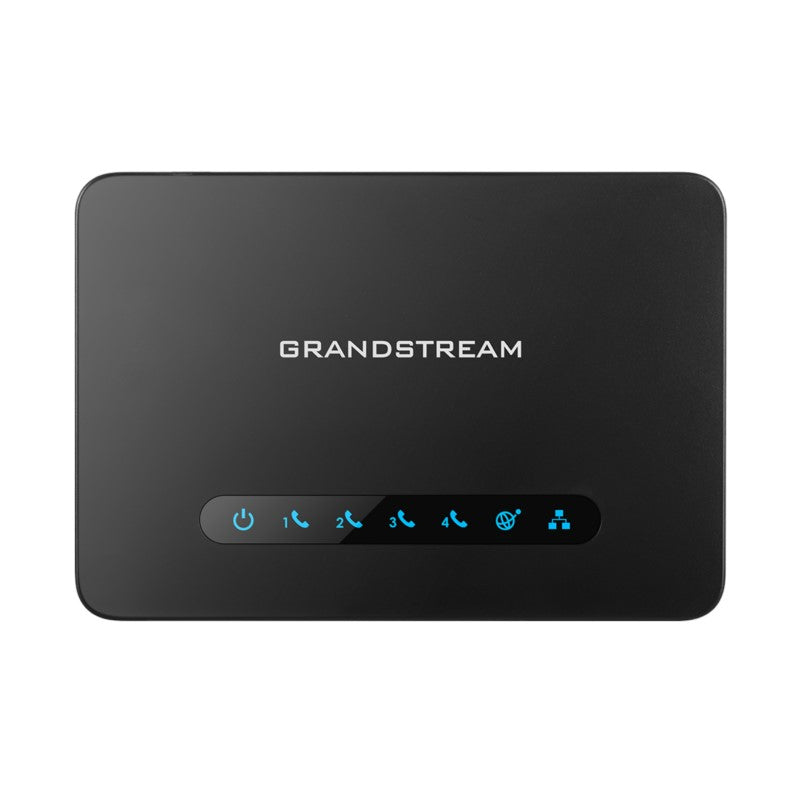
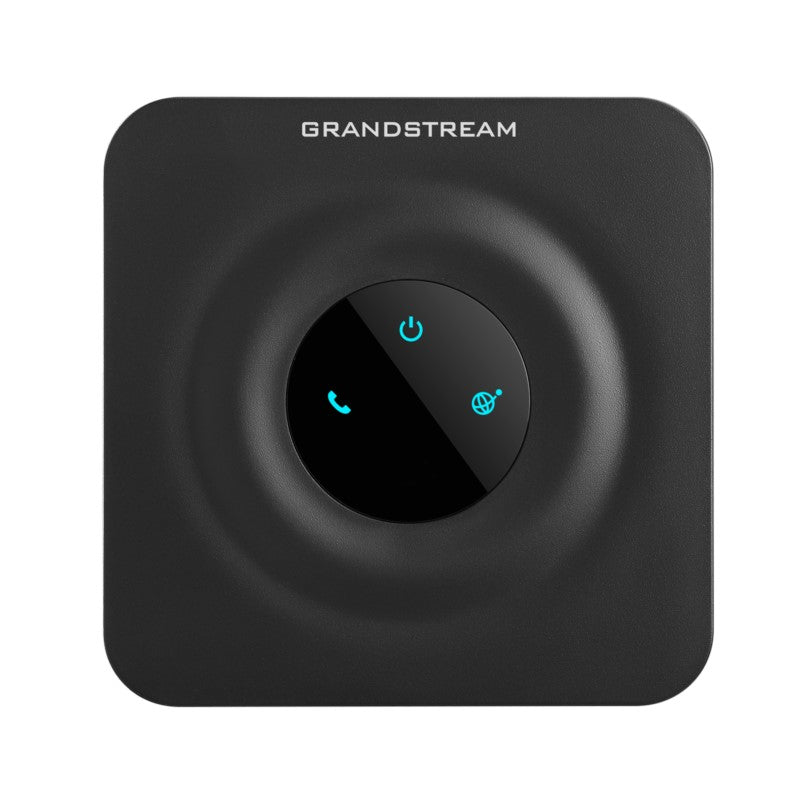
The HT814 V2 is an advanced 4-port VoIP gateway with 4 FXS ports and an integrated Gigabit NAT router. This powerful gateway features exceptional voice quality in various application environments, strong encryption with unique security certificate per unit, automated provisioning for volume deployment and device management, and outstanding network performance for home and office use. • Supports 2 SIP profiles and 4 FXS ports • Strong AES encryption with security certificate per unit • Automated & secure provisioning options using TR069 • 3-way voice conferencing per port • Exceptional voice quality with wideband HD codec • Supports T.38 Fax for reliable Fax-over-IP • Supports dual Gigabit network ports • High performance NAT router Weight: 1 lbs Dimensions: 7.44 × 6.02 × 2.52 in Device Ports: FXS, Gigabit Number of Ports: 4 FXS Business Router: VoIP-Gateway Router GENERAL INFO: Model: HT814 v2 Interfaces: Telephone Interfaces: • Four(4) RJ11 FXS ports; can be expanded by peering with an FXS gateway Network Interfaces: • Two (2) 10/100/1000Mbps RJ45 ports LED Indicators: • POWER, NET1, NET2, PHONE1, PHONE2, PHONE3, PHONE4 Factory Reset Button: Yes Voice, Fax, Modem: Telephony Features: • Caller ID display or block, call waiting, flash, blind or attended transfer, forward,<br>hold, do not disturb, 3-way conference Voice Codecs: • G.711 with Annex I (PLC) and Annex II (VAD/CNG), G.722, G.723.1, G.729A/B, G726-<br>32, iLBC, OPUS, dynamic jitter buffer, advanced line echo cancellation Fax Over IP: • T.38 compliant Group 3 Fax Relay up to 14.4kpbs and auto-switch to G.711 for Fax<br>Pass-through Short/Long Haul Ring Load: • 2 REN, up to 1km on 24AWG line. Caller ID: • Bellcore Type 1 &amp; 2, ETSI, BT, NTT, and DTMF-based CID Dial Methods: • DTMF, Pulse Disconnect Methods: • Busy Tone, Polarity Reversal/Wink, Loop Current

About This Product

The Grandstream HT814-V2 is a practical bridge for small offices, retail counters, or professional practices that want to keep their existing analog phone and fax equipment while moving to a modern VoIP platform. With four FXS ports, it handles a handful of cordless handsets, a desk phone, and a fax machine simultaneously, making it well-suited for businesses in the GTA that have already invested in reliable analog hardware but need the flexibility and cost benefits of SIP-based calling. Its integrated Gigabit NAT router simplifies a compact network setup by eliminating a separate device, though in larger managed networks you may prefer to place it behind an existing firewall.

The gateway supports crystal-clear wideband audio when paired with a high-quality analog phone, but the real-world limit is the handset itself. Fax reliability is a frequent concern, and the HT814-V2’s T.38 support addresses that well when your VoIP provider and trunk configuration are aligned. If you only need one or two analog lines, a simpler 2-port ATA may save cost and power; for deployments that require direct PSTN fallback or more than four lines, you’d look at a hybrid or larger FXS gateway instead. The unit is compact and wall-mountable, and advanced provisioning via TR-069 or encrypted config files makes it attractive for IT service providers managing multiple client sites across Canada.
Services We Provide
  • Professional Installation & Configuration
  • Ongoing Maintenance & Support
  • Troubleshooting & Repairs
  • System Upgrades & Updates