Grandstream HT818-V2 8 FXS Port VoIP Gateway

Frequently Asked Questions

First, confirm the phone is plugged into a working RJ11 port and the gateway has a live network connection (check the NET LED). Then log into the HT818-V2's web interface and verify that the SIP server address, username, and password for that port are correct. Also ensure the port is assigned to an active SIP profile. If the issue persists, contact your VoIP provider to confirm the account is not suspended or blocked.
Choppy audio often indicates insufficient bandwidth or high latency. Try switching to a narrowband codec like G.729 in the gateway's settings to reduce bandwidth usage. You can also enable Quality of Service (QoS) on your network to prioritize voice traffic. If you're on a shared internet connection, check for other heavy usage (streaming, large uploads) during calls.
Check the dial plan for each port in the HT818-V2's configuration. Make sure the dial plan allows the numbers you're trying to call. Also verify that the port is associated with a SIP account that has outbound calling enabled. If calls can't be received, ensure the gateway's SIP registration is active and that the provider has your DIDs forwarded to the correct account.
Set the gateway to use T.38 fax relay mode and ensure the fax baud rate is set to 9600 or 14400 in the fax settings. Use a dedicated FXS port for the fax machine and disable any voice features (like call waiting) on that port. Also check that your VoIP provider supports T.38 and that the network latency is low—ideally under 150 ms.
Check the power supply connection and make sure the unit is not overheating. If you are using Power over Ethernet (PoE), verify that the Ethernet switch provides at least 802.3af PoE and that the cable is fully inserted. Try a different power outlet or a known-good PoE port. If rebooting continues, the power adapter or unit may be faulty—contact support before attempting any reset.
First, check that the phone is firmly plugged into the correct RJ11 port (labeled PHONE1 through PHONE8). Try a different phone and cable to rule out a defective device. Log into the gateway's web interface and confirm that port is enabled and assigned to an active SIP account. If the port still shows no dial tone after these steps, it may require further testing by a technician.
Yes, the HT818-V2 works with any standard analog phone that uses an RJ11 connector. The gateway generates dial tone and supports features like caller ID and call waiting. Make sure your phone is set to tone dialing (DTMF) and is not a digital or proprietary model.
You'll need your SIP credentials from the provider: server address, username, password, and optionally a phone number. In the gateway's web interface, go to the SIP profile settings and enter these details. Most Canadian providers support G.711 and G.729 codecs, so choose one that matches your available bandwidth. If you need fax support, enable T.38 and ensure your provider's network is configured for it.
Absolutely. The HT818-V2 is SIP-compliant and works with any PBX that supports standard SIP registration. Point the SIP server field to your PBX's IP address or hostname, and ensure the PBX allows registration from this gateway. Double-check that the codec settings match between the PBX and the gateway for best audio quality.
The built-in Gigabit NAT router is sufficient for small offices with moderate internet usage, but it does not offer advanced QoS or VLAN features found in dedicated business routers. For environments with high traffic or strict QoS needs, it's better to place the gateway behind a capable router and disable the gateway's routing functions. This ensures voice traffic is prioritized correctly.
VoIP Gateways

Grandstream HT818-V2 8 FXS Port VoIP Gateway
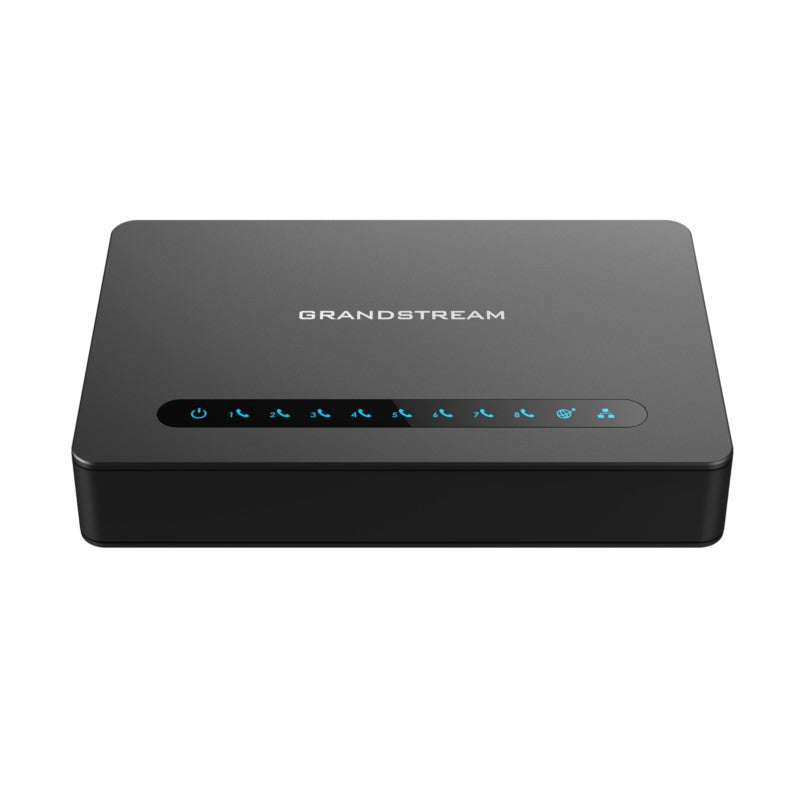
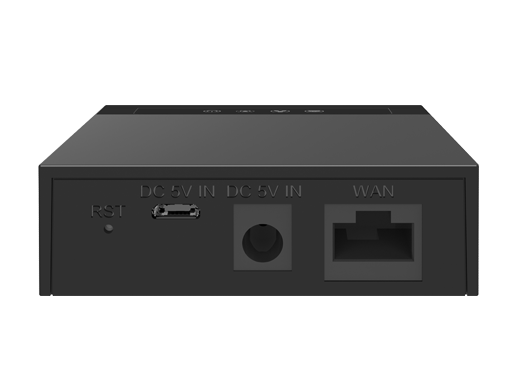
The HT818 V2 is a powerful 8-port VoIP gateway with 8 FXS ports and an integrated Gigabit NAT router. This powerful gateway features Grandstream’s market-leading SIP ATA/gateway technology, which has successfully deployed millions of units worldwide. It offers exceptional voice quality in various application environments, strong encryption with unique security certificate per unit, automated provisioning for volume deployment and device management, and outstanding network performance for enterprise use. • Supports 2 SIP profiles and 8 FXS ports • Strong AES encryption with unique security certificate per unit • Automated and secure provisioning options using TR069 • 3-way voice conferencing per port • Exceptional voice quality with wideband HD codec • Supports T.38 Fax for reliable Fax-over-IP • Supports dual Gigabit network ports • High performance NAT router Additional Information: • Weight: 2 lbs • Dimensions: 11.67 × 5.81 × 2.36 in • Device Ports: FXS, Gigabit • Number of Ports: 8 FXS • Business Router: VoIP-Gateway Router Technical Specifications: • Model: HT818 v2 • Interfaces: • Telephone Interfaces: Eight (8) RJ11 FXS ports; can be expanded by peering with an FXS gateway • Network Interface: Two (2) 10/100/1000Mbps RJ45 ports • LED Indicators: POWER, NET1, NET2, PHONE1, PHONE2, PHONE3, PHONE4, PHONE5, PHONE6, PHONE7, PHONE8 • Factory Reset Button: Yes • Voice, Fax, Modem: • Telephony Features: Caller ID display or block, call waiting, flash, blind or attended transfer, forward, hold, do not disturb, 3-way conference • Voice Codecs: G.711 with Annex I (PLC) and Annex II (VAD/CNG), G.722, G.723.1, G.729A/B, G.726-32, iLBC, OPUS, dynamic jitter buffer, advanced line echo cancellation • Fax over IP: T.38 compliant Group 3 Fax Relay up to 14.4kpbs and auto-switch to G.711 for Fax Pass-through • Short/Long Haul Ring: Load 2 REN, up to 1km on 24AWG line • Caller ID: Bellcore Type 1 & 2, ETSI, BT, NTT, and DTMF-based CID • Dial Methods: DTMF, Pulse • Disconnect Methods: Busy Tone, Polarity Reversal/Wink, Loop Current

About This Product

The Grandstream HT818-V2 is designed for small to medium businesses that need to connect multiple analog telephones, fax machines, or other legacy equipment to a modern VoIP phone system. With eight FXS ports, it's ideal for office environments where you want to preserve existing analog desk phones or integrate devices like elevator phones, alarm panels, or fax lines. This gateway bridges the gap between traditional analog infrastructure and SIP-based voice networks, making it a practical choice for gradual migration without replacing all hardware at once.

It pairs well with any SIP-compatible PBX—whether hosted in the cloud or on-premises—and can replace a bank of individual analog telephone adapters (ATAs) or a legacy PSTN line. The integrated Gigabit NAT router is a bonus for small offices that want to simplify networking, but its routing capabilities are basic compared to a dedicated business router. For Canadian deployments, verify that your VoIP provider's codec and T.38 fax settings are supported, as some regional carriers require G.711 or specific encapsulation.

A key tradeoff is that all eight ports share the same processor and network resources; heavy simultaneous usage (e.g., multiple fax transmissions or high-traffic calls) may affect audio quality. Also, the HT818-V2 is not a standalone PBX—it requires a separate SIP server or service to handle call routing. It may be overkill for a single analog phone user but underpowered for locations needing more than eight analog lines. In GTA office setups, it's frequently used to maintain legacy connections for fire alarm panels or door entry systems while transitioning the rest of the voice traffic to VoIP.
Services We Provide
  • Professional Installation & Configuration
  • Ongoing Maintenance & Support
  • Troubleshooting & Repairs
  • System Upgrades & Updates