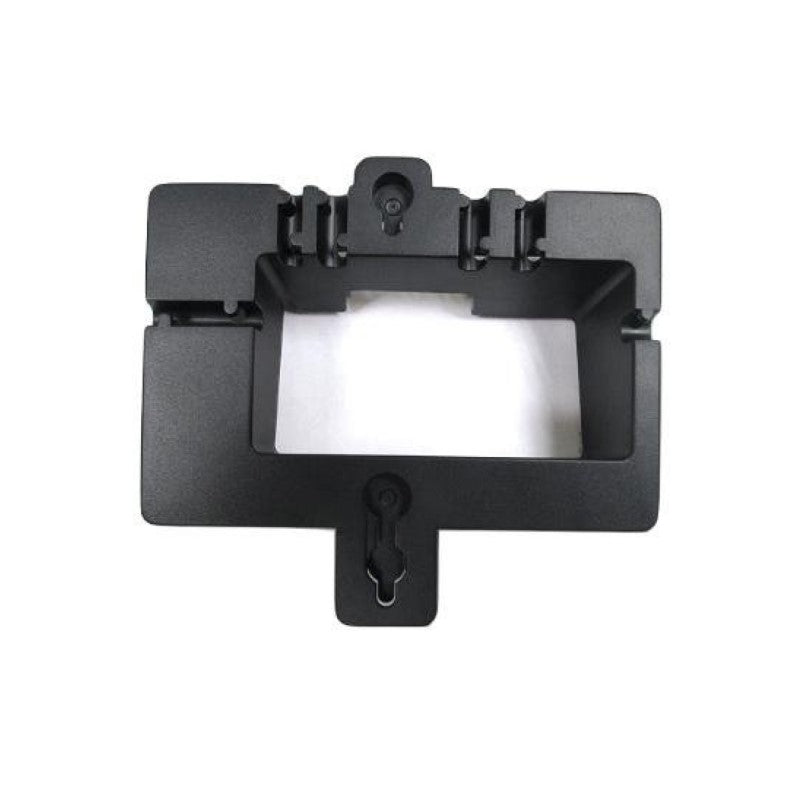
Grandstream In-Wall Mount Kit for GDS3702, GDS3705, GDS3710, and GDS3712

Frequently Asked Questions

You need a wall cavity that is at least 35 mm (1.38 inches) deep behind the drywall or sheathing. The opening itself must measure 99.8 mm by 193.88 mm. Use the included drill template to mark the cutout, then confirm your wall depth with a stud finder or by probing before cutting. If your wall is shallower, surface-mounting is a safer alternative.
This kit is not designed for concrete or brick; it is intended for solid wood stud, metal stud, or drywall (hollow wall) installations. If you need to mount a GDS3700 series door station on masonry, you should look at a surface-mount bracket instead. Installing it on concrete requires a different mounting approach and typically a junction box.
There is no standard replacement key—the anti-tamper screws are meant to deter vandalism. Contact your VoIP support provider or Grandstream directly for a replacement hex key. In the meantime, you may be able to use a small Allen key set, but take care not to strip the head.
This usually means the wall opening is slightly too small or the back box is not fully seated. Remove the device and check that the plastic box is pushed into the wall cavity without obstructions. The opening must be exactly the size shown on the drill template. If the wall studs are not perfectly square, you might need to shim the bracket.
No—this kit is designed exclusively for the GDS3702, GDS3705, GDS3710, and GDS3712 models. The cutout dimensions and screw pattern are specific to those units. If you have a different model, check the product page or datasheet for the correct in-wall kit.
You do not need a licensed electrician if you are only mounting the box and running low-voltage cable (Ethernet / PoE), but you should still comply with local building codes. In Toronto, some condominiums or commercial buildings require a permitted electrical contractor. If you are cutting into finished drywall and fishing cables, a handyman or low-voltage installer is fine.
The flush-mount kit itself is just a metal bracket and box; it does not affect power or data. First, check that your PoE switch or injector is powered on and the Ethernet cable is properly terminated. Inspect the cable for damage from the wall cutout. If the cable tests fine, the issue is likely with the door station or the network source, not the mount.
The metal bracket is designed to accommodate the door station's antennas and should not block wireless signals if installed correctly. Make sure the metal frame does not completely encircle the device's antenna area. If you experience signal degradation, try repositioning the door station slightly forward in the bracket. The device needs a clear path to the outside for reliable connectivity.
Yes, but only if the wall cavity depth and plaster thickness match. The included anchors and screws are intended for standard 1/2-inch or 5/8-inch drywall. If you have thicker wallboard or a built-up surface, you should use longer drywall screws that still fit the brackets and do not damage the door station. Confirm the thread size matches to avoid stripping.
No—this flush-mount box is not rated for weather or water ingress. It is designed for indoor or sheltered outdoor locations (e.g., under an awning). For an exposed exterior wall, you need a weatherproof surface-mount back box and a gasket. If the door station gets direct rain or snow, moisture can enter through the wall opening and damage electronics.
VoIP Accessories

Grandstream In-Wall Mount Kit for GDS3702, GDS3705, GDS3710, and GDS3712
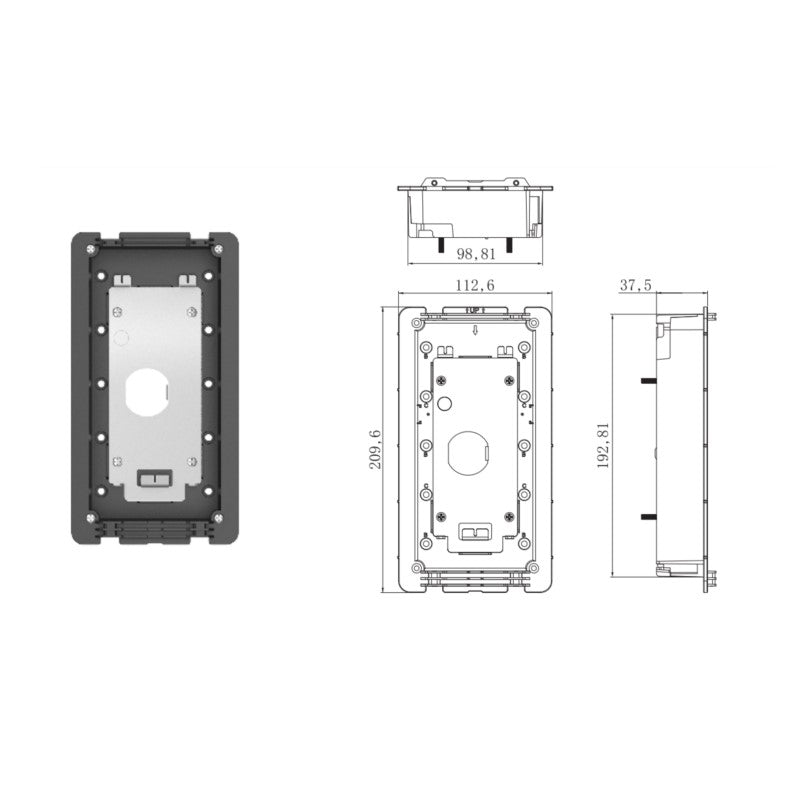
The In-Wall Mounting Kit is designed for seamless integration with the GDS3702, GDS3705, GDS3710, and GDS3712 series devices. This kit enables flush mounting within a wall, supporting solid wall, stud, and drywall (hollow wall) installations. Key Features: • Includes 1 x installation bracket, 1 x cover plate, 1 x plastic box, 1 x drill template, quick reference guide, metal frame, 6 x piece anchor and screw set, 12 x screws, 12 x nuts, 6 x anti-tamper screws, and 1 x anti-tamper hex key • Supports local building and electrical codes for safe installation Additional Information: • Weight: 1.4 lbs • Dimensions: 9 × 10 × 4 in Technical Specifications: • Model: GDS37X0-INWALL • Compatible with GDS3702, GDS3705, GDS3710, and GDS3712 • Required In-Wall Space: 99.8mm (3.93 inches) x 193.88mm (7.63 inches), 35mm deep (1.38 inches) • For a full list of specifications, please refer to the product datasheet.

About This Product

This in-wall mount kit is designed specifically for Grandstream's GDS3700 series door stations, including the GDS3702, GDS3705, GDS3710, and GDS3712. It allows you to flush-mount the door station into a wall for a clean, professional look, making it ideal for commercial office buildings, gated communities, or apartment complexes where the device needs to blend into the architecture rather than protrude. The kit supports solid wall, stud, and drywall installations, so it works with most common construction types found in Toronto-area buildings. It includes everything needed for installation—brackets, cover plate, and a drill template—though you should be comfortable with basic electrical work. One tradeoff to be aware of is that flush-mounting requires cutting an opening in the wall, and once installed, accessing the back of the device for maintenance can be more difficult than surface-mount options. This is not a DIY-friendly kit for someone with zero construction experience, but it is the right choice if you want the door station to look built-in and are willing to plan the rough-in carefully. For new construction or major renovations, this kit makes sense; for a simple retrofit over an existing flush box, check your wall depth first, as the required cavity is over 35 mm deep.
Services We Provide
  • Professional Installation & Configuration
  • Ongoing Maintenance & Support
  • Troubleshooting & Repairs
  • System Upgrades & Updates