Yealink EHS62 Wireless Headset Adapter
Frequently Asked Questions
Yealink EHS62 Wireless Headset Adapter
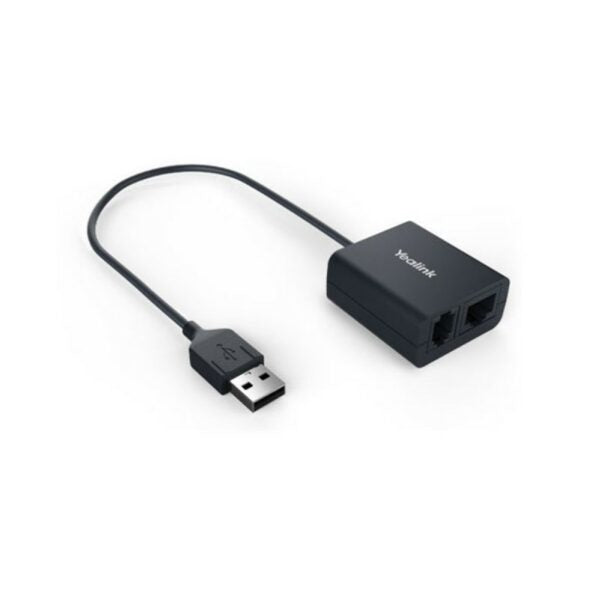
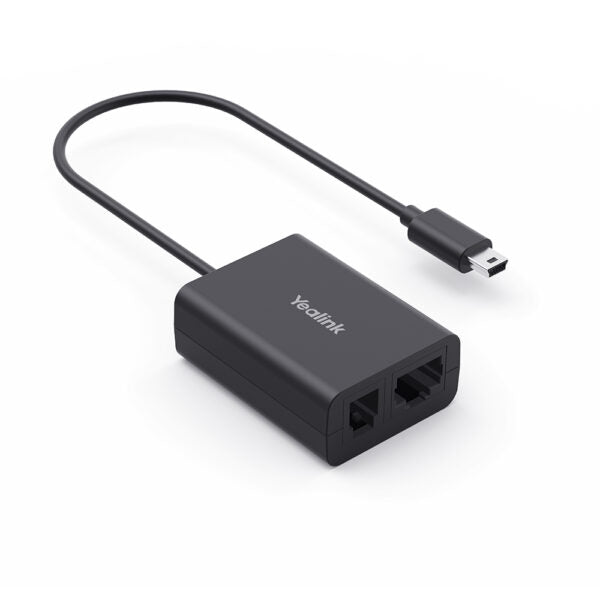
• Advanced Yealink Headset Adapter EHS62 provides a technical interface between your Yealink DECT Headset and a compatible desk phone, allowing for remote control of phone calls. • Ideal for business applications such as receptions and call centers, this unit is designed to maximize productivity in Corporate, Financial, Health, Government, Educational, Industrial, and SME/SoHo market sectors. • Key Features: • Compatible with Yealink wireless headsets (WH64/WH65/WH68) only • Perfectly compatible with Cisco/Avaya/Poly/Grandstream/Mitel/Unify/Yealink T2X/T4XG IP Phones • Control phone calls through remote wireless headset, including answering, hanging up, and adjusting volume • Plug-and-play technology for easy installation • Easy to use • Additional Information: • Weight: 0.13 lb • Dimensions: 4.72 × 2.95 × 1.57 in • Headset Type: EHS Adapters • Technical Specifications: • Box Contents: EHS62, Cable A (for Mitel & Unify Phones), Cable B (for Avaya/Grandstream phones), Cable C (for Yealink desk phones), Cable D (for Cisco IP Phones), and Cable E (for Poly IP Phones) • Main Features: Compatible with Yealink wireless headsets, perfectly compatible with multiple IP Phone brands, plug-and-play, and direct transmission of incoming calls to the wireless headset • Physical Features: Includes mini USB for Yealink wireless headset, TR9-5 cables, and RJ45 cables for various phone connections
About This Product
This adapter is purpose-built for high-volume call handling. It is well-suited for receptionists, financial traders, or healthcare staff who need to answer calls instantly without touching the desk phone. The included cable kit is comprehensive, covering most major enterprise phone brands. For a small Canadian business using Mitel or Unify phones, this adapter allows the office to adopt wireless headsets without a full hardware refresh. It is a targeted accessory, not a universal translator, and its value is tied directly to its compatibility list.
A practical consideration is the physical footprint. While the adapter itself is small, its value is entirely dependent on the specific combination of headset and desk phone. Confirm your exact phone model against the cable kit before purchasing, as compatibility can vary even within a brand's product line. For a single user, the adapter is a simple fix. For a large deployment, it introduces an extra point of failure and a minor cabling burden at each desk.
For a small office with a few users who need wireless freedom, this is a cost-effective add-on. For a 200-seat deployment, the added cabling and per-unit cost can add up, and a fully native headset solution for your phone brand might be simpler to manage, even if the initial headset cost is higher. The adapter is overkill for a home office with a single phone and headset that already share a brand, but it is a smart tool for a mixed-fleet business.
Services We Provide
- Professional Installation & Configuration
- Ongoing Maintenance & Support
- Troubleshooting & Repairs
- System Upgrades & Updates