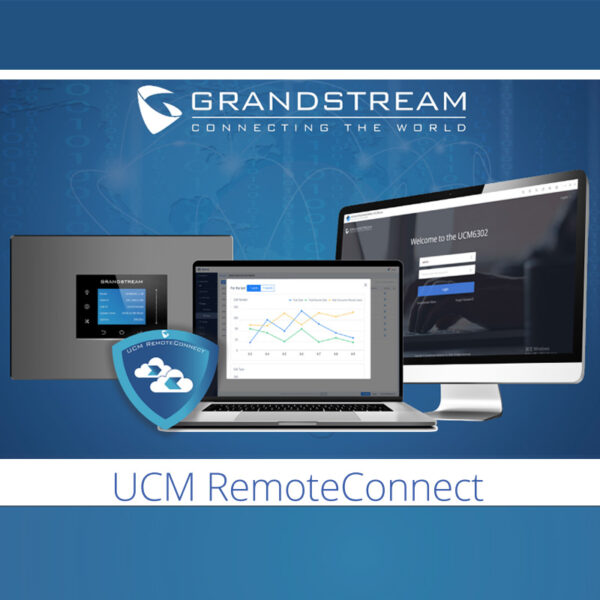
Grandstream UCMRC Plus Plan
Frequently Asked Questions
First, confirm that the phone’s firmware is up to date and that it has a working internet connection. Then verify that the UCM appliance itself shows the UCMRC service as connected in its web interface. Often, the issue is a firewall blocking the required ports on the remote side; check that UDP 5060 and the RTP port range are open outbound. If the problem persists, a Toronto-based VoIP support provider can usually resolve this remotely.
This often points to a NAT or session timer mismatch. Start by ensuring the UCM’s SIP settings have NAT traversal enabled and that the remote router’s SIP ALG is disabled, as ALG can corrupt SIP packets. Also, test with a different internet connection at the remote site to isolate whether the problem follows the user or the network.
Choppy audio usually indicates packet loss or jitter on the internet path. Have the remote user run a quick VoIP quality test to check latency and packet loss. If the problem is intermittent, ask them to connect via a wired Ethernet cable instead of Wi-Fi to rule out wireless interference. On the UCM side, confirm that the codec selection prioritizes low-bandwidth codecs like G.729 if the remote link is constrained.
Verify you are using the correct credentials for the Grandstream Device Management System (GDMS) account linked to the UCMRC subscription. Clear your browser cache or try an incognito window. If the page doesn’t load at all, check that your corporate firewall isn’t blocking access to the Grandstream cloud domain; sometimes security policies silently deny new cloud services.
Log into the UCM’s web interface, create a new SIP extension, and enable the ‘UCM RemoteConnect’ option for that extension. The user will then receive provisioning details to set up the Grandstream Wave app or a supported IP phone. Ensure you don’t exceed the 50 registered user cap; if you need more, you’ll need to upgrade your plan.
This is typically a one-way audio problem caused by a lack of proper RTP routing between the two remote endpoints. First, confirm that the UCM’s media bypass settings are correctly configured—often, forcing media through the UCM (disabling bypass) resolves this. Also, check that both remote networks allow the RTP port range through their firewalls.
Reboot the UCM appliance and wait a few minutes for it to re-establish the cloud tunnel. While it restarts, verify that the UCM’s DNS server is set correctly and can resolve the Grandstream cloud addresses. If the status remains disconnected, log into the GDMS portal and confirm the UCMRC license is active and not expired.
Yes, the storage is intended for call recordings, voicemail backups, and system logs. When the space is nearly full, the UCM will stop uploading new recordings and may issue a warning. To avoid losing recordings, set up automatic archiving to a local server or regularly download and clear old files. The storage is not expandable within the Plus plan.
The service is optimized for Grandstream endpoints and the Wave app, but it can technically work with third-party SIP devices if they can register to the UCM via the cloud tunnel. However, features like auto-provisioning and advanced presence may not function. If you need to support a mixed-vendor environment, test a single device thoroughly before deploying broadly.
Echo is often caused by acoustic feedback from speakerphones or high volume levels. Ask the user to lower their device volume and use a headset to see if the echo disappears. If it persists, check the UCM’s echo cancellation settings and ensure the remote router isn’t applying any voice optimization features that could interfere with the audio stream.
VoIP Accessories
Grandstream UCMRC Plus Plan
• Annual subscription fee with 8 concurrent voice/video calls • Support for up to 50 registered users • 1 GB of cloud storage space available
About This Product
The Grandstream UCMRC Plus Plan is designed for small to mid-sized businesses that already rely on a Grandstream UCM appliance on-premises and need to extend its reach to remote workers, mobile staff, or satellite locations. It suits professional services firms, retail chains, or distributed offices where up to 50 people require seamless connectivity from anywhere, but the total number of simultaneous calls is modest. The subscription provides a predictable annual cost and eliminates the complexity of maintaining a separate VPN concentrator for voice traffic.
This plan pairs naturally with Grandstream UCM6300 series IP PBXs and the Wave mobile or desktop softphone apps, creating a unified communications environment that blends physical desk phones with remote soft clients. The included 1 GB of cloud storage can offload call recordings or voicemail backups, though organizations with heavy recording needs may find the capacity limiting and should plan to archive files locally. Because it is a pure cloud bridging service, call quality depends on the internet connections at both the UCM site and each endpoint; a stable, low-latency link is essential.
A key tradeoff is the eight concurrent call paths. For a 50-user deployment, this is often adequate for a mix of inbound and outbound traffic, but it becomes a bottleneck if the business runs a contact centre, frequently hosts conference calls with multiple external parties, or experiences peak-hour spikes. Buyers should also note that the plan is a subscription, not a one-time license, so it commits the business to an ongoing operational expense.
For a Toronto-based law firm with a dozen staff working from home and a few on the road, the UCMRC Plus Plan hits a sweet spot, providing secure remote registration without over-engineering. It is overkill for a single-site office with fewer than ten users who never work remotely, and it is underpowered for a growing call centre that needs to scale beyond 50 agents or handle more than eight simultaneous customer interactions. In those cases, Grandstream’s higher-tier or on-premises capacity expansions would be more appropriate.
This plan pairs naturally with Grandstream UCM6300 series IP PBXs and the Wave mobile or desktop softphone apps, creating a unified communications environment that blends physical desk phones with remote soft clients. The included 1 GB of cloud storage can offload call recordings or voicemail backups, though organizations with heavy recording needs may find the capacity limiting and should plan to archive files locally. Because it is a pure cloud bridging service, call quality depends on the internet connections at both the UCM site and each endpoint; a stable, low-latency link is essential.
A key tradeoff is the eight concurrent call paths. For a 50-user deployment, this is often adequate for a mix of inbound and outbound traffic, but it becomes a bottleneck if the business runs a contact centre, frequently hosts conference calls with multiple external parties, or experiences peak-hour spikes. Buyers should also note that the plan is a subscription, not a one-time license, so it commits the business to an ongoing operational expense.
For a Toronto-based law firm with a dozen staff working from home and a few on the road, the UCMRC Plus Plan hits a sweet spot, providing secure remote registration without over-engineering. It is overkill for a single-site office with fewer than ten users who never work remotely, and it is underpowered for a growing call centre that needs to scale beyond 50 agents or handle more than eight simultaneous customer interactions. In those cases, Grandstream’s higher-tier or on-premises capacity expansions would be more appropriate.
Services We Provide
- Professional Installation & Configuration
- Ongoing Maintenance & Support
- Troubleshooting & Repairs
- System Upgrades & Updates