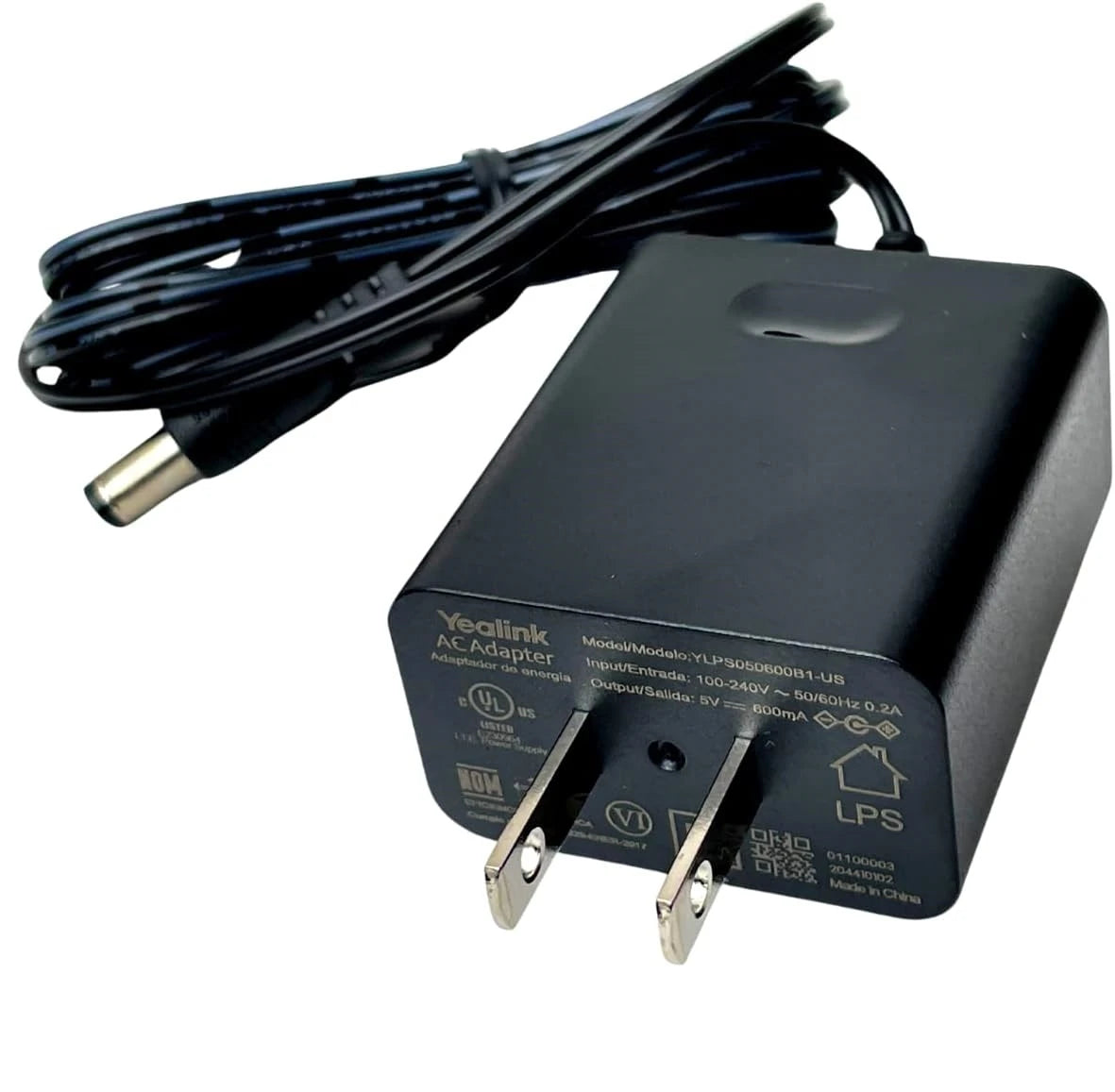
Yealink 5V 0.6A Power Supply PS5V600US-330000010045
Frequently Asked Questions
Make sure the barrel connector is fully inserted into the phone’s power port and that the adapter is plugged into a live wall outlet. Test the outlet with another device, and if the phone has a power LED, see if it lights up at all. A loose connection or a tripped power bar can easily be mistaken for a dead adapter.
Intermittent restarts can happen if the adapter isn’t delivering steady power. First, try a different AC outlet to rule out a circuit issue. Also check that the cable isn’t pinched or frayed, and reseat both ends. If the phone is a model that also supports PoE, ensure it isn’t accidentally getting power from both sources at once.
It’s not recommended. The listed models are the only ones tested to work safely with this 5V 0.6A output. Using it with a phone that needs more current could cause under-voltage problems or even damage the adapter. Always check the power requirements printed on the bottom of your phone before connecting any third-party supply.
Yes, the W60 base station is specifically listed as compatible. Just plug the adapter into the base’s power port, and it should operate normally. If the base still doesn’t power up, try a different outlet and confirm the adapter’s LED (if any) is on. If the issue persists, a Toronto-based VoIP support provider can usually resolve this remotely.
A slight warmth is normal for any power adapter under load. However, if it becomes uncomfortably hot or you notice a burning smell, unplug it immediately and stop using it. Excessive heat often points to an internal fault or a short in the connected phone. Replace the adapter rather than risk damage.
No. The adapter is rated for a single device at 0.6A. Splitting the power would overload it, causing voltage drop and unreliable operation. If you need to power multiple phones, use one adapter per device or consider a PoE switch that can feed several phones over Ethernet.
Not directly. The adapter only provides electricity; it doesn’t affect network connectivity. If the phone powers on but can’t reach the network, check the Ethernet cable, switch port, and VLAN settings. A faulty adapter would cause the phone to not turn on at all, not just lose network access.
This specific model is designed for North American 120V outlets and has a fixed plug. Using it with a plug adapter in a 220V region could damage the supply and the connected device unless the adapter itself is rated for 100-240V input. Always check the label on the adapter for input voltage range before traveling.
VoIP Accessories
Yealink 5V 0.6A Power Supply PS5V600US-330000010045
The following lower-powered Yealink IP Phones and accessories are fully supported by this 5V 0.6A power supply. Always confirm your device's exact power requirements before purchase. • Compatible with the following models: • RT20U • RT30 • T19PE2 • T21PE2 • T23GP • T23P • T30 • T30P • T31G • T31P • T31W • T33G • T33P • T40G • W52 • W56 • W60
About This Product
This compact 5V adapter is purpose-built for Yealink’s entry-level IP phones and DECT base stations. It’s a practical choice for small offices, retail counters, or home-office setups where a PoE switch isn’t available and each desk needs a dedicated power source. If you’re outfitting a handful of T3-series phones or a W60 cordless system, this supply keeps things simple and avoids the cost of PoE injectors.
Because it delivers only 0.6A, it’s strictly for the lower-power models listed in the compatibility chart. It won’t power full-featured executive phones or conference units that demand more current or higher voltage. For a growing business that might later upgrade to PoE-capable models, buying these adapters in bulk could become a short-term expense; however, they remain a reliable fallback for areas without structured Ethernet power.
Deployments in older Toronto office buildings often have limited PoE infrastructure, and this adapter fills that gap neatly for compatible Yealink devices. Just remember that each phone will need an available AC outlet nearby, which may mean adding power bars under desks. For high-density call centers or floors with dozens of phones, a PoE switch is usually a cleaner solution, but for a branch office or a single reception desk, this power supply is exactly the right fit.
Because it delivers only 0.6A, it’s strictly for the lower-power models listed in the compatibility chart. It won’t power full-featured executive phones or conference units that demand more current or higher voltage. For a growing business that might later upgrade to PoE-capable models, buying these adapters in bulk could become a short-term expense; however, they remain a reliable fallback for areas without structured Ethernet power.
Deployments in older Toronto office buildings often have limited PoE infrastructure, and this adapter fills that gap neatly for compatible Yealink devices. Just remember that each phone will need an available AC outlet nearby, which may mean adding power bars under desks. For high-density call centers or floors with dozens of phones, a PoE switch is usually a cleaner solution, but for a branch office or a single reception desk, this power supply is exactly the right fit.
Services We Provide
- Professional Installation & Configuration
- Ongoing Maintenance & Support
- Troubleshooting & Repairs
- System Upgrades & Updates