
Grandstream UCM6300A 0 FXO 0 FXS Audio PBX
AIM Telecom provides troubleshooting and configuration support for this product to businesses across Toronto and the GTA. Contact us to confirm whether the issue can be handled by phone or requires on-site service.
Get Support Call 416-312-4819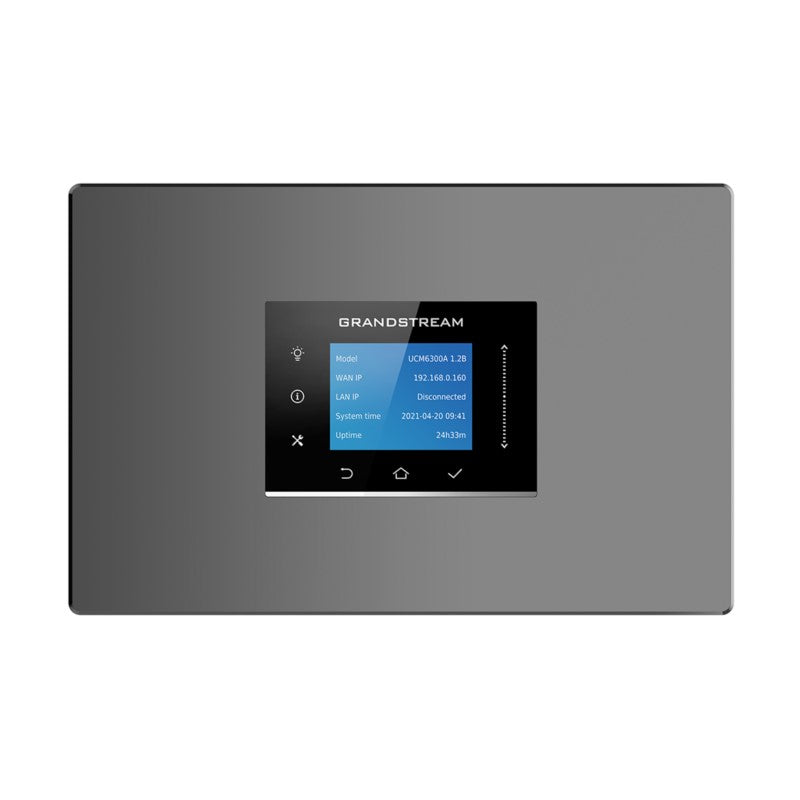
Common issues and fixes
Reviewed troubleshooting steps are not yet available for this model.
Ask AIM Telecom about this productAbout this product
*Unifies voice, instant messaging, voice meetings, audio web meetings, data, analytics, mobility, facility access, intercoms and more for a powerful business communication platform*
• Supports up to 1500 users
• Built-in Instant Messaging (IM), Audio Conferencing & Web Meetings platform that supports access from computers, mobile devices, and SIP endpoints
• Free Wave App allows easy voice & Instant Messaging (IM) communications using desktops, Web, and Android/ iOS devices
• API available for third-party integrations, including CRM and PMS platforms
• Advanced security protection with secure boot, unique certificate and random default password to protect calls and accounts
• Three Gigabit auto-sensing RJ45 network ports with integrated PoE+ and support NAT router
• Automated NAT firewall traversal service facilitates secure remote connections
• Enhanced reliability with support for Hot Standby High-Availability and local dual deployment
• Supports Full-Band Opus voice codec, jitter resilience up to 50% packet loss
• Compatible with GDMS for cloud setup, management, and monitoring
• Based on Asterisk* version 16 open-source telephony operating system
**Weight:** 2.6 lbs
**Dimensions:** 15 × 8 × 3 in
**Brand:** Grandstream
• Supports up to 1500 users
• Built-in Instant Messaging (IM), Audio Conferencing & Web Meetings platform that supports access from computers, mobile devices, and SIP endpoints
• Free Wave App allows easy voice & Instant Messaging (IM) communications using desktops, Web, and Android/ iOS devices
• API available for third-party integrations, including CRM and PMS platforms
• Advanced security protection with secure boot, unique certificate and random default password to protect calls and accounts
• Three Gigabit auto-sensing RJ45 network ports with integrated PoE+ and support NAT router
• Automated NAT firewall traversal service facilitates secure remote connections
• Enhanced reliability with support for Hot Standby High-Availability and local dual deployment
• Supports Full-Band Opus voice codec, jitter resilience up to 50% packet loss
• Compatible with GDMS for cloud setup, management, and monitoring
• Based on Asterisk* version 16 open-source telephony operating system
**Weight:** 2.6 lbs
**Dimensions:** 15 × 8 × 3 in
**Brand:** Grandstream
More product details
The Grandstream UCM6300A is an all-in-one IP PBX designed for mid-sized to large organizations that have fully transitioned to digital voice infrastructure. With no analog ports (FXO or FXS), it is best suited for environments where every endpoint is SIP-based—IP phones, softphones, and mobile apps—and where the business relies on SIP trunking from a provider. It fits well in multi-location offices or a single campus deploying up to 1500 users across voice, instant messaging, and audio/web conferencing.
Because it lacks analog interfaces, this device cannot directly connect traditional phone lines or analog telephones. Any migration from legacy systems will require analog-to-SIP adapters (ATAs) if analog devices must be retained. On the upside, the built-in PoE+ ports simplify powering VoIP handsets, and the integrated NAT traversal reduces setup complexity for remote workers. The Hot Standby high-availability feature offers reliability for businesses that cannot tolerate downtime, though achieving full redundancy requires a second unit.
The UCM6300A pairs naturally with Grandstream’s GXP series IP phones, the Wave softphone app, and any standard SIP endpoint. It replaces a separate PBX server, conferencing system, and chat platform. For a Toronto-based company, it is compatible with major Canadian SIP trunk providers like VoIP.ms or Telus Business Connect. It would be overkill for a small retail office with fewer than 20 users, where a smaller UCM62xx or hosted solution is more cost-effective. Conversely, for an organization with 500+ users needing integrated messaging and conferencing, it is appropriately scaled—provided the network infrastructure supports the required bandwidth and QoS.
Because it lacks analog interfaces, this device cannot directly connect traditional phone lines or analog telephones. Any migration from legacy systems will require analog-to-SIP adapters (ATAs) if analog devices must be retained. On the upside, the built-in PoE+ ports simplify powering VoIP handsets, and the integrated NAT traversal reduces setup complexity for remote workers. The Hot Standby high-availability feature offers reliability for businesses that cannot tolerate downtime, though achieving full redundancy requires a second unit.
The UCM6300A pairs naturally with Grandstream’s GXP series IP phones, the Wave softphone app, and any standard SIP endpoint. It replaces a separate PBX server, conferencing system, and chat platform. For a Toronto-based company, it is compatible with major Canadian SIP trunk providers like VoIP.ms or Telus Business Connect. It would be overkill for a small retail office with fewer than 20 users, where a smaller UCM62xx or hosted solution is more cost-effective. Conversely, for an organization with 500+ users needing integrated messaging and conferencing, it is appropriately scaled—provided the network infrastructure supports the required bandwidth and QoS.