
Grandstream UCM6302A 2 FXO 2 FXS Audio PBX
AIM Telecom provides troubleshooting and configuration support for this product to businesses across Toronto and the GTA. Contact us to confirm whether the issue can be handled by phone or requires on-site service.
Get Support Call 416-312-4819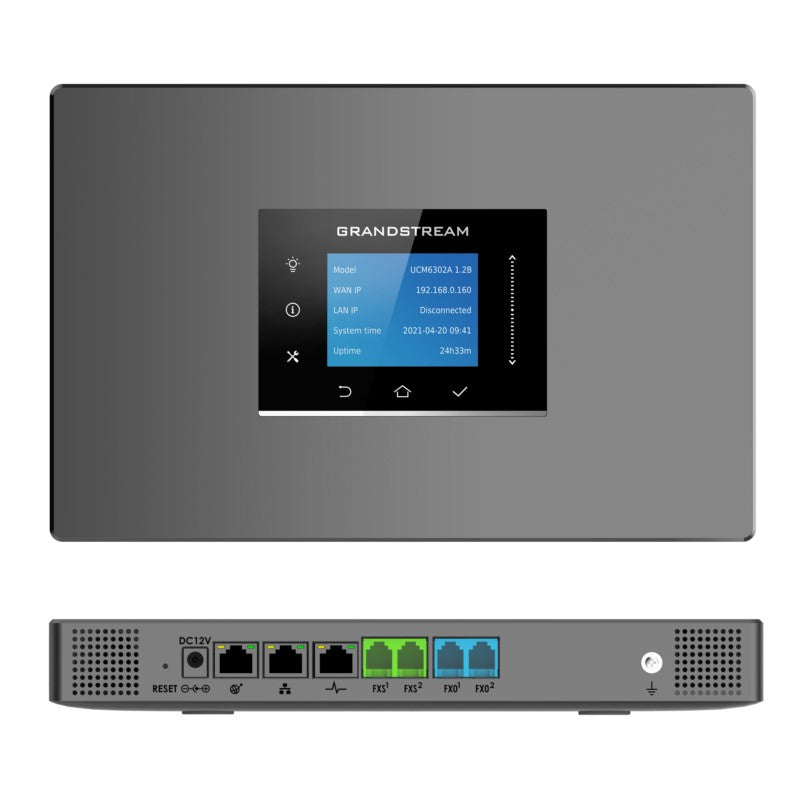
Common issues and fixes
Reviewed troubleshooting steps are not yet available for this model.
Ask AIM Telecom about this productAbout this product
• The UCM6300 series offers a powerful unified communication and collaboration solution, unifying all business communication on one centralized network.
Key Features:
• Supports up to 3000 users
• Built-in web meetings and video conferencing solution for desktop, mobile, GVC devices, and IP phones
• Hybrid platform combining on-premise IP PBX with cloud solution via UCM RemoteConnect and Wave app
• Cloud setup and management through GDMS and API integration with third-party platforms
Technical Specifications:
• Analog Telephone FXS Ports: 2 RJ11 ports with lifeline capability in case of power outage
• PSTN Line FXO Ports: 2 RJ11 ports with lifeline capability in case of power outage
• Network Interfaces: Three self-adaptive Gigabit ports (switched, routed or dual mode) with PoE+
• NAT Router: Yes, supporting router and switch modes
Key Features:
• Supports up to 3000 users
• Built-in web meetings and video conferencing solution for desktop, mobile, GVC devices, and IP phones
• Hybrid platform combining on-premise IP PBX with cloud solution via UCM RemoteConnect and Wave app
• Cloud setup and management through GDMS and API integration with third-party platforms
Technical Specifications:
• Analog Telephone FXS Ports: 2 RJ11 ports with lifeline capability in case of power outage
• PSTN Line FXO Ports: 2 RJ11 ports with lifeline capability in case of power outage
• Network Interfaces: Three self-adaptive Gigabit ports (switched, routed or dual mode) with PoE+
• NAT Router: Yes, supporting router and switch modes
More product details
The Grandstream UCM6302A is an on-premise IP PBX designed for small to medium-sized businesses that want a unified communications platform without monthly cloud fees. It is a good fit for a company with up to a few hundred users that needs integrated voice, video, and web conferencing, and wants to keep everything on its own network for control and security. The two FXO ports allow connection to analog PSTN lines, which can be useful for failover or for integrating existing phone lines, while the two FXS ports support analog phones or fax machines. The built-in PoE+ on the network ports simplifies powering IP phones or other devices, reducing cabling needs. For a Toronto office, this unit can serve as a central hub, but it is overkill for a very small business with fewer than 20 users, where a simpler hosted PBX or a smaller appliance might be more cost-effective. Conversely, it may be underpowered for an enterprise with thousands of users, where a larger UCM6300 series model or a distributed architecture would be more appropriate. The hybrid cloud capability via UCM RemoteConnect and Wave app offers flexibility for remote workers, but the core system remains on-premise, so the buyer should have basic networking knowledge or IT support for setup and maintenance.