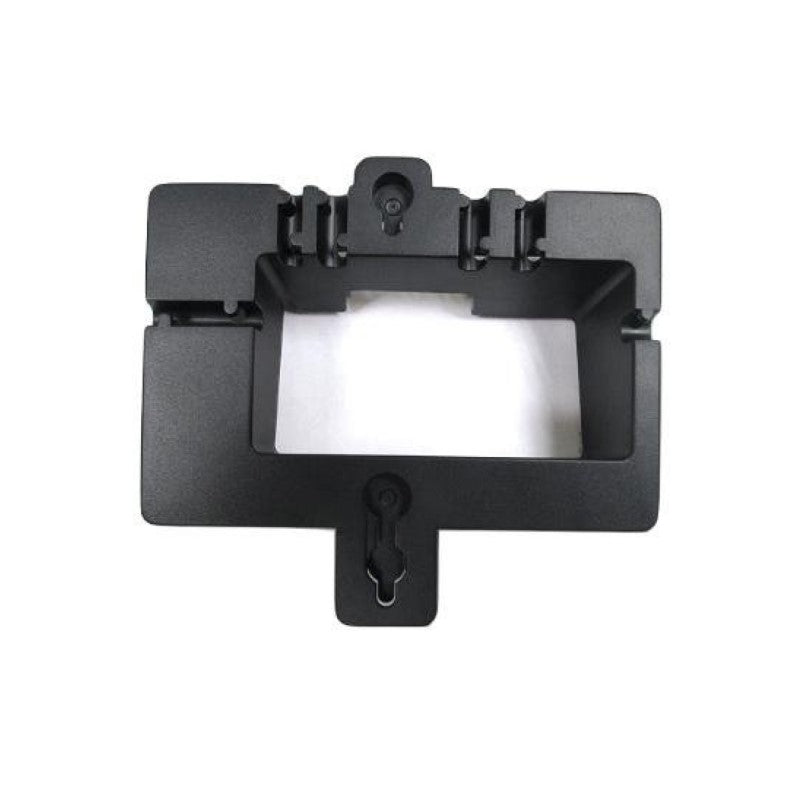
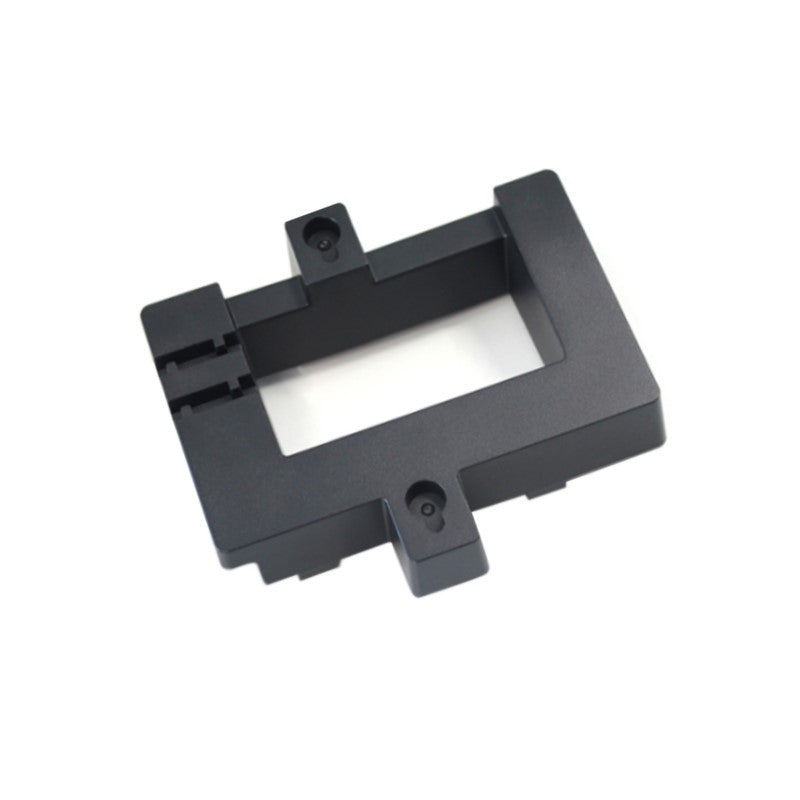
Grandstream Wall Mount Bracket for GRP2612/GRP2613 GRP_WM_S
Frequently Asked Questions
First, make sure both the bracket and the phone’s backplate screws are snug—do not overtighten, as that can strip threads. Then verify the phone is fully seated into the bracket by sliding it down until you hear a click. If wobble persists, check that the wall anchors themselves are not pulling out, especially on drywall.
The bracket typically includes mounting screws, but anchors for your specific wall type are usually not provided. If the screws are missing, contact your supplier for a replacement set. As a reference, these mounts commonly use M3 machine screws or #4 wood screws; confirm in the installation guide before buying anything.
The bracket has a recess that lets you route the cable neatly behind the phone and out the bottom or side. Using a short, right-angle Ethernet connector can further reduce strain and keep the cable close to the wall. Avoid sharply bending the cable where it enters the phone.
Yes, as long as you use drywall anchors rated for at least 5 kg. The phone itself weighs under a kilogram, but repeated handset use can add leverage, so spread the load with proper anchors. If the wall feels hollow or crumbly, consider relocating to a spot with solid backing.
The bracket is designed for direct mounting to a flat wall, not over electrical or telephone wall plates. Remove the existing plate first and attach the bracket directly to the wall. If you must mount over a junction box, you may need a separate adapter plate; consult your VoIP installer.
No, the GRP_WM_S is specifically shaped for the GRP2612 and GRP2613 models. The GRP2614 has a different body and uses its own dedicated wall mount. Using this bracket with another model will leave the phone unsupported and could lead to a fall.
Confirm the bracket is mounted right-side up and that the phone’s desk stand has been fully removed. With the bracket firmly on the wall, you slide the phone down over the hooks, then press the top of the phone toward the wall until the locking tab engages. If the tab is bent or broken, replacement is needed.
VoIP Accessories
Grandstream Wall Mount Bracket for GRP2612/GRP2613 GRP_WM_S
Official wall mount for Grandstream GRP2612 and GRP2613 IP Phones. This wall mount provides a secure, simple to install solution for placing the phone on vertical surfaces. • Compatible with official specifications • Easy installation with minimal hardware required • Secures phones in place against accidental falls • Suitable for use on walls up to 1m thick Installation Guide for GRP_WM_S available upon request.
About This Product
This wall mount is designed for offices and shared spaces where a Grandstream GRP2612 or GRP2613 phone needs to live on a vertical surface instead of a desk. Common settings include small medical clinics, school offices, warehouses, or any compact Toronto-area workspace that values clear countertops and streamlined phone placement. It replaces the desk stand entirely, letting the phone sit flush and secure against the wall.
Installation is meant to be straightforward with minimal hardware, but you should expect to supply your own fasteners that match your wall material. The bracket holds the phone firmly and prevents accidental bumps from knocking it loose, yet it remains a basic, no-frills mount: there is no tilt, swivel, or built-in cable management. If you need to angle the phone for easier screen reading or quickly remove it for hot-desking, a more adjustable option would be a better fit.
For deployments where multiple people share a handset or where the phone sits near heavy foot traffic, the GRP_WM_S is an affordable way to keep the device out of the way while still accessible. It is not, however, intended for extreme environments that demand locking mechanisms or metal housings. Canadian businesses that already standardize on GRP2612/2613 phones will find this factory accessory a neat, low-cost way to wall-mount without third-party adapters.
A practical note: if your phone uses a power supply or a thick Ethernet cable, plan the cable route before mounting because the bracket tucks the phone close to the wall. A right-angle Ethernet plug can help avoid cable strain.
Installation is meant to be straightforward with minimal hardware, but you should expect to supply your own fasteners that match your wall material. The bracket holds the phone firmly and prevents accidental bumps from knocking it loose, yet it remains a basic, no-frills mount: there is no tilt, swivel, or built-in cable management. If you need to angle the phone for easier screen reading or quickly remove it for hot-desking, a more adjustable option would be a better fit.
For deployments where multiple people share a handset or where the phone sits near heavy foot traffic, the GRP_WM_S is an affordable way to keep the device out of the way while still accessible. It is not, however, intended for extreme environments that demand locking mechanisms or metal housings. Canadian businesses that already standardize on GRP2612/2613 phones will find this factory accessory a neat, low-cost way to wall-mount without third-party adapters.
A practical note: if your phone uses a power supply or a thick Ethernet cable, plan the cable route before mounting because the bracket tucks the phone close to the wall. A right-angle Ethernet plug can help avoid cable strain.
Services We Provide
- Professional Installation & Configuration
- Ongoing Maintenance & Support
- Troubleshooting & Repairs
- System Upgrades & Updates