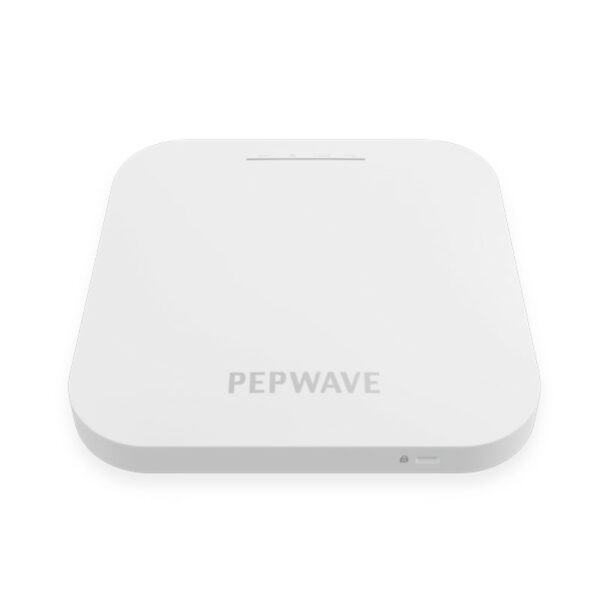
Peplink Access Point One AX – APO-AX

Frequently Asked Questions

Ensure the AP is powered on and has a working network connection—verify the Ethernet cable is securely plugged into a PoE+ switch or injector and that the port is active. Then confirm your router or firewall allows outbound HTTPS traffic to InControl's cloud servers (ports 443 and 8443 are typical). If the AP still doesn't appear, try a power cycle by unplugging it for 30 seconds; if that fails, contact your VoIP support provider, as they can remotely verify registration settings.
First, make sure all APs are on the same firmware version and that fast roaming (802.11r) is enabled in the InControl radio settings. Also verify that the SSID and security settings match exactly across every AP. If the issue persists, check for channel interference by running a site survey—overlapping channels on 2.4 GHz are a common cause of dropouts in dense Toronto office buildings.
A warm chassis is normal for a Wi-Fi 6 access point, especially when operating at higher transmit power or in a plenum-rated enclosure. If it feels uncomfortably hot to the touch, verify that the ceiling mount allows some airflow around the vents and that the ambient temperature is within the rated range (typically 0–40°C). If you suspect a wider problem, a remote diagnostic check can compare heat levels to factory baselines.
Check that the captive portal feature is enabled under the SSID's settings in InControl and that the portal page URL is correctly configured. Also confirm that your network's DNS and DHCP are not blocking redirect traffic—many firewalls require a rule to allow HTTP/HTTPS redirects from the AP's IP. If you're using a non-Peplink router, ensure the AP's VLAN and subnet align with the guest network.
First, check that the upstream switch or router port isn't negotiating at a lower speed—reseat the cable and verify the link status. Then test connectivity by pinging the AP's management IP from the same subnet. If ping fails, the AP may have lost its IP lease; set a static IP in InControl or ensure your DHCP server has enough free addresses. For persistent drops, a wired diagnostic from the switch can isolate whether the fault is cabling or the AP unit.
Yes, you can use it as a standalone access point with any standard router, but you will lose centralized management via InControl and features like SD-WAN integration. For basic Wi-Fi coverage, it still works as a traditional AP when configured locally through its web interface or via DHCP options. Just keep in mind that advanced features like fast roaming and captive portals require the full Peplink controller environment to function properly.
Single-port APs support VLAN tagging on the uplink, so you can assign each SSID to a different VLAN in InControl. Configure the upstream switch port as a trunk carrying those VLANs, and the AP will tag traffic accordingly. This is a standard practice in managed networks and works perfectly for guest, corporate, and IoT networks without needing a second physical port.
Do not factory reset yet. First, power cycle the unit and watch the LED pattern—a slow blink often indicates it's booting or applying the update. Give it up to 5 minutes. If the LED stays off or rapidly flashes, disconnect power, check that the PoE source delivers at least 30W (802.3at), and reboot again. If the issue remains, contact your support provider to verify the firmware file before any further action; a corrupt update may need a safe-mode recovery that should only be guided by a technician.
Access Points

Peplink Access Point One AX – APO-AX
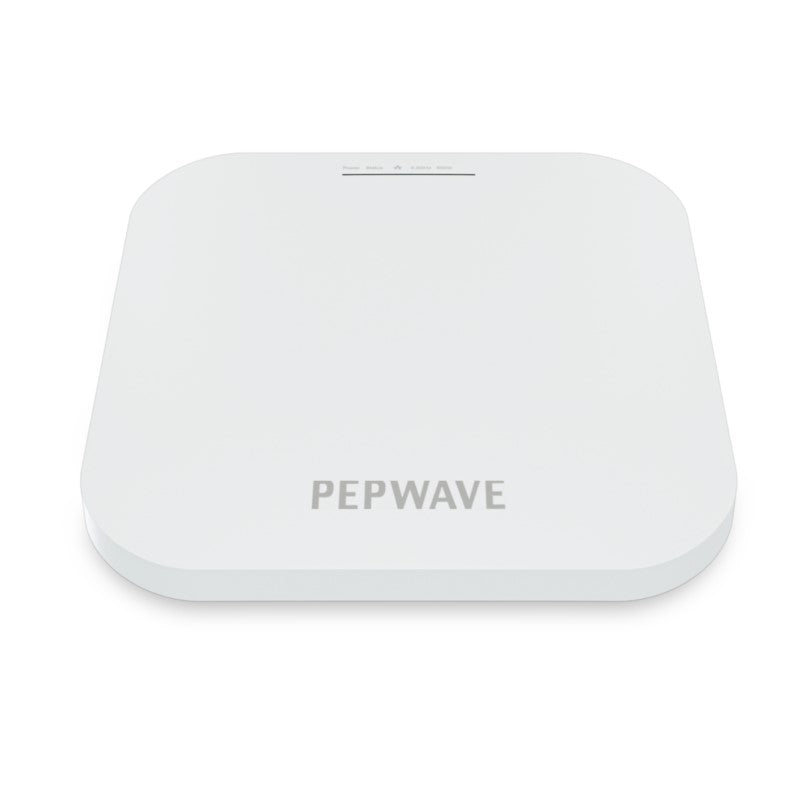
• The AP One AX is a powerful and feature-rich wireless access point that offers centralized management through InControl, allowing you to monitor and control your network from any web browser. • Key features include: • Deploy Anywhere, Manage Centrally • Enterprise-Grade Fast Roaming • Turnkey or Custom Captive Portals • Seamless Peplink SD-WAN Integration • InControl Central Management • Balance/MAX/FusionHub • SD-Switch • AP One • Additional information includes: • Weight: 2.3 lb • Dimensions: 13 × 9 × 2 in • WiFi Standard: Wi-Fi 6 (802.11ax) • Business Router: Cellular Routers • Network Band: Dual Band • Frequency Band: 2.4 Ghz, 5 Ghz • Mounting Options/Type: Ceiling • Product Family: InControl Cloud Management • Technical specifications include: • Ethernet Port: 1x 2.5 Multigigabit Ethernet • Wi-Fi Standard: 1x 2.4Ghz 802.11b/g/n/ax, 1x 5Ghz 802.11a/n/ac/ax • Data Rates: up to 1148 Mbps (2.4 GHz), up to 2400 Mbps (5 GHz) • Channel Width: 20/40/60/80 MHz • Recommended Concurrent Users per Radio: 256 • SSID Per Radio: 16 • Transmit Power: up to 17dBm • Included Antenna: Built-in Omni Antenna • Enclosure: Plenum-rated, Indoor Plastic

About This Product

The Peplink AP One AX is a Wi-Fi 6 access point built for businesses that already run or are considering a Peplink networking stack—particularly where centralized cloud management via InControl is a priority. It's an ideal fit for medium-density office environments, such as a multi-floor Toronto GTA office with 50-150 active devices, where seamless roaming and captive portal features add value for guest networks or internal segmentation. The unit pairs naturally with Peplink Balance/MAX routers and SD-Switch infrastructure, allowing SD-WAN integration that optimizes traffic across multiple internet connections.

Deployment is straightforward thanks to the plenum-rated ceiling-mount design, though the single 2.5 Gigabit Ethernet port means it's best matched with a PoE+ switch or injector to avoid an extra power cable. For environments where high client density or multiple radios need more than one wired uplink, this AP may feel constrained—consider a model with a second port for link aggregation. Conversely, for a small retail shop with fewer than 50 devices, the AP One AX's full feature set and throughput are overkill; a lower-cost Wi-Fi 5 unit would suffice.

Canadian businesses should note that InControl's cloud management is fully accessible from within Canada, and the AP's compatibility with common Canadian carriers' backhaul (via a Peplink router) makes it a solid choice for branch offices. However, because it lacks built-in cellular failover, pairing it with a Peplink MAX router is recommended for environments where internet redundancy matters.

This device excels when deployed as part of a managed Peplink ecosystem, but its value diminishes if used as a standalone AP with a third-party controller—key features like fast roaming and captive portals become far less usable. If your goal is a simple, unmanaged Wi-Fi network, consider a less expensive option instead.
Services We Provide
  • Professional Installation & Configuration
  • Ongoing Maintenance & Support
  • Troubleshooting & Repairs
  • System Upgrades & Updates