Teltonika RUT360100100 4G LTE CAT 6 Router
Frequently Asked Questions
Start by confirming the SIM card is inserted correctly and is active with a data plan. In the router’s web interface, check the Mobile status page to see if the device is reading the SIM and whether it shows a network registration error. If the signal strength is very low, try relocating the router near a window or using external antennas. If the issue persists, a Toronto-based VoIP support provider can usually help diagnose the carrier configuration remotely.
Verify that the WAN failover feature is enabled and that the cellular interface is set as the backup WAN in the router’s network settings. Check that the primary WAN’s health monitor is correctly configured to detect an outage, typically by pinging a reliable external IP address like 8.8.8.8. A common oversight is having the failover threshold set too high, causing the router to wait too long before switching.
One-way audio through a cellular router often points to a NAT or firewall issue. Ensure SIP ALG is disabled in the router’s firewall settings, as it can rewrite packet headers incorrectly. Confirm that the VoIP provider’s STUN server or a SIP proxy is configured on your phone system to handle the carrier-grade NAT used by LTE networks.
The router supports OpenVPN, IPsec, and GRE tunnels. For a simple site-to-site link, configure an OpenVPN client on the RUT360 and point it to your main office’s VPN server public IP or dynamic DNS address. Upload the required certificates and keys through the router’s Services > VPN section, and ensure the remote network’s local IP subnet does not conflict with the one used in your main office.
The RUT360 has a rugged metal housing designed to dissipate heat passively, and it is normal for the case to feel warm during operation, especially under heavy LTE load or in a warm environment. Ensure the device has clearance around its vents and is not stacked directly on top of other warm equipment. If the router becomes too hot to hold or starts rebooting, check that the ambient temperature is within the operating range and that airflow is not blocked.
Yes, the RUT360 supports the LTE bands commonly used by major Canadian carriers. You will need a data-only SIM card provisioned with a suitable plan. For best results, confirm with your carrier that the plan allows use in a router and check the APN settings provided by them, which you can enter in the router’s mobile configuration page.
First, check the router's main status page to confirm the WAN connection itself is up. If the WAN is online, the issue is likely in the LAN or Wi-Fi configuration. Verify that the DHCP server is enabled on the LAN interface and that connected devices are receiving a valid IP address. Also confirm that the Wi-Fi network is bridged to the correct LAN interface and not isolated on a separate VLAN without internet access.
Intermittent drops are often due to signal fluctuation or a carrier-side issue. Check the signal strength (RSRP and SINR) history in the router’s status graphs to see if drops correlate with weak signal periods. Try locking the router to a specific LTE band instead of using automatic selection, as frequent band switching can cause brief disconnections. Also verify the power supply is stable and providing sufficient current.
Routers
Teltonika RUT360100100 4G LTE CAT 6 Router
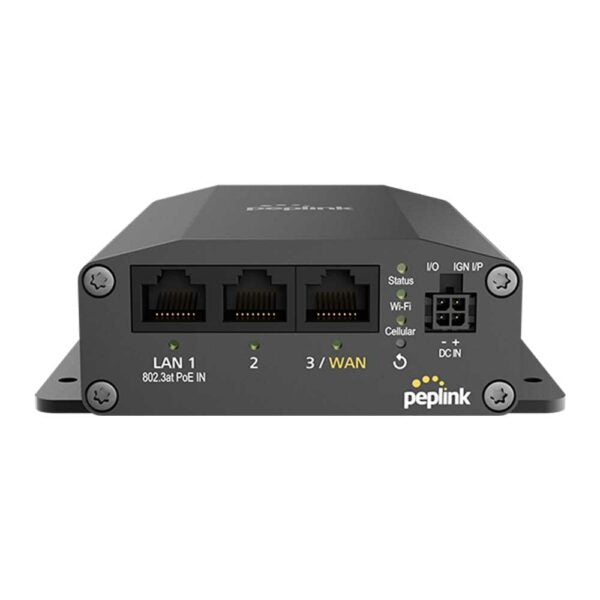
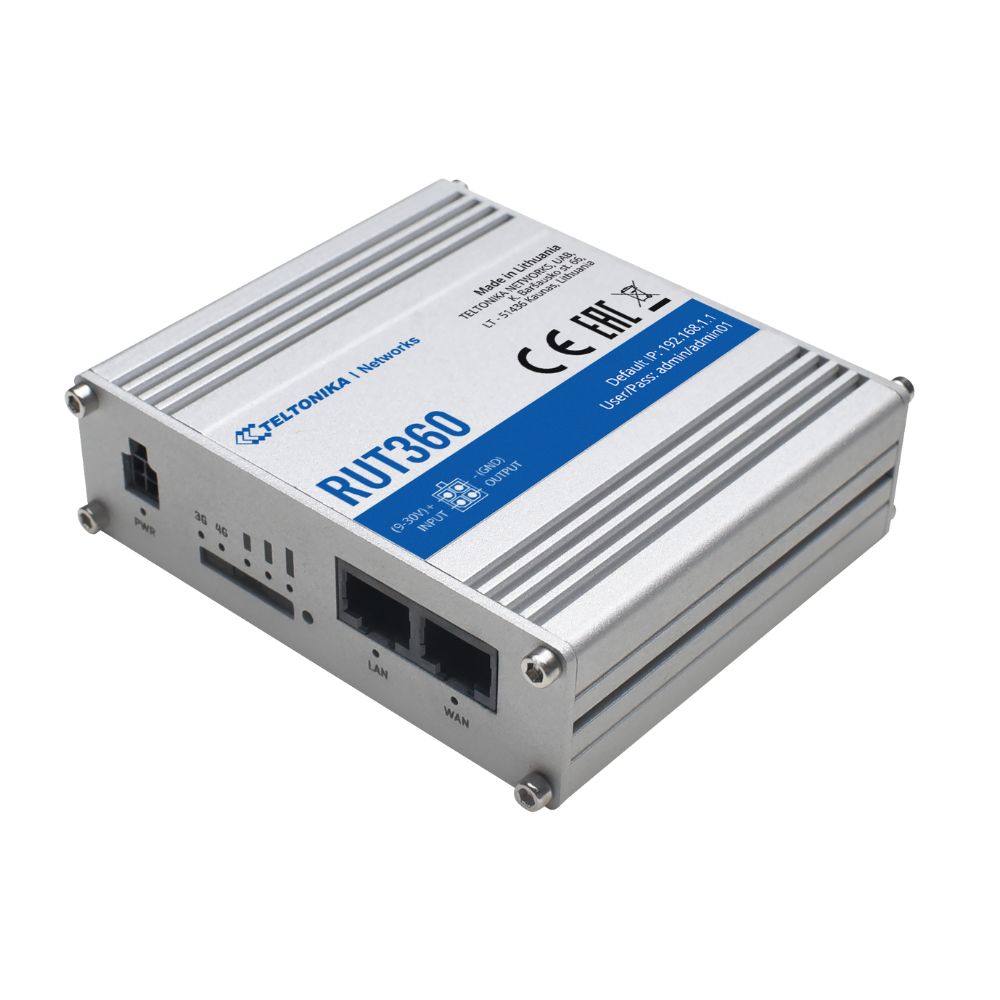
* Improved speeds in areas with limited coverage due to carrier aggregation * Download speeds of up to 300 Mbps with 4G LTE and CAT 6 capabilities * Uninterrupted uptime with automatic WAN failover switches, plus wired LAN/WAN connectivity * Support for up to 100 concurrent connections (plus hotspots functionality) with built-in Wi-Fi * Easy VPN connectivity with support for OpenVPN, IPsec, GRE * Compact, industrial-grade design that keeps it protected in harsh environments * Advanced security via firewalls, VLAN separation, and DDoS protection capabilities * Easy system monitoring through Teltonika's remote management system (RMS) * Cost savings due to low power consumption (10.5 Watts)
About This Product
The Teltonika RUT360 is a cellular router built for businesses that need a reliable primary or backup internet link in places where wired broadband is unreliable, unavailable, or cost-prohibitive. It fits well in small to mid-sized Canadian offices, pop-up retail locations, construction trailers, and remote monitoring stations. The CAT 6 LTE modem and carrier aggregation make it a practical choice for areas on the fringe of urban coverage, such as industrial parks in the GTA or rural sites across Ontario, where squeezing extra speed out of a weak signal matters more than peak throughput on paper.
This router pairs naturally with a managed switch and VoIP infrastructure, providing a dedicated path for voice traffic that can be segmented from guest Wi-Fi. The automatic WAN failover between cellular and a wired connection makes it a solid companion to a primary cable or DSL modem, kicking in seamlessly if the landline drops. However, it is not a replacement for a high-performance office Wi-Fi access point; the built-in wireless is designed for basic connectivity and hotspot use, not for serving dozens of bandwidth-heavy clients across a large floorplate.
Buyers should understand that LTE performance is entirely dependent on the local carrier network. While the device supports up to 300 Mbps down, real-world speeds will vary with signal strength, tower congestion, and the specific data plan. The 100 concurrent connection limit is generous for a small office, but a busy retail environment with heavy guest usage may push against that ceiling. For a single POS terminal or a small VoIP deployment, it is more than capable.
For a head office with gigabit fibre and dozens of employees on video calls all day, this router would be underpowered as a primary gateway. Its strength is as a targeted tool: a rugged, low-power link for critical connectivity where the alternative is no connection at all.
This router pairs naturally with a managed switch and VoIP infrastructure, providing a dedicated path for voice traffic that can be segmented from guest Wi-Fi. The automatic WAN failover between cellular and a wired connection makes it a solid companion to a primary cable or DSL modem, kicking in seamlessly if the landline drops. However, it is not a replacement for a high-performance office Wi-Fi access point; the built-in wireless is designed for basic connectivity and hotspot use, not for serving dozens of bandwidth-heavy clients across a large floorplate.
Buyers should understand that LTE performance is entirely dependent on the local carrier network. While the device supports up to 300 Mbps down, real-world speeds will vary with signal strength, tower congestion, and the specific data plan. The 100 concurrent connection limit is generous for a small office, but a busy retail environment with heavy guest usage may push against that ceiling. For a single POS terminal or a small VoIP deployment, it is more than capable.
For a head office with gigabit fibre and dozens of employees on video calls all day, this router would be underpowered as a primary gateway. Its strength is as a targeted tool: a rugged, low-power link for critical connectivity where the alternative is no connection at all.
Services We Provide
- Professional Installation & Configuration
- Ongoing Maintenance & Support
- Troubleshooting & Repairs
- System Upgrades & Updates