Teltonika RUT951 Cellular Router All Canada Carriers-RUT951A00800

Frequently Asked Questions

First, confirm that the RUT951 itself has actually obtained a public IP address on its mobile WAN interface; you can see this on the status overview page of the web interface. If it shows a carrier-grade NAT address like 10.x.x.x or 100.x.x.x but no internet pass-through, check that the LAN device's IP settings are configured to obtain an address automatically via DHCP from the router. Also look at the router's failover rules to ensure it hasn't incorrectly failed back to a disconnected wired WAN port.
The most common cause is a PIN lock still enabled on the SIM, which the router cannot bypass unless you've entered the PIN code in the mobile settings page. Try the SIM in a phone to disable the PIN, then reinsert it into the router. Also confirm the APN profile is set correctly for the carrier you're using; auto-APN works for the major Canadian operators but may need a manual entry for some MVNOs.
Start by noting the time and duration of the dropouts and checking the mobile signal strength indicator in the router's status page during normal operation. A signal reading that fluctuates between poor and fair often points to antenna placement rather than a configuration fault. Reseating both the SIM and the external antennas, and moving the router even a few feet away from large metal objects, can stabilize a marginal signal without any software change.
Not necessarily. First verify you're using the included power supply or a PoE source that meets the device's voltage range, because an underpowered unit may boot the system but fail to bring up the Ethernet PHY. Next, try a known-good cable with a different device such as a laptop; a damaged or incorrectly pinned cable is a frequent culprit. If other ports light up, the single dead port may be disabled in the LAN configuration or set to a VLAN mode that doesn't show a link until tagged traffic arrives.
Connect one of the RUT951 LAN ports to the WAN2 or backup port on your primary firewall. On the router, keep the connection mode as NAT and assign a static IP on that LAN interface, then disable its own DHCP server if your firewall will provide addresses. On the firewall side, configure that port as a secondary WAN with the router's LAN IP as the gateway, and set a failover policy that prefers your main link. This keeps the installation clean and prevents double-NAT complications for VLAN-tagged VoIP traffic.
On a cellular connection, one-way audio is typically caused by a SIP ALG or NAT issue in the RUT951’s firewall. First, check if the router's SIP ALG helper is enabled and try toggling it off, because it often rewrites packet headers incorrectly for modern hosted PBX systems. Also verify that the phones are using the correct NAT traversal setting, such as STUN or server-side media relay, rather than expecting a public IP directly on the phone.
Begin by confirming the file you downloaded exactly matches the device hardware revision, because applying firmware meant for a different variant will be rejected. Next, use a wired LAN connection for the upload rather than Wi-Fi, and temporarily disable any active cellular link to ensure the update file isn't trying to route out over a high-latency connection. Check the available storage space under the system maintenance section; if the log or backup partition is full, the update will not complete. If the issue persists, a Toronto-based VoIP support provider can usually resolve this remotely.
No, the RUT951 does not supply PoE on any of its four Ethernet ports. It can be powered by a passive PoE injector itself, but it cannot forward power to downstream devices. If you need to connect a PoE-powered phone, you will need a separate PoE switch or injector between the router and the phone.
Routers

Teltonika RUT951 Cellular Router All Canada Carriers-RUT951A00800
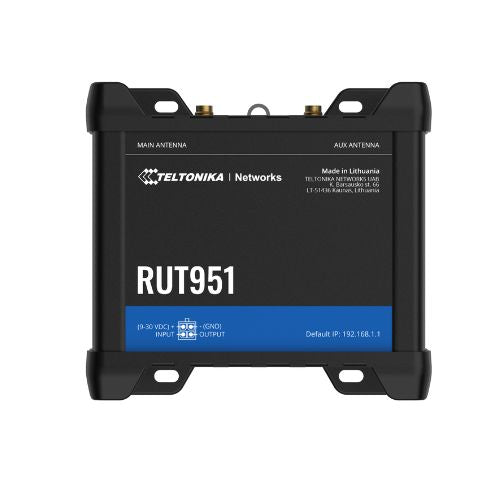
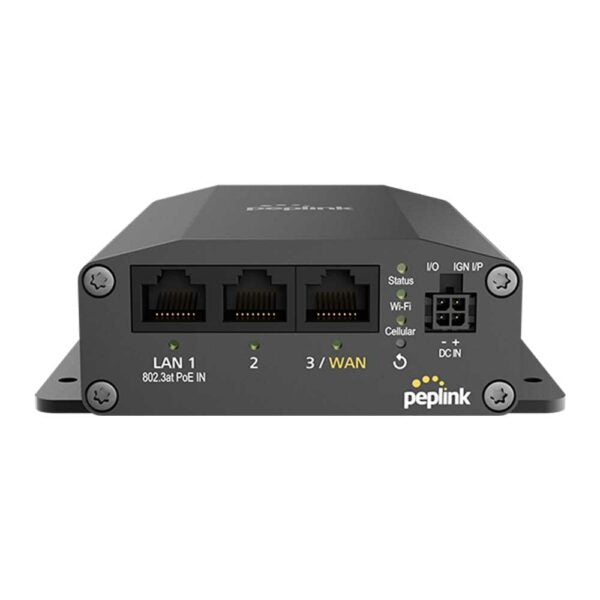
• The Teltonika RUT951 is a cutting-edge industrial router with extensive connectivity options and robust security measures. • Key Features: • Wireless Connectivity: With 4 Ethernet ports, the router offers versatile wired connections. It also provides an impressive downstream performance of up to 100 Mbps and upstream speeds of up to 50 Mbps. • Industrial Performance: Designed to deliver high-performance mobile communication despite challenging temperatures and operating conditions. • IoT applications: Ideal for IoT applications due to its perfect blend of 4G LTE connectivity and Wi-Fi capabilities. • Mobile Connectivity: Equipped with dual SIM cards, 4 Ethernet ports, and auto-switch capabilities, the router is the ideal partner for mobile connectivity. • Secured Connections: Ensures a secure wireless connection with WPA2-Enterprise, WPA2-PSK, and other Wi-Fi security features. For a full list of specifications, please refer to the Product Data Sheet.

About This Product

The RUT951 is a compact, industrial-grade cellular router built for fixed and mobile deployments where wired broadband isn't practical or available. It suits small retail kiosks, pop-up locations, temporary job sites, and vehicle-based connectivity across the Greater Toronto Area and beyond. Its dual-SIM design with auto-failover means it can switch carriers automatically if one network becomes unreliable, which is practical for businesses that need continuous uptime in areas with uneven coverage. This is not a consumer travel hotspot; it's a purpose-built device for always-on machine-to-machine or point-of-sale links.

It pairs naturally with a managed switch or VoIP PBX to provide a primary or backup WAN connection for a small office IP phone deployment. Because it offers four Ethernet ports, a few devices can connect directly without an additional switch, keeping a micro-branch setup lean. The router also works well as a backup link behind an existing SD-WAN edge device for Canadian businesses that cannot tolerate an internet outage at a critical site.

The main tradeoff to understand is that cellular performance depends entirely on local carrier infrastructure and signal quality. The quoted 100 Mbps down and 50 Mbps up are theoretical peak rates under ideal conditions, not a guaranteed service level. In a weak-signal basement or a steel-framed building, an external antenna will be necessary. This device is not a high-density Wi-Fi access point; the wireless capability is adequate for a handful of nearby clients but won't replace a dedicated access point in a busy office.

If your deployment requires seamless roaming across dozens of vehicles, a dedicated mobile packet broker might be a better fit. Conversely, if all you need is a simple LTE dongle for a single laptop, the RUT951 is overengineered for that scenario. It shines where uptime and remote manageability matter more than raw throughput.
Services We Provide
  • Professional Installation & Configuration
  • Ongoing Maintenance & Support
  • Troubleshooting & Repairs
  • System Upgrades & Updates