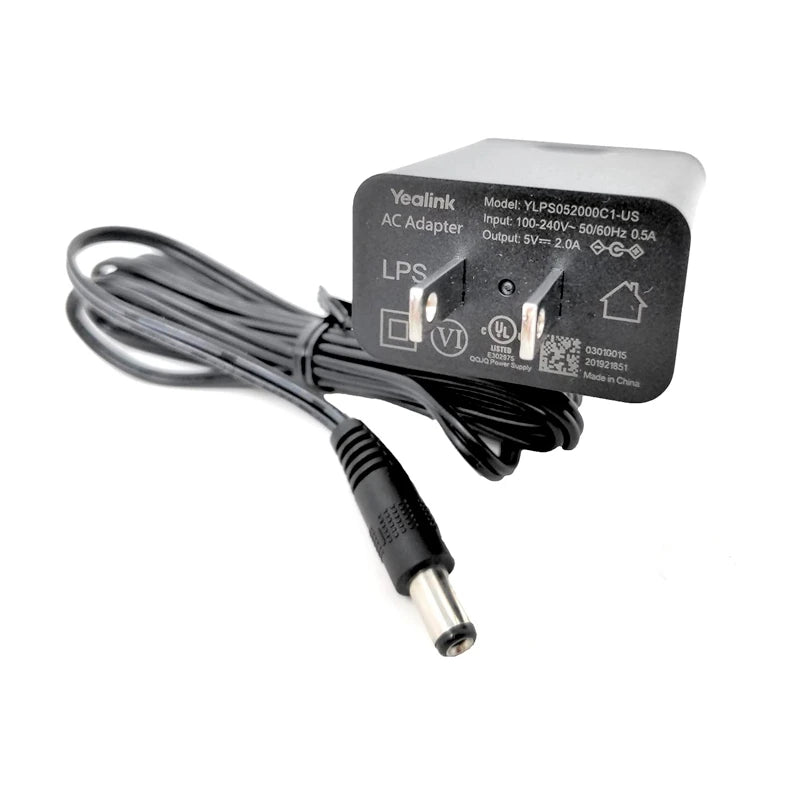
Yealink 5V 2A Power Supply PS5V2000US-330000012027
Frequently Asked Questions
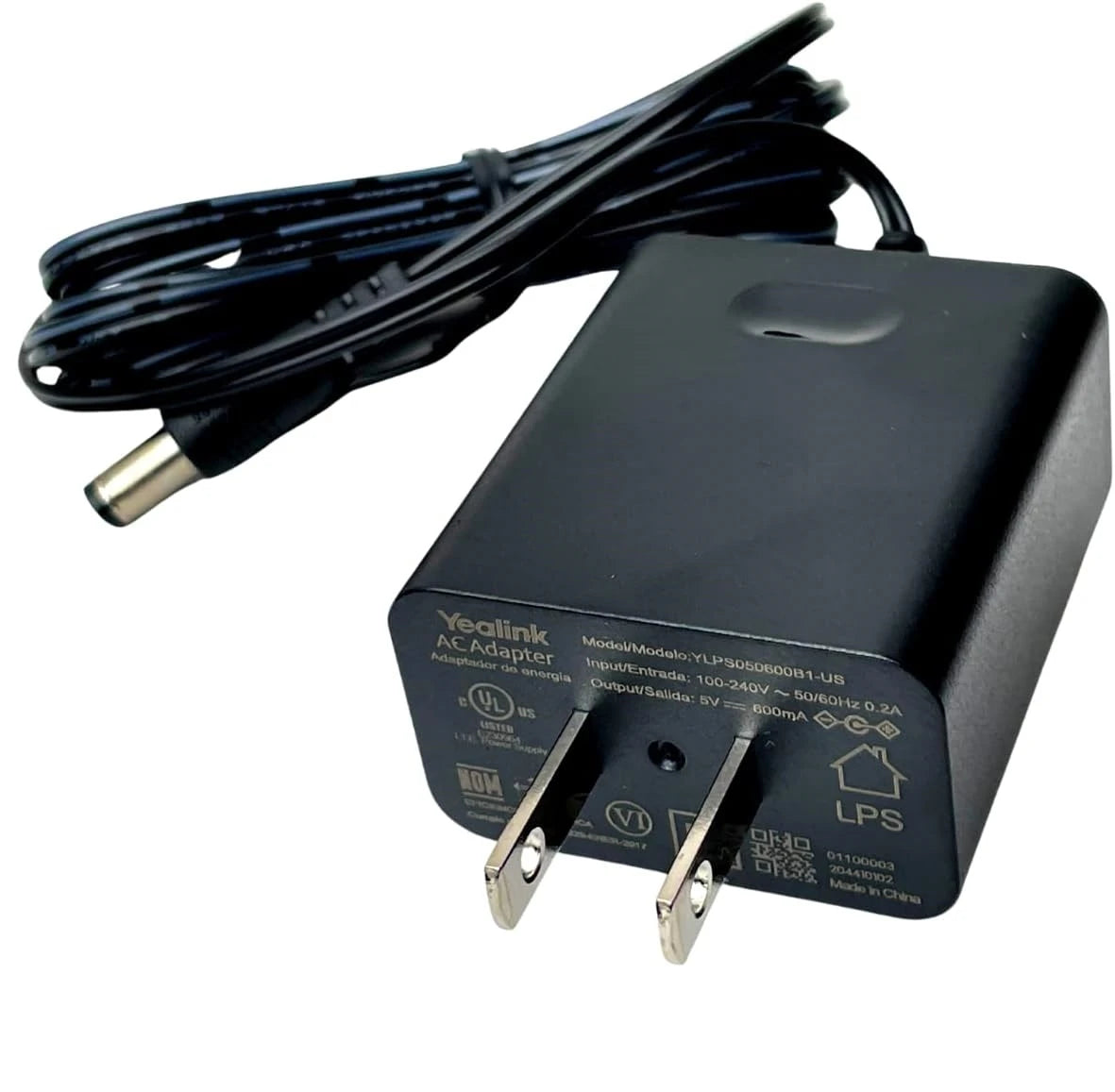
Start by confirming the barrel connector is fully seated in the phone's power port; it sometimes needs a firm push. Verify the wall outlet is live by plugging in another device, and try a different outlet if possible. If the phone still shows no lights, disconnect the handset and any expansion module, then test again with only the adapter connected.
Yes, it is safe to use the adapter instead of PoE. The phone will automatically draw power from the barrel jack when both are connected, and it ignores PoE input. This is useful if you want to free up a PoE port for another device or if you suspect the switch is underpowered.
A slight wiggle is common on some models, but if the connection feels intermittent or the phone flickers, inspect the plug for bent or dirty contacts. Gently clean with a dry toothbrush and try again. If the socket on the phone is damaged, the phone may need service, but often reseating the connector firmly fixes the issue.
Yes, as long as the power bar or cord is in good condition and rated for the load. Avoid daisy-chaining multiple extension cords, as that can introduce voltage drop or create a safety hazard. Keep the adapter in an open area so it can dissipate heat normally.
It is possible. First, ensure the adapter is not plugged into a circuit that frequently fluctuates, such as one shared with large appliances. Swap the adapter with another known-working one temporarily; if the reboots stop, the adapter may be defective. If the problem continues, the phone's power circuitry or firmware could be involved, and a support technician can help you test from there.
No. The T23G and some other earlier models require a 5V 600mA or 5V 1.2A adapter with a different connector. This adapter is designed for the newer T4 and T5 series phones listed by the manufacturer. Using it with an incompatible model can cause unreliable operation or damage.
It will work fine. The phone draws only the current it needs, so a 2A power supply simply means extra current is available if required. The device will not be damaged by the higher capacity, as long as voltage and polarity match.
Some warmth is normal, especially when powering phones with colour screens or Wi-Fi modules that draw near the maximum current. However, if it becomes too hot to touch comfortably, that could indicate a fault inside the adapter or insufficient ventilation. Unplug it, let it cool, and try a different location with better airflow. Persistent overheating should be investigated by a qualified tech.
No. Phones like the T48S or T58A require a higher-wattage adapter if they are powering an attached expansion module, because the combined load can exceed 2A. The phone may operate erratically or refuse to boot. Check the phone's manual for power requirements when modules are attached, and consider using PoE or a larger adapter if available.
This adapter is designed for North American 120V AC mains and includes a standard polarized plug. It carries the necessary safety certifications for the Canadian market. As with any electrical device, plug it directly into a wall socket rather than a loosely attached travel adapter for best reliability.
VoIP Accessories
Yealink 5V 2A Power Supply PS5V2000US-330000012027
The following Yealink IP Phones and Accessories are fully supported by this 5V 2A power supply. Please confirm your specific model's power requirements before purchase. • Compatible with the following models: • MP52 E2 • MP54 E2 • MP56 E2 • MP58 • T29G • T44W • T46S • T46U • T48S • T48U • T54W • T56A • T57W • T58A • T58V • T58W • T58W Pro • T73W • T73U • T74W • T74U • T77U • T85W • T87W
About This Product
This power supply is a straightforward replacement or spare for a wide range of Yealink desktop IP phones. It is the kind of accessory that becomes essential when a desk layout changes, when staff relocate within a building, or when a misplaced adapter brings a handset offline. Offices running Yealink T4, T5, or MP5x series devices will find it matches the physical connector and electrical requirements of most mid-range and executive models, making it a safe stock item for IT closets in the Greater Toronto Area.
It suits any deployment where Power over Ethernet is unavailable or intentionally avoided. Some companies prefer direct AC power to keep PoE switch ports free for other devices, or they may have older network infrastructure that cannot deliver power reliably. In these cases, an individual adapter per phone is the practical choice, and this unit provides a clean, stable 5V 2A feed without any network interaction.
The main limitation is that it only does one thing: deliver power via a barrel connector. It does not carry data or offer any surge protection beyond the basics built into the adapter itself. For anyone hoping to use it with conference phones, colour-screen expansion modules, or non-Yealink equipment, it is almost certainly the wrong part. It also cannot substitute for PoE functionality; if your phone suddenly loses network connectivity while powered by this adapter, the adapter is not the culprit.
For a Canadian business, stocking a couple of these adapters is a low-cost insurance policy against downtime. They are small enough to keep in a technician's bag and eliminate the need to source a replacement when an employee walks off with the original. In a VoIP-heavy environment, the peace of mind from having the exact OEM accessory on hand usually outweighs the modest purchase price.
It suits any deployment where Power over Ethernet is unavailable or intentionally avoided. Some companies prefer direct AC power to keep PoE switch ports free for other devices, or they may have older network infrastructure that cannot deliver power reliably. In these cases, an individual adapter per phone is the practical choice, and this unit provides a clean, stable 5V 2A feed without any network interaction.
The main limitation is that it only does one thing: deliver power via a barrel connector. It does not carry data or offer any surge protection beyond the basics built into the adapter itself. For anyone hoping to use it with conference phones, colour-screen expansion modules, or non-Yealink equipment, it is almost certainly the wrong part. It also cannot substitute for PoE functionality; if your phone suddenly loses network connectivity while powered by this adapter, the adapter is not the culprit.
For a Canadian business, stocking a couple of these adapters is a low-cost insurance policy against downtime. They are small enough to keep in a technician's bag and eliminate the need to source a replacement when an employee walks off with the original. In a VoIP-heavy environment, the peace of mind from having the exact OEM accessory on hand usually outweighs the modest purchase price.
Services We Provide
- Professional Installation & Configuration
- Ongoing Maintenance & Support
- Troubleshooting & Repairs
- System Upgrades & Updates