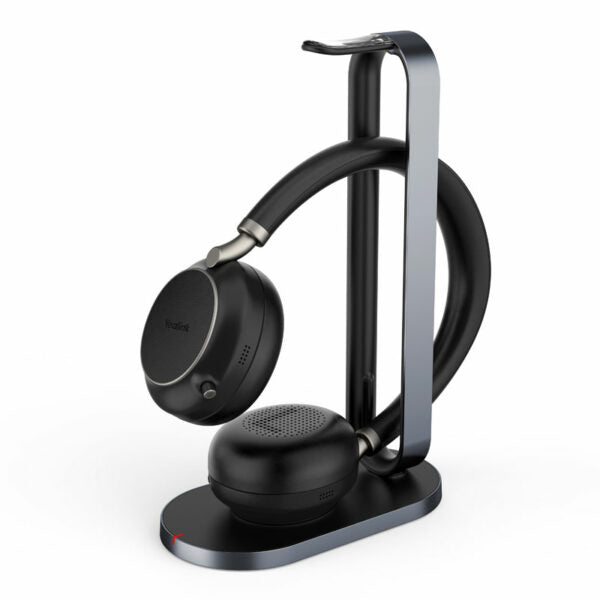
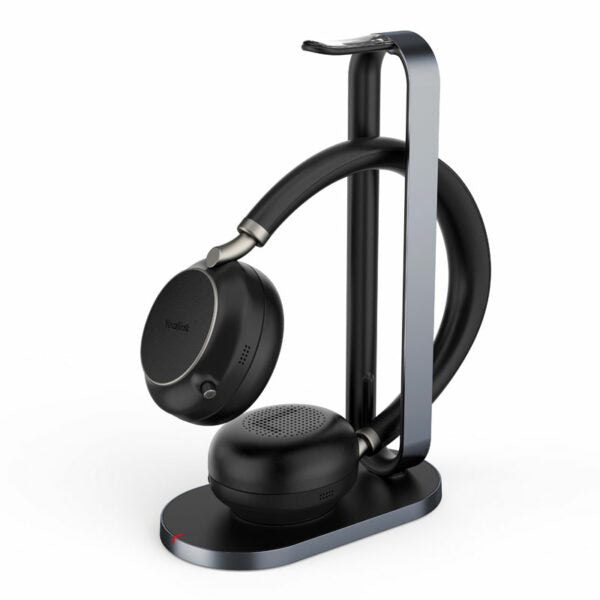
Yealink BH76 Plus Teams Headset USB-C/A– 1208707

Frequently Asked Questions

First, make sure the dongle is inserted directly into a USB-A or USB-C port on your computer. Try a different port, and check that the dongle's LED is on. If it isn't, disconnect the dongle, power cycle your headset (turn it off and back on), and reinsert the dongle. If the issue persists, test the dongle on another computer to rule out a port problem.
Start by checking the headset's fit: make sure the speakers are positioned correctly over your ears and that the on-ear/over-ear cushion is secure. If using Bluetooth, move closer to the source device (within 10 metres) and away from other wireless devices. Also verify that the headset's microphone arm is fully extended and not blocked.
The BH76 Plus comes with two sets of earpads: on-ear cushions and over-ear cushions. To switch, gently pull off the current pad and snap the other into place. Make sure the headset is turned off before swapping pads. The fit may affect audio seal and ANC performance, so adjust accordingly.
The dual-side busy light is controlled by the headset's built-in call status detection. Ensure the headset is properly connected and the Teams app (or other softphone) is recognized. Try toggling the headset off and on, and check that no device settings are muting the busy light. If it still doesn't work, verify your software's call control integration.
Yes, the BH76 Plus supports Bluetooth pairing directly with smartphones. Put the headset in pairing mode (press and hold the power button until the LED flashes) and select it from your phone's Bluetooth menu. The headset can remember up to 8 paired devices but only maintain two simultaneous connections.
The headset has three levels of ANC. Cycle through them by pressing the ANC button on the headset (usually located on the left earcup). A voice prompt will announce the current level: off, low, or high. If ANC still seems weak, ensure the ear cushions are creating a good seal and that the microphones are clean and unobstructed.
Try moving the dongle to a port with a direct line of sight, or use the included USB extension cable. Interference from other USB 3.0 devices can sometimes cause disconnects. Also, check for wireless interference from nearby routers or Bluetooth speakers. If the issue persists, a Toronto-based VoIP support provider can usually resolve this remotely.
Firmware updates are typically handled through Yealink's Device Manager or the Yealink USB Connect software. Download the latest version from Yealink's support page, connect the headset via USB cable, and follow the on-screen instructions. Do not disconnect the headset during the update. If you are unsure, contact your IT administrator or support team.
Battery life is affected by ANC usage, volume level, and busy light activity. Try turning off ANC and the busy light to see if battery performance improves. Also, ensure the headset is charged via cable for a full 2 hours at least once per month to calibrate the battery indicator. If the drain remains excessive, the battery may need service.
Yes, the BH76 Plus works as a standard Bluetooth headset with any softphone. However, the dedicated Teams button and call controls are optimized for Microsoft Teams. For other platforms, you may need to manually answer calls using the softphone interface. Audio quality and basic controls (volume, mute) will still function normally.
VoIP Headsets

Yealink BH76 Plus Teams Headset USB-C/A– 1208707
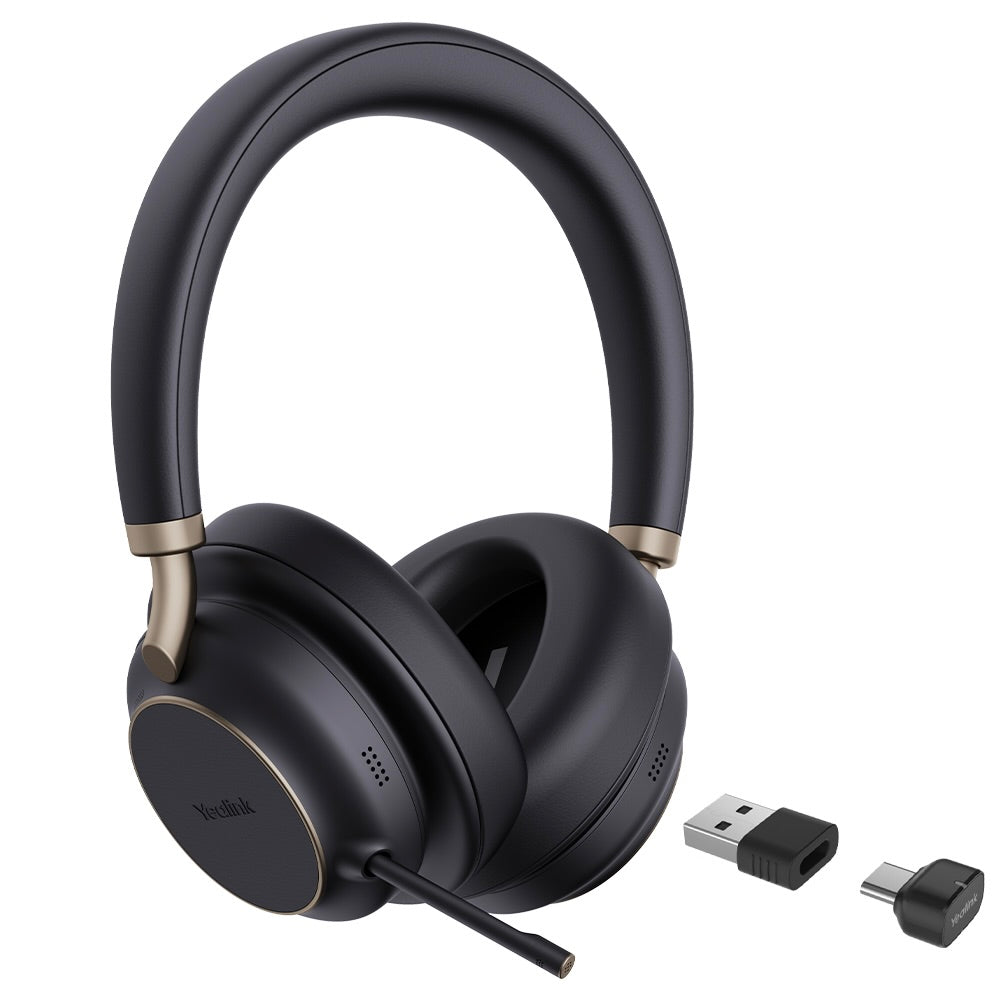
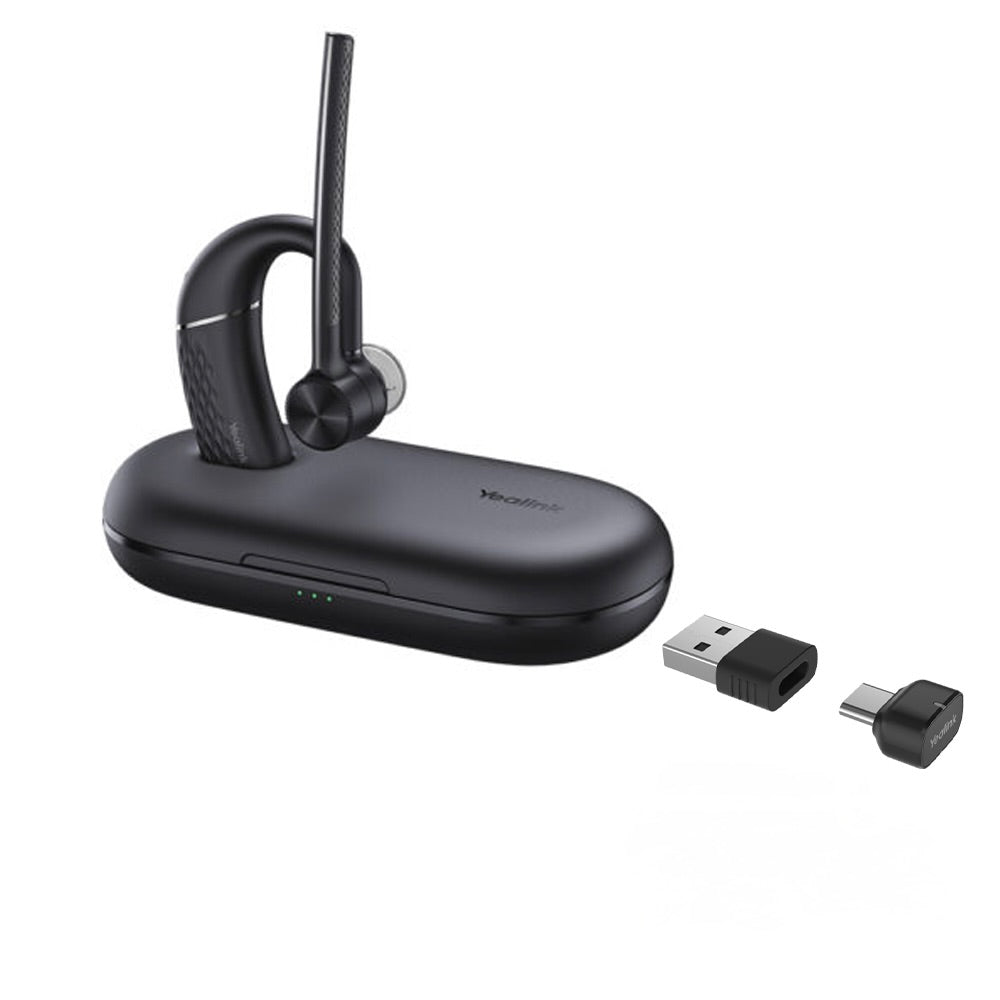
The Yealink BH76 Plus Bluetooth Wireless Business Headset provides a stylish appearance with ultimate audio quality playback experience and unparalleled wearing experience. It features retractable hidden microphone arm technology, three levels of active noise cancellation (ANC), and Yealink Acoustic Shield Technology supported by multiple microphones. Key Features: • Retractable hidden microphone arm • Multiple microphones Acoustic Shield Technology • 3 levels of ANC • Excellent audio experience and all-day wearing comfort • Up to 40 hours of battery life Qi wireless charging • Flexible switch between on-ear and over-ear • Dual-side busy light for full visible angles • Teams Certified Weight: 0.93lb Dimensions: 7.64 × 8.15 × 2.09 in Headset Type: Bluetooth, Stereo, Teams Certified, USB General Info: Model: BH76 Plus Teams Black USB-C/A Part number: 1208707 Package Content: • Headset • Carrying Case • USB Charging Cable • Quick Start Guide • BT51C Dongle • USB C/A adapter • On-ear Cushion Battery: Talking time: up to 35 hours (ANC & Busy light off) Music time: up to 40 hours (ANC off) Standby time: 15 days Charging Time (cable): within 2 hours Charging Time (wireless charging): within 3 hours Audio: Microphone number: 5 Acoustic Shield: ✔ Hybrid Noise Cancellation: ✔ Speaker: Ø 35mm Hearing protection: Peak Block Protection (EN50332) Connectivity: Bluetooth version: Bluetooth 5.3 Wireless range: 45m/150 ft Connect to: • USB C/A adapter with BT51C dongle • USB cable • Bluetooth Simultaneous Bluetooth connections: 2 Multiple device pairing: Up to 8 devices For a full list of specifications, please refer to the BH76 Plus Teams Headset USB-C/A datasheet.

About This Product

The Yealink BH76 Plus is a premium Bluetooth headset designed for professionals who spend long hours on calls and need reliable, high-quality audio—especially within a Microsoft Teams environment. It fits naturally in a corporate office setting, a home office, or a hybrid workspace where clear communication and comfort are priorities. The headset works seamlessly with the included BT51C dongle for USB connectivity, but it can also pair directly with smartphones or computers via Bluetooth 5.3, giving you flexibility across devices.

For users in the GTA or other Canadian business hubs, this headset is an excellent choice if your organization already uses Teams, as the certification ensures full call control and mute sync. The long battery life (up to 35 hours talk time with ANC off) means you can go through a full work week without frequent charging, and the Qi wireless charging adds convenience for desk setups. However, the headset is on the heavier side (0.93 lb) so extended wear comfort may vary between users—though the included on-ear and over-ear cushions allow some customization.

Practical tradeoffs to consider: while the BH76 Plus offers three levels of active noise cancellation, enabling ANC reduces battery life to around 35 hours talk time (versus up to 40 hours music playback without ANC). The retractable hidden microphone arm is neat but may not suit users who prefer a fixed boom mic for consistent positioning. This headset is likely overkill if you only take occasional short calls in a quiet space—a less expensive wired headset would suffice. It may also be underpowered in noisy open-plan offices where a dedicated desktop mic or a headset with more aggressive noise cancellation would be a better fit.
Services We Provide
  • Professional Installation & Configuration
  • Ongoing Maintenance & Support
  • Troubleshooting & Repairs
  • System Upgrades & Updates