Yealink DD10K DECT USB Dongle - 1300020

Frequently Asked Questions

First, make sure the dongle is firmly inserted into the USB port on the back of the phone—try a different USB port if available. Then power cycle the phone by unplugging the Ethernet cable and PoE power for 30 seconds, then reconnecting. If the phone still doesn’t see the dongle, check that your phone model is listed as compatible in the manufacturer’s documentation.
Verify that the dongle is set to base station mode (check the phone’s DECT settings). On the handset, go to Settings > Registration and enter the base ID shown on the phone’s DECT menu. Make sure the handset is within 30 metres of the desk phone without thick walls in between. If it still fails, power cycle both the desk phone and the handset before trying again.
Move the handset closer to the desk phone that hosts the DD10K dongle. Obstacles like concrete walls, large metal cabinets, or Wi-Fi routers emitting interference can degrade DECT signal quality. Also check that the desk phone is not placed on a metal surface—try relocating it to a more open spot on your desk.
Interference from other 1.9 GHz devices or physical barriers are the most common causes. Ensure the desk phone with the DD10K is at least a few feet away from cordless microwaves, wireless speakers, or other DECT base stations. If the disconnections happen consistently near the edge of your workspace, you may need to reposition the desk phone closer to the area where you use the handset.
First, confirm the dongle is still recognized in the phone’s USB or DECT settings page. If not, try a soft reboot of the phone (disconnect power for 30 seconds). Sometimes a firmware update resets USB peripheral settings; you may need to re-register your cordless handsets. If the problem persists, check with your VoIP support provider to ensure the firmware version is compatible with the DD10K.
Yes, as long as the PoE switch or injector provides enough power for both the phone and the dongle. The DD10K is low-power, but if you have many USB peripherals or a PoE switch with limited budget, the phone might not supply full power to the USB port. If the dongle isn’t detected, try connecting the phone’s power adapter instead of PoE to rule out power starvation.
The DD10K works with T41S, T42S, T54W (as a cordless handset) and T53, T53W, T54W, T57W, T58A, VP59 (as a mini base station). It does not work with older T2 or T3 series phones. If your phone model isn’t listed, check Yealink’s official compatibility list or consult your vendor.
You can register up to four compatible Yealink DECT handsets (models W52H, W53H, or W56H) to a single DD10K in base station mode. All four handsets can be active at the same time, subject to the desk phone’s call capacity.
No, the DD10K only works with Yealink DECT handsets that use the same protocol (W52H, W53H, W56H). Third-party DECT handsets are not supported and will not register.
The DD10K absolutely requires a compatible Yealink desk phone to function. It is not a standalone base station—it only operates when inserted into a supported phone’s USB port and configured through the phone’s interface. There is no power or network connectivity without the phone.
VoIP Accessories

Yealink DD10K DECT USB Dongle - 1300020
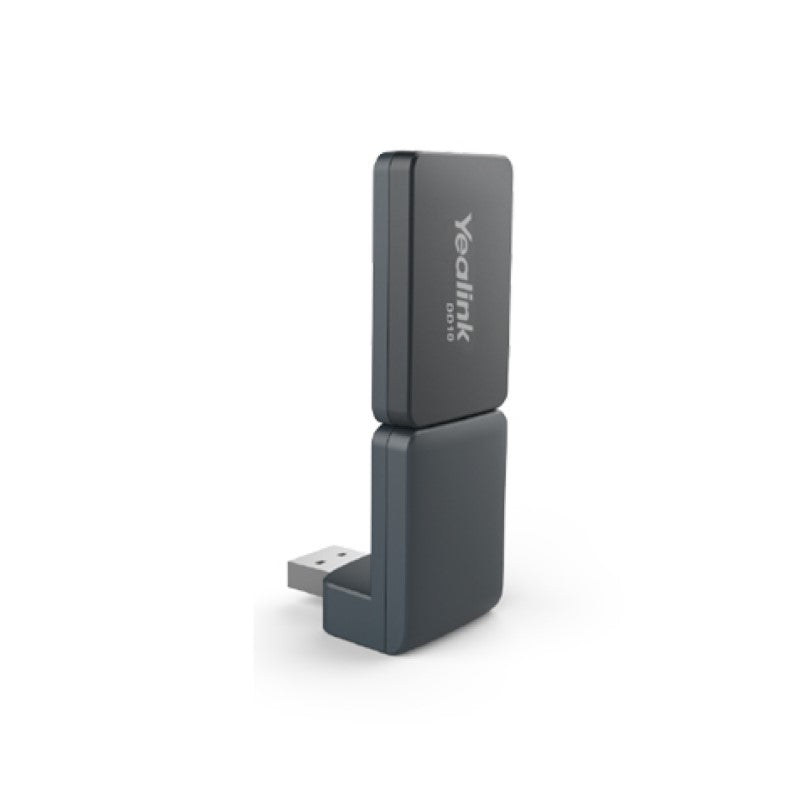
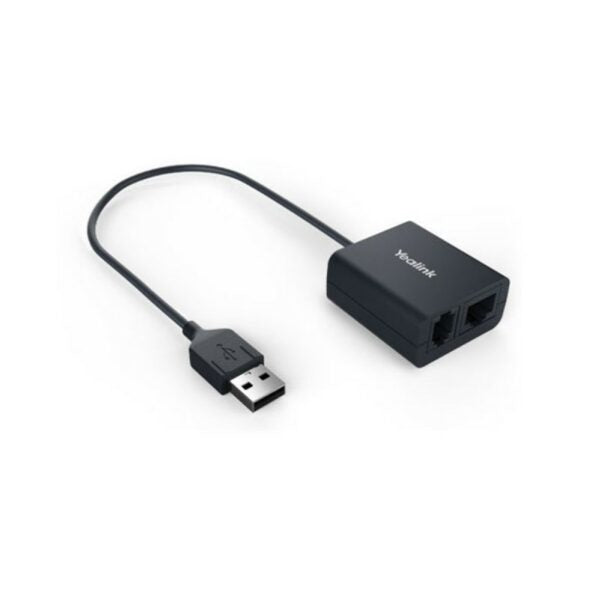
• The Yealink DD10K DECT USB Dongle transforms compatible Yealink desk phones into a fully integrated DECT solution, providing a quick and reliable connection with a transmission rate of 1152 kbps/s. • Dual Functionality: Handset and Base Station • Compatible with the following base stations: • Yealink W60B, W70B, W80B, and W90B DECT IP Base Stations • Enables models like T41S/T42S/T54W to function as a cordless handset within a larger Yealink DECT system • Enables models like T53/T53W/T54W/T57W/T58A/VP59 to work as a mini-DECT base station • Base station can register and connect with up to 4 compatible Yealink DECT handsets (W52H/W53H/W56H) • Easy and safe deployment, guaranteeing a flexible and optimal user experience • Reliable transmission rate of 1152 kbps/s

About This Product

The Yealink DD10K DECT USB Dongle is designed for small-to-mid-size offices that already use compatible Yealink desk phones and want to add cordless handset support without deploying a separate DECT base station. It fits naturally in environments where mobility matters—think retail floors, warehouses, or open-plan offices where staff need to take calls away from their desks. When plugged into a supported model like the T53W or T57W, the phone itself becomes a mini base station that can register up to four Yealink DECT handsets, effectively turning a desk phone into a hub for cordless communication.

A key tradeoff is that the dongle's range and reliability depend on the desk phone's location—placing it near metal shelving or in a basement cubicle may reduce DECT signal strength. It is not a substitute for a dedicated DECT base in larger deployments where multiple base stations or external antennas are needed for coverage across multiple floors. Conversely, for a single user who only needs one cordless handset, the dongle is a cost-effective alternative to buying a full base station. For Toronto GTA offices, this dongle pairs seamlessly with widely-deployed Yealink desk phones and SIP trunks, making it a practical add-on for small teams that want flexible telephony without extra cabling.
Services We Provide
  • Professional Installation & Configuration
  • Ongoing Maintenance & Support
  • Troubleshooting & Repairs
  • System Upgrades & Updates