Yealink EHS60 Wireless Headset Adapter for Headsets/IP Phones

Frequently Asked Questions

First, check that the headset is properly paired with its base unit (not directly with the adapter). The EHS60 just connects the base to the phone. Make sure the headset base is powered on and the adapter’s cables are firmly inserted into both the phone’s EHS port and the headset base’s port. In many GTA offices, a loose RJ9 cable is the most common cause—try reseating that connection.
Confirm that your phone actually has an Electronic Hook Switch (EHS) port—it’s often labelled “EHS” or appears as an RJ9 or RJ45 jack. Some phones require you to enable EHS in the phone’s settings; check the phone’s configuration menu. Power-cycle the phone and the headset base, then verify the cable you’re using is the correct one from the adapter’s kit.
One-way audio usually means the headset’s microphone isn’t being picked up. Check that the headset is properly seated on your head and that it’s not muted from the headset button. Also ensure the headset base is connected to the correct port on the phone—some phones have separate headset and handset ports. Unplug and reconnect the adapter cable, then test with a simple call.
First, verify that your phone supports EHS commands for remote hold, mute, and call control—this varies by phone model. Check the phone’s user guide to see if EHS is enabled. Sometimes the phone needs a specific codec or firmware version. Try testing with a different compatible headset if available to isolate whether the issue is with the headset or the phone.
Intermittent drops are almost always a cable or signal issue. Check that the RJ9 cable from the adapter to the phone is fully seated and not damaged. Also, ensure the headset base is within a few feet of the phone—interference from other wireless devices can cause drops. If using a Cisco phone with a long cable run, try a shorter cable. If the problem persists, contact your VoIP support provider for further troubleshooting.
Yes, the EHS60 does not charge the headset. It only provides control and audio connectivity. The headset base must be connected to its own power source to charge the headset. If your headset is not charging, check the base’s power adapter and the charging contacts on the headset.
The EHS60 is compatible with many Poly VVX models that have an EHS port, including the VVX 411. Connect the cable to the phone’s EHS jack (often labeled “EHS” or “Headset”). You may need to enable the EHS function in the phone’s settings under “Headset Mode.” After that, the headset should control calls. If you still have issues, check Poly’s compatibility list or consult your phone’s manual.
Plug the included RJ9 cable into the Grandstream phone’s headset port (not the handset port) and the other end into the EHS60. Then connect the adapter’s USB cable to the Yealink headset base. On the phone, go to Settings > Call Settings and set the headset mode to “Default” or “EHS.” Test by making a call; you should be able to answer and hang up from the headset.
No, the EHS60 is specifically designed for Yealink DECT headsets WH62 and WH63 only. Other headsets, even Yealink’s wired models, will not work because the adapter expects the proprietary connector and protocol. If you need a different headset, you’ll need a different EHS adapter or a universal headset base with phone integration.
The adapter itself does not have a power indicator—it draws power from the phone’s EHS port, so no light is normal. If the headset is not functioning, check that the phone is powered on and that the cable connecting the adapter to the phone is fully inserted. Some phones supply EHS power only after a call is in progress; try making a call first. If everything is connected and still no response, try a different headset to rule out headset issues.
VoIP Accessories

Yealink EHS60 Wireless Headset Adapter for Headsets/IP Phones
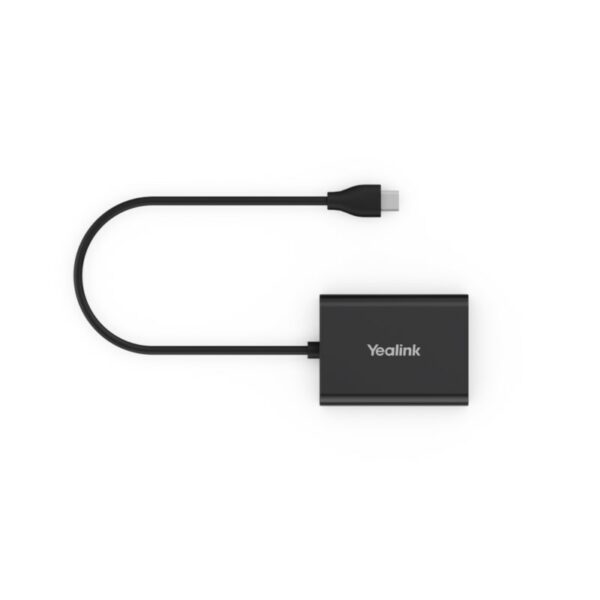
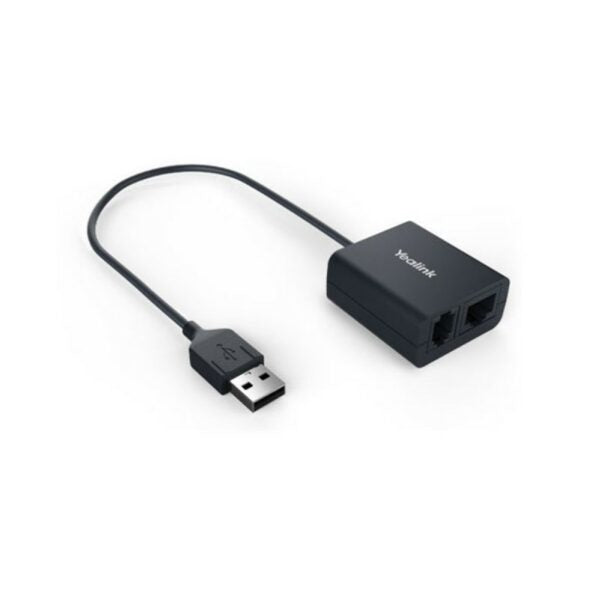
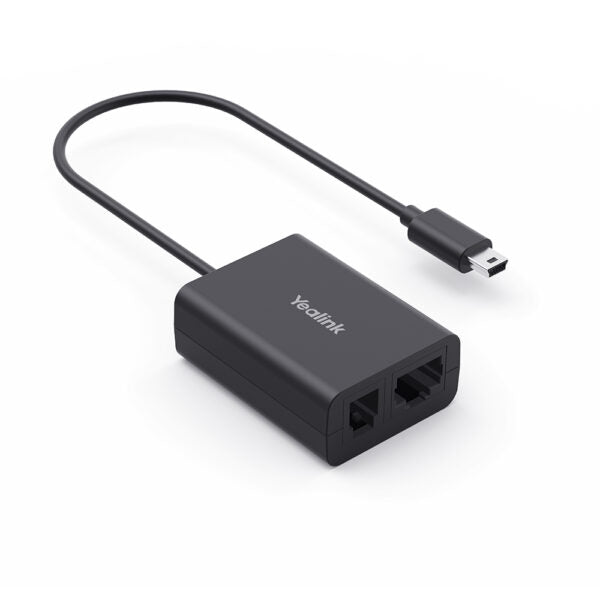
The Yealink Headset Adapter EHS60 is a technical interface between your Yealink DECT Headset and a compatible desk phone, providing easy installation and plug-and-play functionality. This adapter allows you to remotely control your phone calls, including answering, rejecting, holding, muting, hanging up, switching between multiple calls, and adjusting the volume. Key Features: • Compatible with Yealink wireless headsets only • Perfectly compatible with Cisco/Avaya/Poly/Grandstream desk phones • Control phone through wireless headset • Plug-and-play for easy setup • Easy to use Additional Information: - Weight: 0.22 lbs - Dimensions: 5.55 × 4.02 × 1.81 in - Brand: Yealink - Accessory Type: EHS Kit Technical Specifications: Compatible with Yealink wireless headsets (WH62/WH63) Perfectly compatible with Cisco/Avaya/Poly/Grandstream IP phones Plug and play Incoming calls are signaled in the headset earpiece Control calls through remote wireless headset: - Answer calls - Hang up calls Physical Features: 1 x Micro USB port for Yealink wireless headset (WH62/WH63), cable length 20cm 1 x RJ45 (8P8C) and 1 x RJ9 (4P4C) headset jacks to connect the desk phone, EHS60 and headset port through the included cable For a full list of specifications, please refer to the product datasheet.

About This Product

The Yealink EHS60 is designed for professionals who use Yealink DECT wireless headsets, specifically the WH62 or WH63 models, and want to integrate them with a desk phone from another brand. It bridges the headset and phone so you can answer, hang up, mute, and adjust volume directly from the headset without reaching for the handset. This makes it a practical addition in open offices or shared workspaces where hands-free call handling saves time and reduces physical contact with shared equipment.

This adapter is ideal for environments like a GTA office where employees rely on mixed-brand phone fleets—say, Cisco or Poly phones are the standard, but the user prefers a high-quality wireless headset. The EHS60 replaces the need for a wired headset or juggling the handset while on a call. However, it works only with those two specific Yealink headset models, so if you have a different brand or model, the adapter simply won't connect. Also, compatibility depends on the desk phone having an Electronic Hook Switch (EHS) port, which not all phones include.

For a buyer evaluating this, the tradeoff is convenience versus specificity. If you already own a WH62/WH63 and a compatible phone, setup is plug-and-play and the remote call control adds real daily value. If your headset or phone is outside the supported list, or if you expect to use the headset with a PC softphone as well, the EHS60 won't help—you'd need a different adapter or a headset base with dual connectivity. In summary, it’s a well-suited accessory for a narrow but common desk-phone scenario, not a universal solution.
Services We Provide
  • Professional Installation & Configuration
  • Ongoing Maintenance & Support
  • Troubleshooting & Repairs
  • System Upgrades & Updates