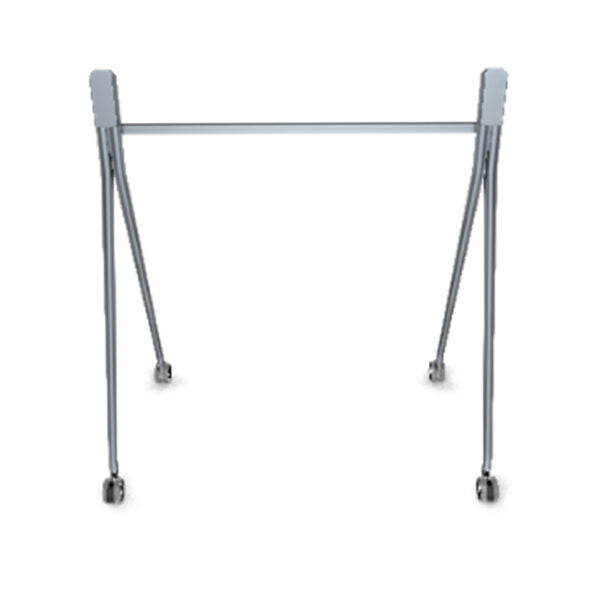
Yealink MB-FloorStand-650, FloorStand for MeetingBoard 65
Frequently Asked Questions
Check that the leveling feet are adjusted to contact the floor firmly. On thick carpet, place a rigid mat or plywood board under the stand to provide a stable base. If wobbling persists after tightening all bolts per the assembly manual, inspect the floor for unevenness and contact your vendor for further advice.
Yes, Yealink publishes digital manuals on their support website. Search for "MeetingBoard 65 floor stand manual" or contact the vendor you purchased from. You can also ask a Toronto-based AV integrator to help with installation if the instructions aren't clear.
Double-check that your display is exactly a Yealink MeetingBoard 65—this stand is engineered for that model's weight and VESA pattern. If it matches and the holes still don't line up, ensure the brackets are properly attached to the display. If the issue persists, contact Yealink support; do not force any connections.
It is not recommended. The stand is designed specifically for the MeetingBoard 65's mounting points and weight distribution. Using another display could create an instability risk and may void any warranties. For other displays, purchase a universal or brand-specific stand.
A level, hard surface like concrete or hardwood gives the best stability. Carpet can work if the leveling feet are properly adjusted and the pile isn't too thick. Avoid soft or uneven floors (e.g., thick plush carpet or uneven tile) as they can lead to tipping hazards.
Refer to the packing list inside the box to verify all components. If parts are missing, contact the seller or Yealink directly for replacement under warranty. Do not substitute with non-standard hardware, as that may compromise the stand's stability. A local Toronto office furniture supplier may have compatible parts if urgent.
The stand is heavy (over 50 lb) and has no casters. Remove the display first, then use two people to relocate the stand. It is intended as a stationary solution, so plan its placement carefully before assembly. If you need movable stands, consider models with wheels instead.
Check that all bolts, including the ones attaching the display to the stand, are fully tightened. Loose hardware can cause creaking. Do not overtighten beyond the torque specified in the manual. If noise continues, inspect for any debris between stand and display or contact support.
The product description does not mention built-in cable management. You may need to use external cable ties, raceways, or a cable cover to keep wires tidy. For a clean installation in a Toronto conference room, an AV integrator can recommend professional cable routing solutions.
First, confirm the floor is level; the stand's feet can only compensate for minor unevenness. Check that the display is seated fully onto the stand's brackets and that any tilt lock mechanisms (if present) are engaged. If the tilt persists, recheck assembly steps—do not attempt to shim the stand without manufacturer guidance.
Video Systems
Yealink MB-FloorStand-650, FloorStand for MeetingBoard 65
Yealink FloorStand for MeetingBoard 65: • Weight: 50.71 lb • Dimensions: 45.87 × 34.65 × 6.5 in (H × W × D) • Designed specifically for the Yealink MeetingBoard 65, providing a sturdy and stable platform for your conference room equipment. Additional Information: • Additional features not included in this list may apply
About This Product
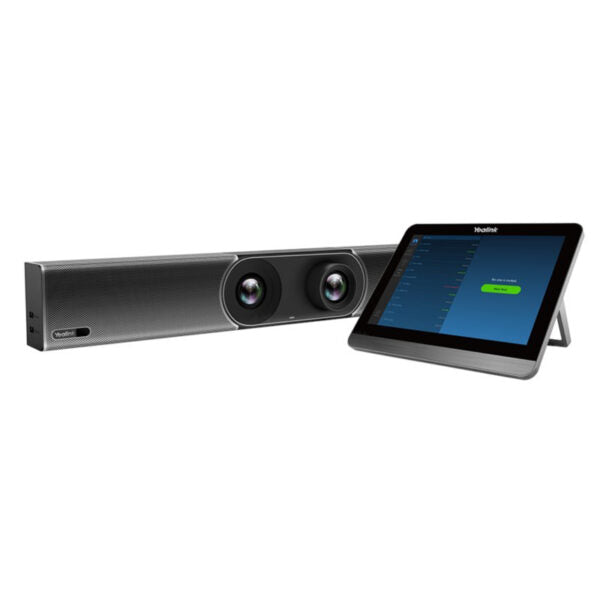
This floor stand is purpose-built for the Yealink MeetingBoard 65, turning the wall-mounted touch display into a free-standing unit ideal for boardrooms, training spaces, or open-plan offices where wall mounting isn't practical. It suits environments where the display needs to be repositioned occasionally or where the room layout changes, such as in a Toronto-area collaborative office with movable furniture. The stand adds about 51 pounds of weight, so it's stable on level floors but demands careful handling during assembly—it's not something you'd move daily. For Canadian businesses upgrading their video conferencing setup, this stand pairs naturally with the MeetingBoard 65 and a soundbar or speakerphone like the Yealink CP series, creating a complete front-of-room solution without drilling into walls. The tradeoff is floor space: it requires a clear area about 3 feet deep and 4 feet wide, which may be overkill for a small huddle room but perfect for a dedicated conference room. If your deployment is in a large open area, consider whether the stand's footprint fits alongside existing furniture.
Services We Provide
- Professional Installation & Configuration
- Ongoing Maintenance & Support
- Troubleshooting & Repairs
- System Upgrades & Updates