Yealink MB Wallmount 860 for MeetingBoard 75 and 86-3311074
Frequently Asked Questions
First, confirm that the wall plate is anchored into studs and not just drywall, as flexing can cause a gap. Use a level to verify that the bracket itself is perfectly horizontal; even a slight tilt can make the display appear uneven. If the gap persists, check that no cables are pinched between the display and the mount, and that all mounting screws are fully tightened.
Yes, but youâll need appropriate toggle bolts or anchors rated for the combined weight of the mount and display. Metal studs can flex more than wood, so confirm the wall can handle the load. If unsure, have a professional assess the wall structure before proceeding.
Check that all bolts connecting the display brackets to the wall plate are tight. Often, one or two screws have loosened during adjustment. Also, verify that the wall plate is secured into the center of the studs, not just the edge, and that no spacers are missing where the display attaches to the mount.
No, the MB Wallmount 860 is specifically engineered for the 75-inch and 86-inch MeetingBoard models with the extended touch display. The mounting hole pattern and weight capacity are not suitable for the smaller 65-inch version.
Contact Yealink support or your reseller to order a hardware kit. Using non-original bolts or spacers can compromise the mountâs safety and void warranty, so avoid substituting with generic parts.
The MB Wallmount 860 is a fixed mount without tilt adjustment, so forward tilt usually means the wall plate isnât flush or the display bracket hooks arenât fully seated. Remove the display, check that the wall plate is level and firmly against the wall, then re-hang the display ensuring the top hooks engage completely before lowering.
Yes, but plan the cable routing before mounting the display. The mount itself doesnât include cable management, so youâll need in-wall rated cables and possibly a pass-through plate. Ensure any holes you cut donât interfere with the wall plateâs anchor points.
The mount is purely mechanical and doesnât affect power. Check that the power cord is fully inserted at both ends, and that the outlet is live. If the display was working before mounting, reseat all connections and try a different outlet to rule out a tripped circuit.
Video Systems
Yealink MB Wallmount 860 for MeetingBoard 75 and 86-3311074
• Compatible with Yealink MeetingBoard 75-inch and 86-inch models featuring an extended touch display • Designed for a sleek wall mount installation on meeting rooms and conference spaces • Easy to set up and adjust to suit different mounting options
About This Product
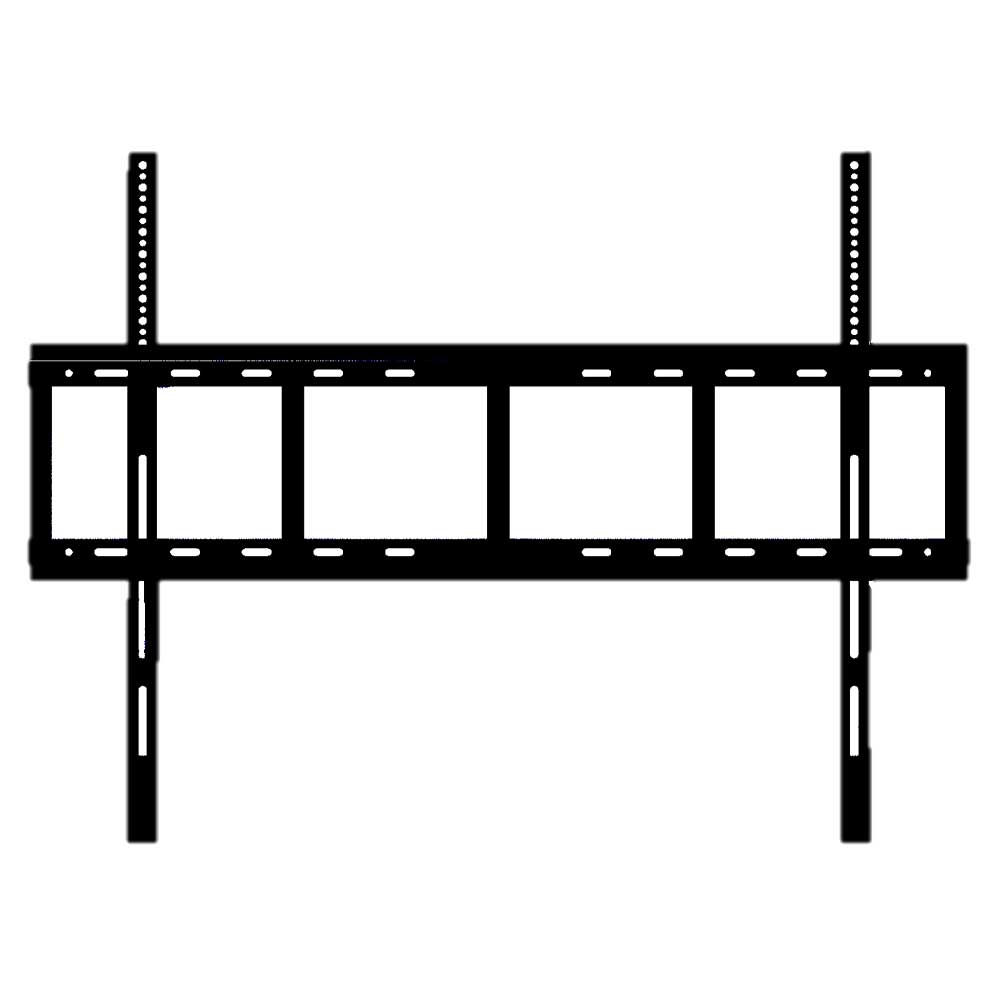
The Yealink MB Wallmount 860 is a purpose-built mounting solution for organizations that have standardized on the MeetingBoard 75-inch or 86-inch interactive displays and want a clean, permanent installation. It replaces makeshift universal brackets or furniture-based placements, giving conference rooms and huddle spaces a polished, professional look while freeing up floor area. For Toronto offices where square footage comes at a premium, a wall-mounted display can make a noticeable difference in room flexibility.
This mount is tailored to the exact VESA pattern and weight distribution of the larger MeetingBoards, so you avoid the guesswork and potential safety risks of generic mounts. Itâs designed for fixed, flush-to-wall mountingânot articulation or tiltâmaking it ideal for dedicated video collaboration spaces where the display position is constant. If your room layout requires frequent height adjustments or swing-out access, youâll want to consider a mobile cart instead.
Installation is straightforward for a professional installer, but it does require anchoring into wall studs or a reinforced backer board. The mount itself is an accessory, not a standalone product; it adds no electronic functionality. For teams deploying multiple MeetingBoards across a campus, having a consistent mounting method simplifies planning and keeps the visual appearance uniform. On the flip side, itâs overkill for a temporary pop-up meeting area or a small 65-inch screen, and itâs not compatible with earlier MeetingBoard models that lack the extended touch display.
This mount is tailored to the exact VESA pattern and weight distribution of the larger MeetingBoards, so you avoid the guesswork and potential safety risks of generic mounts. Itâs designed for fixed, flush-to-wall mountingânot articulation or tiltâmaking it ideal for dedicated video collaboration spaces where the display position is constant. If your room layout requires frequent height adjustments or swing-out access, youâll want to consider a mobile cart instead.
Installation is straightforward for a professional installer, but it does require anchoring into wall studs or a reinforced backer board. The mount itself is an accessory, not a standalone product; it adds no electronic functionality. For teams deploying multiple MeetingBoards across a campus, having a consistent mounting method simplifies planning and keeps the visual appearance uniform. On the flip side, itâs overkill for a temporary pop-up meeting area or a small 65-inch screen, and itâs not compatible with earlier MeetingBoard models that lack the extended touch display.
Services We Provide
- Professional Installation & Configuration
- Ongoing Maintenance & Support
- Troubleshooting & Repairs
- System Upgrades & Updates