Yealink Roompanel E2 All-In-One Meeting Room Scheduling Panel– 1303172
Frequently Asked Questions
Yealink Roompanel E2 All-In-One Meeting Room Scheduling Panel– 1303172
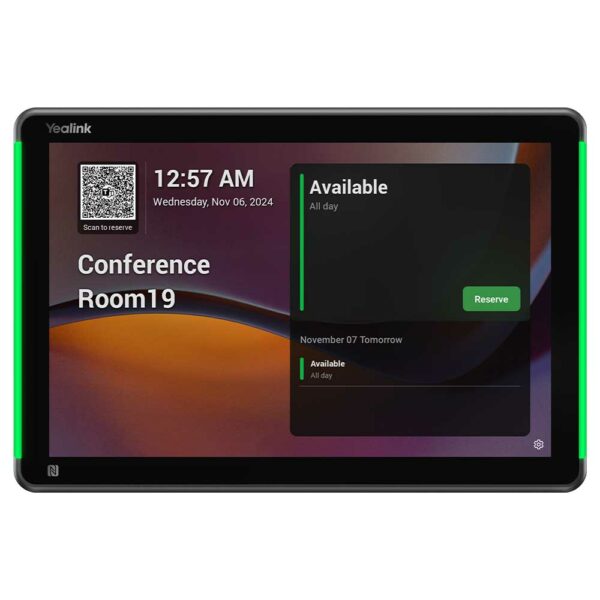
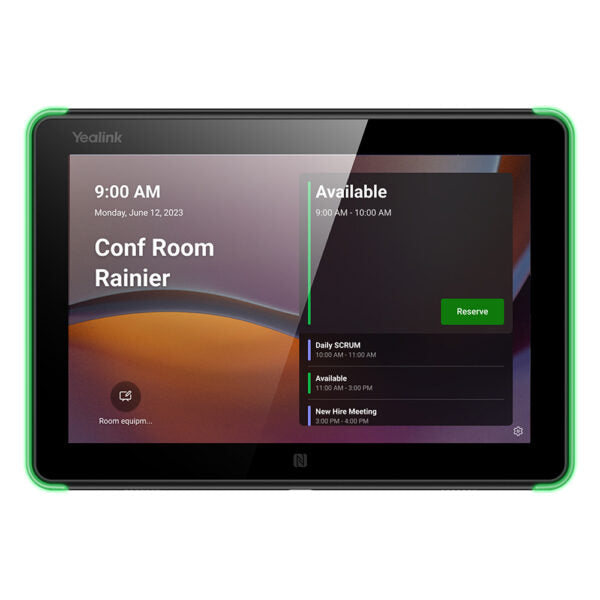
• Yealink RoomPanel E2 is an 8-inch all-in-one meeting room schedule panel that runs Android 13 and features full RGB programmable LED background illumination for immediate visible communication of room status. It includes multi-touch capabilities, 802.11ac Wi-Fi, Bluetooth 5.0, built-in NFC/RFID reader, enhanced microphone arrays and speakers to meet modern workspace demands. • Key Features: • 8-inch multi-touch interactive panel • Anti-Fingerprint Screen • High Visibility LED Bars out Room Status • Ambient Light & Proximity Sensor Embedded • Any Walls, and Tilt Optional • Orientation Optional • PoE or DC Power • Remote Device Management • 802.11ac Wi-Fi • Bluetooth 5.0 • RFID & NFC Embedded • Actions with Occupancy Sensor • Additional Information: • Weight: 3.21 lb • Dimensions: 9.92 × 7.83 × 5.51 in • Video Conferencing: Control Panel • Technical Specifications: • Display: 8″ LCD Panel (16:10), Resolution: 1280×800, Contrast: 1000:1, Viewing Angle(H/V): ±80°/±80° • Connectivity: Ethernet: 1 x Fast ethernet port (10/100Mbps), Wi-Fi: 802.11a/b/g/n/ac, Bluetooth: 5.0, RFID/NFC: 13.56MHz • Audio: Microphone: 2 x Array Microphones, Speaker: 2 x 1 Watt Speakers • Power Supply: Power over Ethernet (IEEE 802.3af), 12V Power Adapter • Dimensions: Display size (mm): 209 x 146 (8.23” x 4.06”), Weight: 0.53kg (1.168 lb)
About This Product
Because the panel runs Android 13 and includes Wi‑Fi, Bluetooth, and an NFC/RFID reader, it can authenticate staff via tap‑to‑book, integrate with access control, or respond to occupancy sensors. A built‑in microphone array and speakers allow quick audio prompts, though it’s not meant to replace a desk phone or a full‑duplex speakerphone. It draws power over Ethernet (802.3af PoE) or from a 12V DC adapter, so as long as you have a network drop or a nearby outlet, installation is straightforward—ideal for older buildings in downtown Toronto or new‑build towers in the GTA.
A buyer should be aware that the 8‑inch display, while crisp, is designed for scheduling interactions—tapping to reserve on‑the‑spot, viewing the day’s meetings—not for extended web browsing or video playback. The 10/100Mbps Ethernet port is standard for panel data; if you rely on Wi‑Fi, the device supports 802.11ac, but for reliability in busy RF environments, a wired connection is recommended. For a single‑room setup where staff just need to see if a room is taken, the E2 may be more than necessary. On the other hand, if you’re outfitting an entire floor of hot‑desked meeting pods, its remote management capabilities and programmable lights make it a strong fit.
Services We Provide
- Professional Installation & Configuration
- Ongoing Maintenance & Support
- Troubleshooting & Repairs
- System Upgrades & Updates