Yealink UH48 Dual Teams USB-C/A – 1308151

Frequently Asked Questions

First, try a different USB port directly on the computer, not through a hub or docking station, as some hubs don't provide enough power or reliable data. If using the USB-C connector, ensure your port supports audio devices; some USB-C ports are data-only. On Windows, check Device Manager under 'Sound, video and game controllers' for the Yealink device; if it appears with a warning, right-click and update the driver.
Confirm the microphone boom is rotated down and positioned near your mouth—moving the boom up mutes the mic by design. In your call software's audio settings, verify that the Yealink UH48 is selected as the input device, not the built-in laptop microphone. Also check that the inline mute button isn't engaged; the busy lights will flash red when muted.
Use the dedicated button on the inline control pod labelled with the ANC/ambient icon. Pressing it cycles through the modes: active noise cancellation on, ambient sound passthrough, and ANC off. A short voice prompt or LED indicator will confirm the mode change. If you don't hear a difference, ensure the headset is properly seated on your ears for the ANC to be effective.
Busy light integration depends on the software you're using. In Microsoft Teams, the light should sync automatically if the headset is selected as the audio device and the Teams client is up to date. For other softphones, the light may only activate when the call is answered or when you manually set your status. Check that the headset's firmware is current using Yealink USB Connect.
The UH48 works with macOS via USB, and it's recognized as a standard audio device without extra drivers. It cannot connect directly to a mobile phone because it lacks a 3.5mm jack or Bluetooth; it requires a USB host. If you need mobile connectivity, consider a Bluetooth adapter or a different headset model.
Try a different USB cable if you're using the USB-A adapter, as a faulty connection can cause intermittent audio. Avoid using USB extension cables or unpowered hubs. In your computer's power settings, disable USB selective suspend, which can briefly cut power to USB ports. If the problem persists, test the headset on another computer to isolate whether the issue is with the headset or your machine.
These protections are enabled by default and work automatically at the hardware level; there is no user toggle. Peak Block limits sudden loud sounds to safe levels, and the daily noise exposure feature monitors cumulative sound energy. If you need to verify or adjust anything, the Yealink USB Connect desktop app provides status information but typically no manual override.
The UH48 is an on-ear design, so a proper fit is critical. Adjust the headband so the ear cushions sit evenly without excessive pressure. If discomfort continues, try wearing it slightly forward or back to find a pressure point that works for you. Over time, the padding will soften, but if pain persists, a different headset style may be more suitable for your head shape.
Echo is often caused by the headset speakers being too loud and leaking sound back into the microphone. Lower the volume and see if the echo disappears. Also ensure the microphone boom is not pointing toward the earpiece. In your softphone settings, disable any 'listen to this device' or sidetone options that might be creating a feedback loop.
Download and install Yealink USB Connect from Yealink's support site. Connect the UH48, and the application will detect it and prompt you if a firmware update is available. Keep the headset connected throughout the update—do not unplug it. If the update fails, try a different USB port and ensure no other audio software is actively using the device. If the issue persists, a Toronto-based VoIP support provider can usually resolve this remotely.
VoIP Headsets

Yealink UH48 Dual Teams USB-C/A – 1308151
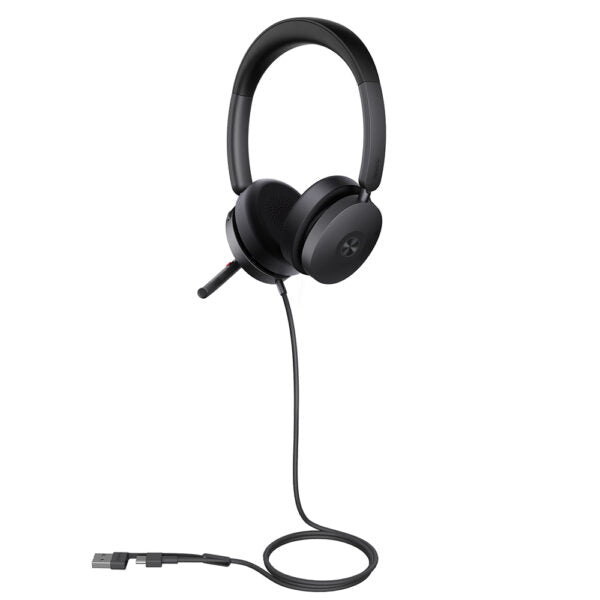
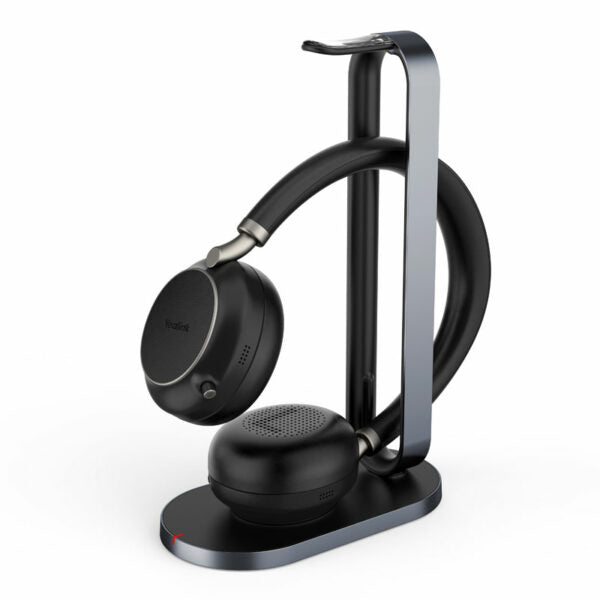
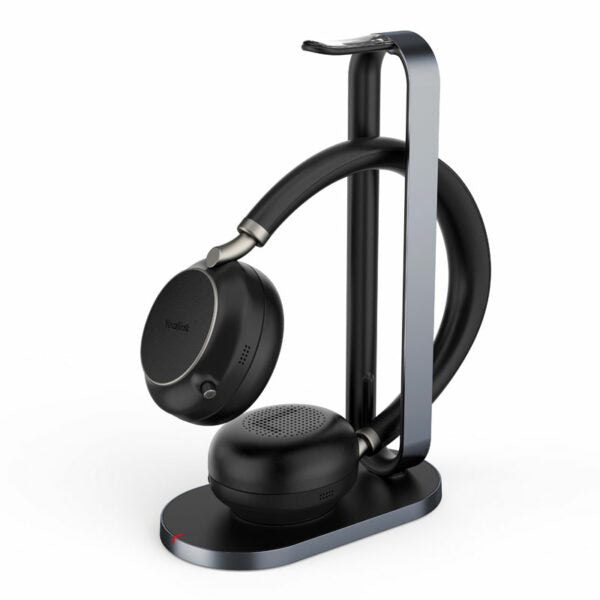
Yealink UH48 is a high-quality wired headset with Active Noise Cancellation (ANC) functionality, providing an immersive work experience in various office environments. Key Features: • Four-Microphone Noise Cancellation • Hybrid ANC for improved noise reduction • All-Day-Wearing Comfort for extended use • Flexible and Fast Plug-and-Play with USB-C/A connectivity • Brilliant Audio Performance with clear calls • Dual Busy lights for visual notifications • Adaptive EQ for optimized sound quality Technical Specifications: Package Content: • UH48 Dual Teams USB-C/A Headset • Waterproof Zipper Bag • Quick Start Guide Audio: • Microphone quantity: 6 • Microphone frequency response range: 100Hz-10kHz • Speaker size: Ø 30mm • Speaker sensitivity: 129±3dB 0.980V • Speaker frequency response range: 20Hz-20kHz (Music mode: 20Hz-20kHz, Talk mode: 100Hz-8kHz) • Active Noise Cancellation: ✔ • Hearing Protection: • Peak Block Protection (EN50332) • Australian G616 Protection (AU G616) • Daily Noise Exposure Protection Headset Control and Lights: • Answer/End/Reject a call • Volume up/down • Play/Pause • Microphone mute/unmute • Move the microphone boom arm up to mute, or down to unmute • Ambient sound/Noise canceling/off • Dual busy lights Packing: • Product net weight: 169 g • Product size: 183 mm x 162 mm x 63 mm • Giftbox size: 177 mm x 207 mm x 53 mm • Carton size: 550 mm x 182 mm x 220 mm • Qty/CTN: 10 PCS • N.W/CTN: 3.06 kg

About This Product

The Yealink UH48 Dual Teams is a wired USB headset built for professionals who spend their day on calls and need reliable, clear audio in busy environments. Its dual Teams certification means it works seamlessly with Microsoft Teams, but it also functions well with any softphone or UC platform, making it a flexible choice for contact centres, open-plan offices, and hybrid workers who switch between a laptop and a desk phone. The inclusion of both USB-C and USB-A connectors keeps it compatible with modern and legacy hardware without dongles.

Active noise cancellation and a six-microphone array help the UH48 filter out background chatter and keyboard noise, so it fits naturally into shared workspaces or home offices where distractions are common. The dual busy lights are a practical touch for signalling availability in person, reducing interruptions when you're on a call. All-day comfort is a stated priority, and the lightweight design supports that, though the on-ear fit may not suit everyone equally during marathon sessions.

As a wired headset, it trades mobility for simplicity and zero battery anxiety. That makes it less ideal for users who pace during calls or need to step away from their desk frequently. For a Toronto office deploying dozens of headsets, the UH48 offers a consistent, plug-and-play experience that IT teams appreciate, especially where wireless interference or pairing issues are a concern. It's a solid middle ground between basic stereo headsets and premium wireless ANC models.

If your work is purely mobile or you need to connect to a smartphone directly, the UH48 is underpowered—it relies on a USB host. Conversely, if your calls are occasional and you just need something to hear notifications, a simpler, less expensive headset would suffice. This headset is best when call clarity, microphone performance, and integration with Teams are daily requirements.
Services We Provide
  • Professional Installation & Configuration
  • Ongoing Maintenance & Support
  • Troubleshooting & Repairs
  • System Upgrades & Updates