Yealink VCS-TV Mount 2 – 330100053001
Frequently Asked Questions
Confirm all bracket-to-display and bracket-to-video-bar screws are tightened evenly, as shifting during adjustment can leave one side slightly backed out. Also verify the mount is attached to a flat, weight-bearing part of the TV chassis and not solely to a thin rear cover. If any fasteners are stripped or missing, obtaining the correct replacement hardware before continued use is essential.
The mount itself does not provide power, so the issue is almost always the power adapter or Ethernet cable getting dislodged during the installation. Reseat the power connection at the video bar and at the wall outlet, ensuring the cable has enough slack so it isn’t pulling away when the mount is tightened. If you are using PoE, verify the switch port still shows link and is provisioned to deliver the required power budget.
The VCS-TV Mount 2 is designed for under-screen installation to keep the camera near eye level during video calls. While the bracket could physically be flipped in some installations, the load direction and cable exit may not be supported that way, and camera angles may point downward awkwardly. It is safer to follow the intended under-TV orientation unless Yealink confirms alternate placements for your specific display.
Adjust the video bar’s tilt, if supported by your model, or use Yealink’s auto-framing and preset settings in the device’s web interface to exclude the unwanted area. In extreme cases where the TV is mounted unusually low, a small spacer between the mount and the video bar can alter the starting angle slightly. For persistent framing trouble, a local AV integrator can assess whether the screen height itself needs adjustment.
The mount is compatible with the UVC40, MeetingBar A20, MeetingBar A30, and Meeting Eye 400/600. If your video bar is from another Yealink line, such as older VC-series codecs or third-party USB cameras, the mounting pattern and weight distribution likely will not match, and using an adapter is not advisable.
The new position under the TV can change how sound reflects off the display and nearby walls. First, check whether any acoustic foam or felt pads were removed when reattaching the bar and replace them if needed. Then run the room’s echo cancellation test from the device settings, and try re-positioning external microphones or speakers so they are not firing directly into surfaces that have moved into the audio path.
Many commercial displays use standard VESA patterns, but if yours uses a proprietary mount, the bracket may not attach securely without an adapter plate. Review your TV’s manual for mounting thread locations and weight limits, and contact the display manufacturer or an installer to confirm compatibility before relying on an improvised fixation.
Video Systems
Yealink VCS-TV Mount 2 – 330100053001
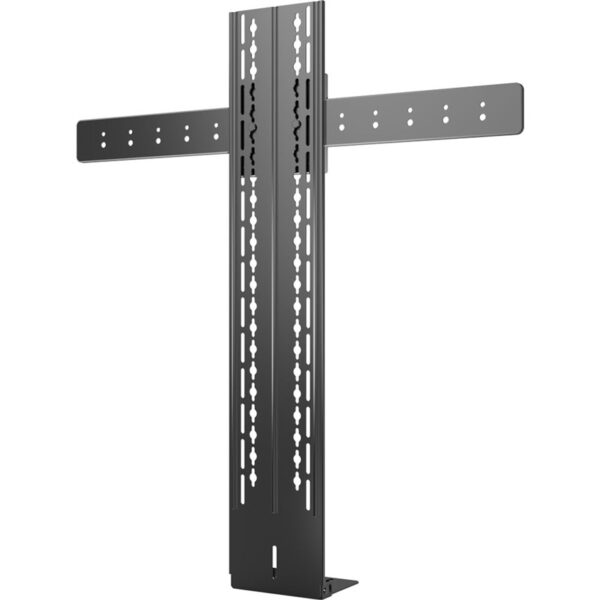
• Secure mount for installing a Yealink UVC40 or MeetingBar A20/A30 Video bar under a TV, providing a stable and long-term solution for professional video conferencing installations in the office. Key Features: • Compatible with UVC40, MeetingBar A20/A30, and Meeting Eye 400/600 • Secure mount for installing video bar on display • Long-term stability for reliable video conferencing performance
About This Product
The Yealink VCS-TV Mount 2 is a purpose-built bracket for organizations that want a clean, permanent home for their video bar without relying on precarious shelf placements or blocking the screen. It suits meeting rooms where the display is already wall-mounted or sits on a stand, and there is a desire to align the camera precisely beneath the TV for a natural sightline. For IT teams in Toronto and the GTA outfitting huddle spaces and mid-sized boardrooms, this mount eliminates the wobble that comes from improvised setups, which matters when rooms are booked back-to-back and every call needs to start without camera realignment.
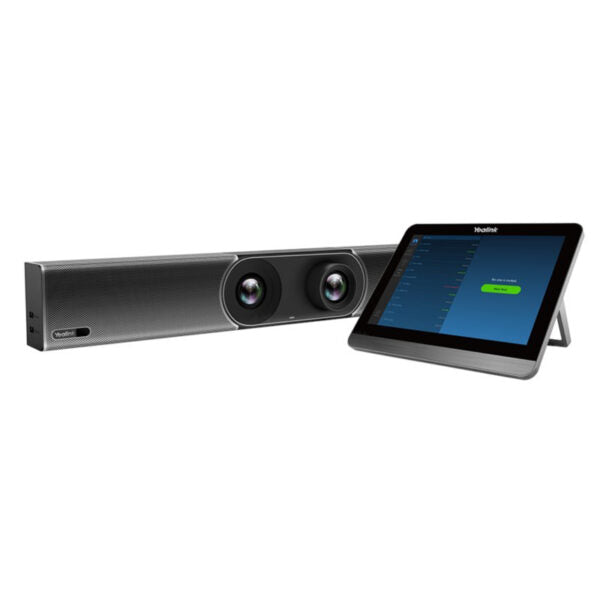
It pairs directly with Yealink’s all-in-one video bars—the UVC40, MeetingBar A20 and A30, and Meeting Eye 400/600—so it makes most sense when your deployment is already standardized on that hardware family. If your rooms mix video conferencing brands or you are using a USB camera separate from the audio unit, this mount will not serve as a universal solution. Think of it as the finishing piece in a Yealink-focused room kit rather than a flexible accessory.
Builders and facilities teams will appreciate the stability it brings to long-term installations, but it is overkill for hot-desking areas where equipment is frequently relocated or for trolley-based screens that move between floors. The mount trades convenience for permanence; once installed, the video bar is meant to stay put. Budget-conscious small offices that only occasionally run video calls may find a simple tabletop stand adequate, while enterprise sites with dedicated room systems will see the value in a locked-in, professional alignment.
A practical consideration is display depth and cable routing. Because the mount tucks the video bar under the TV, you will want enough clearance beneath the screen and a plan for managing power and network cables so they are not hanging in view. For Canadian offices that combine this with wall-mounted PoE switches or structured cabling, the result is a tidy boardroom that requires minimal tidying before a client call.
It pairs directly with Yealink’s all-in-one video bars—the UVC40, MeetingBar A20 and A30, and Meeting Eye 400/600—so it makes most sense when your deployment is already standardized on that hardware family. If your rooms mix video conferencing brands or you are using a USB camera separate from the audio unit, this mount will not serve as a universal solution. Think of it as the finishing piece in a Yealink-focused room kit rather than a flexible accessory.
Builders and facilities teams will appreciate the stability it brings to long-term installations, but it is overkill for hot-desking areas where equipment is frequently relocated or for trolley-based screens that move between floors. The mount trades convenience for permanence; once installed, the video bar is meant to stay put. Budget-conscious small offices that only occasionally run video calls may find a simple tabletop stand adequate, while enterprise sites with dedicated room systems will see the value in a locked-in, professional alignment.
A practical consideration is display depth and cable routing. Because the mount tucks the video bar under the TV, you will want enough clearance beneath the screen and a plan for managing power and network cables so they are not hanging in view. For Canadian offices that combine this with wall-mounted PoE switches or structured cabling, the result is a tidy boardroom that requires minimal tidying before a client call.
Services We Provide
- Professional Installation & Configuration
- Ongoing Maintenance & Support
- Troubleshooting & Repairs
- System Upgrades & Updates