
Grandstream UCM6302 IP PBX
AIM Telecom provides troubleshooting and configuration support for this product to businesses across Toronto and the GTA. Contact us to confirm whether the issue can be handled by phone or requires on-site service.
Get Support Call 416-312-4819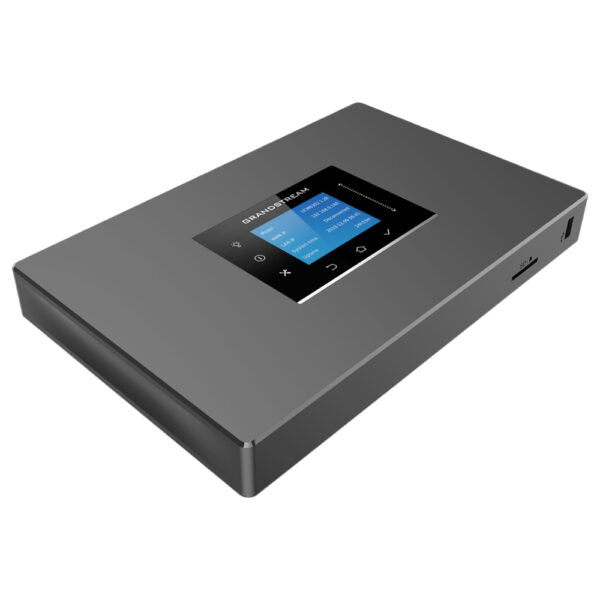
Common issues and fixes
Reviewed troubleshooting steps are not yet available for this model.
Ask AIM Telecom about this productAbout this product
The Grandstream UCM6302 is a powerful unified communication and collaboration solution designed for businesses. It unifies all business communication on one centralized network, including voice, video calling, video conferencing, web meetings, data, analytics, mobility, facility access, intercoms, and more.
Key features:
• Supports up to 3000 users and up to 450 concurrent calls
• Zero configuration provisioning of Grandstream SIP endpoints
• Built-in conferencing & meetings platform; supports desktop, Wave app, and SIP endpoints
• API available for third-party integrations, including CRM and PMS platforms
• Advanced security protection with secure boot, unique certificate, and random default password
• Three Gigabit auto-sensing RJ45 network ports with integrated PoE+ and support NAT router
The UCM6300 series also offers:
• Automated NAT firewall traversal service for secure remote connections
• Full-Band Opus voice codec and H.264/H.263/ H.263+/H.265/VP8 video codec, jitter resilience up to 50% packet loss
• Compatibility with GDMS for cloud setup, management, and monitoring
• Based on Asterisk* version 16 open-source telephony operating system
Additional information:
• Weight: 2.2 lbs
• Dimensions: 15 × 9 × 3 in
• Brand: Grandstream
• Phone System Call Capacity: 101-500 Concurrent Calls
• Device Ports: FXO, FXS
Key features:
• Supports up to 3000 users and up to 450 concurrent calls
• Zero configuration provisioning of Grandstream SIP endpoints
• Built-in conferencing & meetings platform; supports desktop, Wave app, and SIP endpoints
• API available for third-party integrations, including CRM and PMS platforms
• Advanced security protection with secure boot, unique certificate, and random default password
• Three Gigabit auto-sensing RJ45 network ports with integrated PoE+ and support NAT router
The UCM6300 series also offers:
• Automated NAT firewall traversal service for secure remote connections
• Full-Band Opus voice codec and H.264/H.263/ H.263+/H.265/VP8 video codec, jitter resilience up to 50% packet loss
• Compatibility with GDMS for cloud setup, management, and monitoring
• Based on Asterisk* version 16 open-source telephony operating system
Additional information:
• Weight: 2.2 lbs
• Dimensions: 15 × 9 × 3 in
• Brand: Grandstream
• Phone System Call Capacity: 101-500 Concurrent Calls
• Device Ports: FXO, FXS
More product details
The Grandstream UCM6302 is a unified communications platform built for medium to large organizations that need a single system to manage voice, video, conferencing, and more. Supporting up to 3000 users and 450 concurrent calls, it fits well in office environments where IT teams want an on-premise PBX with cloud-like management flexibility. Its zero-configuration provisioning makes it a natural partner for Grandstream SIP phones, and the built-in conferencing engine reduces reliance on third-party meeting tools. For a growing business in the GTA that expects to scale, this appliance offers room to expand without immediately needing a full enterprise system.